-
Knoppix messes with /dev/hda3 and nvidia driver?
I run knoppix 3.3, do nothing, logout, reboot
I load my usual gentoo-2.6.7-r11 kernel and get
-----
Mounting /dev/hda3 on /newroot failed: invalid argument
>> Could not mount specified ROOT, try again
>> The root block device is unspecified or not detected
----
So I reboot and retry my 2.6.7 kernel... same problem... again and again
So I reboot to my older gentoo-2.4.20 kernel and it loads fine, and
So I reboot and retry 2.6.7 kernel and now it works... and now I'm puzzled
Proceeding a startx and my nvidia driver only works for an awfully poor resolution. Reinstalling the driver does nothing.
I reinstall the kernel, the video drivers, and now all is fine.
In addition I can replicate this... obviously it's a painful thing to replicate but I can replicate it. Any ideas as to what is going on?
-
Re: Knoppix messes with /dev/hda3 and nvidia driver?
Problem is not with Knoppix. Problem is with turning off the computer completely and restarting... which only happens for me when I log out of Knoppix. Rebooting does not cause any problems.

Originally Posted by
gr
I run knoppix 3.3, do nothing, logout, reboot
I load my usual gentoo-2.6.7-r11 kernel and get
-----
Mounting /dev/hda3 on /newroot failed: invalid argument
>> Could not mount specified ROOT, try again
>> The root block device is unspecified or not detected
----
So I reboot and retry my 2.6.7 kernel... same problem... again and again
So I reboot to my older gentoo-2.4.20 kernel and it loads fine, and
So I reboot and retry 2.6.7 kernel and now it works... and now I'm puzzled
Proceeding a startx and my nvidia driver only works for an awfully poor resolution. Reinstalling the driver does nothing.
I reinstall the kernel, the video drivers, and now all is fine.
In addition I can replicate this... obviously it's a painful thing to replicate but I can replicate it. Any ideas as to what is going on?
-
Senior Member
registered user
I believed the problem could be somewhere in your hardware. Either you harddisk or your memory. Try changing bios setting to use either auto detection of harddisk or user setting. Test your memory using any memory testing utility, kanotix has that utility built in.
Similar Threads
-
By myztik19 in forum Hardware & Booting
Replies: 0
Last Post: 07-20-2004, 12:48 PM
-
By danboid in forum General Support
Replies: 0
Last Post: 06-28-2004, 09:42 AM
-
By Arman in forum Customising & Remastering
Replies: 12
Last Post: 10-14-2003, 10:38 PM
-
By nIght in forum General Support
Replies: 3
Last Post: 10-03-2003, 09:28 PM
-
By aryakori in forum Hardware & Booting
Replies: 1
Last Post: 07-26-2003, 06:17 AM
 Posting Permissions
- You may not post new threads
- You may not post replies
- You may not post attachments
- You may not edit your posts
-
Forum Rules


128GB (4x32GB) SK hynix DDR4 PC4-2666V RDIMM ECC Server Ram HMA84GR7CJR4N-VK
$799.00

TF/SD Card Adapter Camera Reader Android Type-c For iPhone17 Pro Max Plusm lot
$573.98
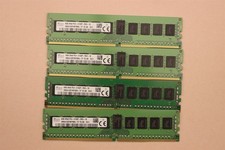
lOT OF 4 SKhynix 8GB (4 x 8GB =32GB) HMA41GR7MFR8N-TF 2R8 PC4-2133P DDR4 MEMORY
$89.00

Microsoft Office 2021 Pro Plus USB for 1PC Windows 10 & 11
$62.50

Kingston 32GB 64GB 128GB 256GB USB 3.0 Flash Drive Thumb Memory Stick Pen lot
$285.90

USB 3.0 Flash Drive 32GB 64GB 128GB Memory Stick Thumb Stick Lot Pack
$826.09

USB 3.0 Micro SD SDHC TF Card Reader Memory Adapter for PC Laptop Camera lot
$3.75
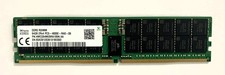
SK Hynix HMCG94MEBRA109N AA 64GB 2Rx4 PC5-38400 4800E DDR5 SDRAM Server Memory
$2000.00
Microsoft Windows 11 Home 64-Bit USB Flash Drive + Key Retail Box - Original
$39.88
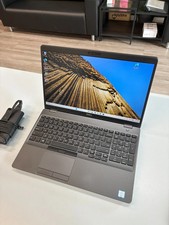
Dell Precision 3541 Laptop i5-9300H 2.4GHz 256GB SSD 16GB RAM Win 11 Pro
$189.99



 Reply With Quote