
How can I change the bootscreen with all the boot options? Can I enter a picture or jpeg or something like that?


How can I change the bootscreen with all the boot options? Can I enter a picture or jpeg or something like that?
Do you mean the lilo background image? See http://www.knoppix.net/forum/viewtopic.php?p=54431
Yes, the lilo background image. I'll check that out. Thank You.
Hi....I wondered that myself and you CAN do it. You have to go into your START menu.....to CONTROL CENTER......look down at bottom for LOGON MANAGER ....in there you have be administrator to do anything....so look at bottom of screen where it says administrator mode. You will click on it, get a screen where to type your password....then look around in there in the tabs....one of them has a section on the right hand side where you can choose another background image, and also you can choose images for USERS. I have a picture of myself for me and a picture of the LINUX PENGUIN for ROOT! Just look around in there and you will find it...bob58
 Posting Permissions


Lenovo ThinkPad L13 Yoga Touch Laptop 13.3” Core i5 8GB RAM 256GB SSD Win 11 Pro
$239.99
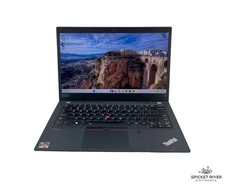
Lenovo ThinkPad T14 Gen 2a 8-Core Ryzen Pro 7 5850U 1.90GHz 512GB SSD 16GB RAM
$300.00

Lenovo ThinkPad T495 14” Laptop AMD Ryzen 5 PRO 16GB RAM 256GB SSD Windows 11
$229.99

Lenovo ThinkPad L15 Gen 3 15.6" 16GB, Thunder Black
$241.50

Lenovo ThinkPad E14 Gen 2 Laptop 14” HD Ryzen 5 16GB RAM 512GB SSD Win 11 Pro
$319.99

Lenovo ThinkPad E14 Gen 3 Laptop 14” FHD AMD Ryzen 5 16GB RAM 512GB SSD Win 11
$374.99

Lenovo Thinkpad T14 Gen 2i 14" 16GB 512GB, Black
$313.00

Lenovo ThinkPad T14 Gen 1 14" AMD Ryzen 5 16GB 256GB SSD
$219.99

Lenovo ThinkPad L15 Gen 3 15.6" 16GB, Thunder Black
$241.50

Lenovo ThinkPad T14s Laptop 14” Laptop Core i5 8GB RAM 256GB SSD Windows 11 Pro
$249.99

 Reply With Quote