-
Senior Member
registered user
login screen image
Hi....I wondered that myself and you CAN do it. You have to go into your START menu.....to CONTROL CENTER......look down at bottom for LOGON MANAGER ....in there you have be administrator to do anything....so look at bottom of screen where it says administrator mode. You will click on it, get a screen where to type your password....then look around in there in the tabs....one of them has a section on the right hand side where you can choose another background image, and also you can choose images for USERS. I have a picture of myself for me and a picture of the LINUX PENGUIN for ROOT! Just look around in there and you will find it...bob58
Similar Threads
-
By Dr4k3 in forum Customising & Remastering
Replies: 1
Last Post: 10-17-2004, 07:52 PM
-
By chris-harry in forum The Lounge
Replies: 2
Last Post: 10-09-2004, 07:02 AM
-
By PhaZZer in forum General Support
Replies: 3
Last Post: 09-07-2004, 12:23 AM
-
By rihosims in forum Hdd Install / Debian / Apt
Replies: 2
Last Post: 05-10-2004, 07:28 AM
-
By TeCuMSeH in forum Hdd Install / Debian / Apt
Replies: 0
Last Post: 07-01-2003, 11:22 PM
 Posting Permissions
- You may not post new threads
- You may not post replies
- You may not post attachments
- You may not edit your posts
-
Forum Rules


IBM System X3850-X5 Server w/4x Intel Xeon E7-4870 CPU , 512 GB DDR3 RAM,NO HDD
$1299.99

IBM QRadar xx29 2x Xeon E5-2650v4 2x 900W PSU M5120 12x 3.5" Bay Server No RAM
$179.99

Unused IBM 09P0037 MAINBOARD For RS/6000 7044-170 P-Series
$375.00

Rare Vintage IBM 93ZZ PowerPC Server Board - MCM Ceramic CPU - 40N1844 - 1.1 lbs
$49.99
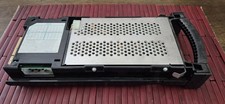
IBM SERVER SLED WITH HDD SCSI 8.8GB ,P005043441, AS IS,UNTESTED
$165.00

IBM SYSTEM X3500 M3 SERVER 7380AC1 TOWER Server XEON E5620 8GB RAID SEE NOTES
$108.92

IBM Power S824 12Bay 4U Server - 2x Power8 CPU, 512GB DDR4, MT: 8286-42A
$1731.00

IBM 4262 SYSTEM x3200 Tower - HDD Wiped, NO OS
$80.00

IBM ADP Server Type 7870 AC1 NO HDD | 128GB RAM PC3L | 2 x Xeon E5620
$199.99
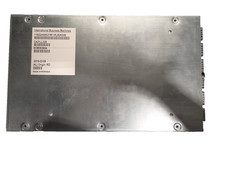
IBM 02AN553 01LL325 IBM I/OADAPTER PCIe / PCN Internal Server Systems Adapter
$199.99



 Reply With Quote