-
HD-install with knoppix-installer without lilo ????????
I have two harddisk´s. The first is my production-XP and the second is a 3.2Gb empty for knoppix.
I want to install knoppix with knoppix-installer (3.4), but i dont want to install the lilo-bootmanager. I dont wanna change any entry on my production-xp-harddisk. How can i install knoppix on the second harddisk and how can i include the linux partition in my boot.ini?
mfg No
-
Senior Member
registered user
Maybe you can make your KNOPPIX hdd be your primary boot disk and run lilo from there?
HTH,
AJG
-
Senior Member
registered user
There are different ways to do it, but one I like is to use the "GRUB for Windows" from a linux distro called Topologilinux. (In a nutshell, it's a Slackware-based distro that's meant to run from a couple of large files on your NTFS partition, rather than its own hard disk partitions.)
You can get it by either downloading the first ISO of the 2-CD set, or getting the grubinstall-1.0.zip file from here.
Couple things missing from the zip file that you get on the CD: a sample "menu.lst" that you can modify, and an "install.bat" file to install the thing.
It can be used to dual-boot WinXP with any Linux distro (I've used it to dual-boot Red Hat/WinXP and Knoppix/WinXP) and it doesn't muck with your MBR. If you're interested, I can post more info.
-
Senior Member
registered user

Originally Posted by
eco2geek
There are different ways to do it, but one I like is to use the "GRUB for Windows" from a linux distro called
Topologilinux. (In a nutshell, it's a Slackware-based distro that's meant to run from a couple of large files on your NTFS partition, rather than its own hard disk partitions.)
Ah, reminds me of the good ol' days of zipslack and BigSlack! Those were the days.
Regards,
AJG
-
Senior Member
registered user
Re: HD-install with knoppix-installer without lilo ????????
Originally Posted by
fritschi
I have two harddisk´s. The first is my production-XP and the second is a 3.2Gb empty for knoppix.
I want to install knoppix with knoppix-installer (3.4), but i dont want to install the lilo-bootmanager. I dont wanna change any entry on my production-xp-harddisk. How can i install knoppix on the second harddisk and how can i include the linux partition in my boot.ini?
mfg No
Well you have to install a boot loader. The trick is where! Just install lilo to partition (not mbr) and it won't touch your existing boot loader.
Similar Threads
-
By Kumagoro in forum Hdd Install / Debian / Apt
Replies: 4
Last Post: 03-01-2005, 04:26 AM
-
By rushman8282 in forum MS Windows & New to Linux
Replies: 1
Last Post: 01-30-2005, 03:38 AM
-
By devellino in forum Hdd Install / Debian / Apt
Replies: 2
Last Post: 12-29-2004, 03:16 AM
-
By redlabour in forum German Forum
Replies: 0
Last Post: 11-05-2004, 04:55 PM
-
By torchZ06 in forum Hdd Install / Debian / Apt
Replies: 8
Last Post: 09-21-2004, 06:39 PM
 Posting Permissions
- You may not post new threads
- You may not post replies
- You may not post attachments
- You may not edit your posts
-
Forum Rules


Compressed Air Duster Rechargeable Computer Vacuum Cleaner for PC Keyboard Toys
$16.99
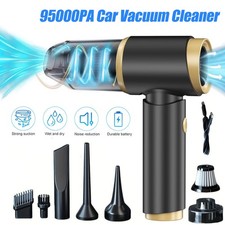
95000PA Wireless Car Vacuum Cleaner Air Blower Wireless Handheld Rechargeable US
$21.98

LEVOIT Cordless Vacuum Cleaner, Stick Vac with Tangle-Resistant Design, Up to...
$167.63
Tomahawk TVAC6PLUS 6 Qt Commercial Backpack Vacuum Cleaner Corded Hepa complete
$219.00

Mini Computer Vacuum USB Keyboard Cleaner PC Laptop Brush Dust Cleaning Kit NEW
$13.89

2-in-1 Compressed Air Duster & Vacuum, Brushless Motor, 320000RPM
$37.99
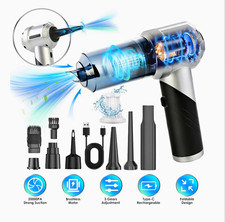
Rechargeable Type-C Air Duster Dust Blower Mini Vacuum Kit w/ Nozzles & Brush
$60.00
Powerffy Cordless Vacuum Cleaner N10 400W/30Kpa Power Nozzle Head Assembly.
$39.99

V3 Robot Vacuum and Mop Combo,Self-Charging,5000pa Strong Suction,WiFi/Alexa NIB
$82.00
High-Power Cordless Air Duster 480,000 RPM - Rechargeable, Adjustable Speed, Tur
$127.99



 Reply With Quote