-
From the command line: umount /mnt/sda1
From desktop: right click the icon and choose unmount
EDIT: btw, you don't have to call the mountpoint /mnt/sdax, you can name it anything you like as long as you use the same in fstab or mount it manually with say: mount /dev/sda1 /mnt/thumb.
Similar Threads
-
By mjman in forum Hardware & Booting
Replies: 9
Last Post: 10-25-2004, 09:46 PM
-
By Bothersome in forum MS Windows & New to Linux
Replies: 5
Last Post: 10-07-2004, 10:53 PM
-
By kidsatacrux in forum MS Windows & New to Linux
Replies: 19
Last Post: 08-03-2004, 07:41 AM
-
By ktheking in forum Customising & Remastering
Replies: 6
Last Post: 01-02-2004, 09:35 PM
 Posting Permissions
- You may not post new threads
- You may not post replies
- You may not post attachments
- You may not edit your posts
-
Forum Rules


Mini Computer Vacuum USB Keyboard Cleaner PC Laptop Brush Dust Cleaning Kit NEW
$13.89

LEVOIT Cordless Vacuum Cleaner, Stick Vac with Tangle-Resistant Design, Up to...
$162.04

V3 Robot Vacuum and Mop Combo,Self-Charging,5000pa Strong Suction,WiFi/Alexa NIB
$82.00

Cordless Air Duster & Vacuum Cleaner for Keyboard & PC Cleaning - 110000RPM Powe
$53.99

2-in-1 Compressed Air Duster & Vacuum, Brushless Motor, 320000RPM
$37.99

US Mini Computer Vacuum USB Keyboard Cleaner PC Laptop Brush Dust Cleaning Kits
$13.89

Cordless Handheld Vacuum Cleaner Compatible with DeWalt 20V Battery
$107.67

Compressed Air Duster Rechargeable Computer Vacuum Cleaner for PC Keyboard Toys
$16.99

Mini Computer Vacuum Cleaner & Compressed Air Duster 14500Pa, 110000RPM, Cordles
$53.99
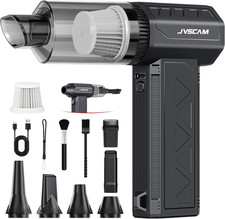
Compressed Air Duster,150000Rpm Electric Air Duster, Vacuum Cleaner & Bag Vacuum
$72.62



 Reply With Quote