-
Ypbind
After doing a dist-upgrade to sid, something a little odd pops up in the bootup sequence. I get a message of "Nis domainname to ypbind", then it shows a progress for a minute or two - holding up the boot process. Anyone know what this is, and if it's something which can be disabled?
-
Senior Member
registered user
When upgading your distro(knoppix), a lot of new services is installed, which lots of them are not needed by you. This services will eventually slow down your booting process.
You can remove services you don't want by editing your rc.d file/folder.
In case of knoppix, all those services can be remove from folder called /etc/rc1.d.........rcS.d. Concentrate more on /etc/rc5.d because your booting process will read from this folder if you use Xserver.
Ypbind is used to find server for NIS domain. Unless you have nis server, you don't need this.
-
Senior Member
registered user
As root:
Code:
update-rc.d -f ypbind remove
-
Senior Member
registered user
Had the same thing happen. Is the file S15bind9 the one I want to delete? Delete is what I want to do right? These are all of the new things that start and set after I upgraded:
K11anacron S15bind9 S20dbus-1 S20pcmcia S20xfs S80nvtv S99xdm
S10sysklogd S18portmap S20dhcp3-server S20rsync S25bluez-utils S89anacron
S11klogd S19nis S20isdnutils S20samba S25mdadm S89cron
S13isdnactivecards S20apmd S20makedev S20ssh S30squid S91apache
S14ppp S20cupsys S20partimaged S20sslwrap S40arpwatch S99fetchmail
I tried update-rc.d -f ypbind remove and it did the binding thing again after boot.
-
Senior Member
registered user
You need to run these commands as root in a console:
Code:
update-rc.d -f bind9 remove
update-rc.d -f dbus-1 remove
update-rc.d -f dhcp3-server remove
update-rc.d -f rsync remove
update-rc.d -f nis remove
update-rc.d -f isdnutils remove
update-rc.d -f mdadm remove
update-rc.d -f isdnactivecards remove
update-rc.d -f squid remove
update-rc.d -f apache remove
update-rc.d -f fetchmail remove
update-rc.d -f arpwatch remove
update-rc.d -f sslwrap remove
That's just for starters. The following can be removed as well if you don't plan on using them:
bluez-utils <---- for bluetooth cards if you have any.
samba <---- for file sharing on your LAN.
ssh <---- for secure remote access to your machine.
cupsys <---- for printing from your machine.
Once you're done, you can type reboot to see if it results in a much faster boot. I normally don't have samba, ssh, and cupsys automatically started on boot, I prefer to run them on an as needed basis so as to cut down on open listening ports.
OTOH, if you don't like using the command line to do this, you can use the sysvinit package to remove them graphically.
HTH,
Durand
-
Thanks for the advice, I'm really impressed with the boot speed gain from removing all that!
Similar Threads
-
By FelixDzerzhinsky in forum Hdd Install / Debian / Apt
Replies: 5
Last Post: 07-12-2004, 04:44 AM
 Posting Permissions
- You may not post new threads
- You may not post replies
- You may not post attachments
- You may not edit your posts
-
Forum Rules

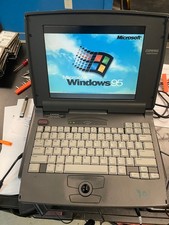
Compaq Contura 430cx Vintage Laptop 9.5" Intel 486DX2 50MHz Windows 95 Working
$150.00

Vintage Computer Keyboard Northgate OMNIKEY Ultra
$120.00

Vintage HP 21MX 1000 M-Series Minicomputer Chassis Backplane Parts AS-IS
$325.99

Lot of 2 Vintage Plextor PX-43CS SCSI CD-ROM Caddy Drives + 4 Caddies Used
$55.99
Vintage Amdahl Computer Chip Lucite Paperweight Air Cooled Logic Chip
$89.00

Original Vintage Old Style STANDARD Black CD Jewel Case (Heavy Duty) 90g Lot
$316.95
Dell Latitude XPi CD P150ST Vintage Computer - Not Working
$70.00

VINTAGE ESS ES1868 16 BIT ISA SOUND CARD COMPAQ 247428-001 - USA SELLER RM2-SC
$24.95
Sealed Vintage Intel Pro/1000 Network Adapters Drivers CD Ver 3.1 Vintage PC NEW
$39.61

VINTAGE COLLECTIBLE Comp USA Maxtor 20 GB 3.5 Inch EIDE Hard Drive NEW SEALED
$500.00



 Reply With Quote