

 Reply With Quote
Something is broken w/ cups in Knoppix 3.4 I am not sure what exactly but this is a common problem it seems. Perhaps try the mailing list to find a solution or get Kanotix where cups is not broken.


I am using knoppix 3.4 and am very satisfied with it's performance but I am not able to print
using cups. My printer is HP 722C and it requires pbm2ppa and foomatic filter, both are installed in knoppix 3.4. When I try to add my printer in cups, it is not shown in the dropdown list under HP.
How do I have pnm2ppa and foomatic incorporated in cups so I can use my HP 722C?
I am also using libranet 2.8, a debian distribution, and the HP 722C is listed under "HEWLETT-PACKARD" dropdown menu.
jozien
Something is broken w/ cups in Knoppix 3.4 I am not sure what exactly but this is a common problem it seems. Perhaps try the mailing list to find a solution or get Kanotix where cups is not broken.
I copied "/usr/share/cups/model/HP" directory from libranet 2.8 to "/usr/share/cups/model" in knoppix 3.4 and that solver my problem, I can now print in knoppix 3.4
jozien
 Posting Permissions


Intel Core i7-9700 Octa-Core 3 GHz Desktop Processor LGA 1151
$79.99
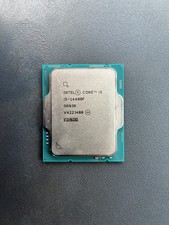
Intel Core i5-14400F 2.50GHz 6 Core SRN3R 16 Thread LGA 1700 CPU
$165.00

Intel Core i7-4770 3.40GHz Quad Core SR149 LGA 1150 CPU Processor tested
$35.00

INTEL CORE I9-10940X X-SERIES PROCESSOR | 3.30GHZ | SRGSH
$179.99

AMD Ryzen 5 5500 Processor ( read Description)
$59.00

Intel Core i7-3770K 3.5 GHz Processor
$39.00

Intel Core i5-12500T SRL5W 2GHz 18MB 6 Core Socket LGA1700 Desktop CPU Processor
$114.99

Intel i7-8700 Coffee Lake 3.2GHz 6-Core Max Turbo 4.6GHz Processor
$67.99
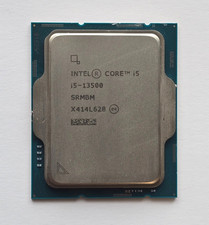
Intel Core i5-13500 2.5GHz/4.8GHz Boost 14-Core SRMBM LGA1700 Desktop Processor
$165.00

Lenovo ThinkCentre M920s SFF Barebones PC Motherboard PSU DVD No CPU RAM SSD
$27.99