-
Senior Member
registered user

Originally Posted by
rrfish72
...
root@1[/]# rmdir cdrom
root@1[/]# mkdir cdrom
root@1[/]# cd cdrom
root@1[cdrom]# dir
root@1[cdrom]# ln -sf sr0 /dev/cdrom
root@1[cdrom]# ls -la /dev/cdrom
total 40
drwxr-xr-x 2 root root 4096 Sep 2 22:12 .
drwxr-xr-x 13 root root 36864 Sep 2 22:09 ..
lrwxrwxrwx 1 root root 3 Sep 2 22:12 sr0 -> sr0
What else should be done?
Hmmmm,
All you did in that exercise of rmdir and mkdir, is put back the "same" thing, and you still have the sr0 pointing to sr0...
Here is what I would do...
Code:
root@xxx# cd /dev/cdrom
root@xxx[cdrom]# rm sr0
root@xxx[cdrom]# rm cdrom
root@xxx[cdrom]# cd /dev
root@xxx[dev]# rm sr0
root@xxx[dev]# rm cdrom
root@xxx[dev]# rmdir cdrom
root@xxx[dev]# ln -sf scd0 /dev/sr0
root@xxx[dev]# ln -sf cdrom /dev/sr0
root@xxx[dev]#
You have a /dev/cdrom directory, this is not proper, so I would delete all files, the symlink in the /dev/cdrom directory, it belongs in /dev, and no /dev/cdrom directory -=- So, in the above code sample; move to the /dev/cdrom directory, remove all files from that directory, move up one directory, then remove all symlinks that "point" or are "pointed to" /cdrom, remove the /dev/cdrom directory, and lastly, rebuild all the /dev/cdrom symlinks "in the /dev" directory.
This should take out the "directory listing" you get with a ls -la /dev/cdrom, and you should just get a symlink now...
Try XMMS for cd audio discs - Kaffeine for DVD's - for now - maybe its a setting in Kaffeine that isn't letting you play a audio cd - follow what I suggested for playing an audio cd in XMMS, a few posts ago - you want to be sure that the "plugin" for "CD Audio" is enabled in XMMS, and then change the "Play Location" to the device that has the audio cd in it...
I'll check back with ya, I'm currently under the "gun" at the moment at work, and don't have much time to work on this at the moment...
Ms. Cuddles
Similar Threads
-
By asearle in forum Hdd Install / Debian / Apt
Replies: 1
Last Post: 04-16-2005, 10:02 PM
-
By probono in forum Ideas
Replies: 0
Last Post: 09-17-2004, 04:17 AM
-
Replies: 1
Last Post: 09-15-2004, 01:36 AM
-
By CapnKirk in forum Customising & Remastering
Replies: 2
Last Post: 02-13-2004, 04:54 PM
-
By speeves in forum Customising & Remastering
Replies: 0
Last Post: 02-12-2004, 04:03 PM
 Posting Permissions
- You may not post new threads
- You may not post replies
- You may not post attachments
- You may not edit your posts
-
Forum Rules


Dell EMC PowerEdge R740 8 Bay Server w/ 32GB RAM 2x GOLD 6132 2x 1600W PSU H730p
$499.88

Dell PowerEdge R740xd Dual Intel Silver 4116 @2.1GHz 32GB HBA330 24Bay Server
$525.00

Dell EMC VxRail E560F 10-SFF 2*Gold 6230R 2.1GHz No RAM HBA330 iDrac Ent Server
$349.99

Dell EMC PowerEdge R440 Xeon silver 4215 2.5GHz 16 GB ram 2x 550W PSU No HDD
$275.00

Dell PowerEdge R640 1U 8SFF Server Barebones 2x Gold 5120 64GB H330 2x 750w
$538.88

Dell Poweredge R630 2x Xeon E5-2680 v3 2.5ghz 24-Cores / 64gb / Raid / 2x 1Tb
$374.99

Dell PowerEdge R730 8 Bay Server 64Gb 1x80Gb SSD 3x900Gb SAS 2x12c v4CPU Proxmox
$620.00
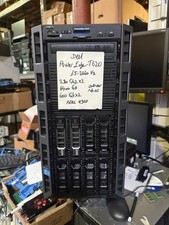
Dell PowerEdge T620 2x E5-2620 v2 @ 2.20GHz, 64GB 2X600GB HDD DVDRW H310 NO OS
$449.99

Dell Intel X710-DA2 5N7Y5 Dual-Port 10GbE SFP+ PCIe 3.0 x8 Network Adapter
$27.50

Dell PowerVault DL2200 2x Xeon E5620 24GB RAM H700 2x500GB SAS RAID1
$199.00



 Reply With Quote