-
Junior Member
registered user
Problem Mountig
There are three partitions on my disk:
1. win98
2. win98
2. linux ext2
When the knoppix loads, this is the fstab file:
# Added by KNOPPIX
/dev/hda1 /mnt/hda1 auto noauto,users,exec 0 0
# Added by KNOPPIX
/dev/hda3 /mnt/hda3 auto noauto,users,exec 0 0
# Added by KNOPPIX
/dev/hda4 /mnt/hda4 auto noauto,users,exec 0 0
But when i try to mount any of the partition, the following message apears:
"Could no determine filesystem type and none was specified"
If I change the fstab to this:
# Added by KNOPPIX
/dev/hda1 /mnt/hda1 vfat noauto,users,exec 0 0
# Added by KNOPPIX
/dev/hda3 /mnt/hda3 vfat noauto,users,exec 0 0
# Added by KNOPPIX
/dev/hda4 /mnt/hda4 ext2 noauto,users,exec 0 0
The message that appears is the following: "Wrong fs or to many things mounted".
How can i solve this?
Thanks
Tomas Zulberti
Similar Threads
-
By bongski55 in forum Hardware & Booting
Replies: 4
Last Post: 11-15-2003, 10:19 AM
-
By Triple Six in forum Hardware & Booting
Replies: 2
Last Post: 04-15-2003, 04:23 AM
 Posting Permissions
- You may not post new threads
- You may not post replies
- You may not post attachments
- You may not edit your posts
-
Forum Rules


Dell EMC PowerEdge R740 8 Bay Server w/ 32GB RAM 2x GOLD 6132 2x 1600W PSU H730p
$499.88

Dell EMC VxRail E560F 10-SFF 2*Gold 6230R 2.1GHz No RAM HBA330 iDrac Ent Server
$349.99

VMware vCenter Server 8 STANDARD Perpetual License Key VC-STD-C (Legacy Pack)
$1599.95

MICROSOFT WINDOWS SERVER 2025 RDS 50 CAL NEW Factory Sealed
$136.87

Dell PowerEdge R640 1U 8SFF Server Barebones 2x Gold 5120 64GB H330 2x 750w
$538.88

Gigabyte 4U AI Server 10x Nvidia GPU 2x Xeon Gold 6150 36 Core 2.7GHz DDR4 RAM
$1625.00

Dell PowerEdge C4130 1U AI GPU Server | 2x E5-2680 v3 | 32gb Ram | 2x 1600W
$484.99

Dell Poweredge R630 2x Xeon E5-2680 v3 2.5ghz 24-Cores / 64gb / Raid / 2x 1Tb
$374.99
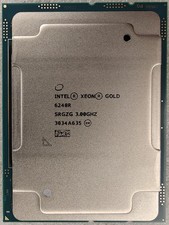
Intel Xeon Gold 6248R 3.0GHz 24-Core SRGZG 35.75MB LGA3647 Server CPU Processor
$225.00
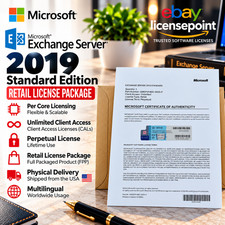
Microsoft Exchange Server 2019 STANDARD Unlmtd CAL Retail License Package
$245.00



 Reply With Quote