

 Reply With Quote
Maybe its your video card or refresh rate. What do you have?
Regards,
AJG


Hi,
I've just started Knoppix (3.4/17.05) for the first time, and since I have an lcd monitor with optimal resolution 1280x1024, I booted with "screen=1280x1024". Unfortunately, X started at a lower resolution - 1024x768. I cannot change that using krandr, because it only lists 640, 800 and 1024. What do I have to do to enable that resolution? 1024x768 doesn't look very nice :/
I suspect that the cause of this might be my non-standard lcd monitor - it's name is Prestigio P171 and I found out that most distros don't detect it automatically and don't have it on the vendor lists ...
Maybe its your video card or refresh rate. What do you have?
Regards,
AJG
My card is Nvidia Geforce FX 5700. I tried to set vsync= and hsync= values from the monitor manual (60Hz/63,9kHz or 75Hz/80kHz - both are for 1280x1024) but in first case Knoppix started in 800x600, and in the second - in 1024x768...
Nvidia can be a problem. Is your card recognized during the boot process?
Regards,
AJG
I have a similar problem. My monitor should support 1280x1024@75Hz, but in Linux, I get 1280 at 60Hz, which is quite painful...and I really need my high-res becuz Firefox is so large at 1024x768...
try sudo kxconfig
 Posting Permissions


Intel i7-8700 Coffee Lake 3.2GHz 6-Core Max Turbo 4.6GHz Processor
$69.99
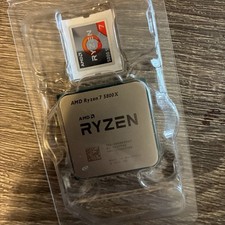
AMD Ryzen 7 5800X Desktop Processor (4.7GHz, 8 Cores, Socket AM4)
$169.99
Intel Core i5-10500 @ 3.10GHz - SRH3A - CPU - Processors - 10th Gen - Tested
$89.95

Intel Core i7-9700 3.0 GHz 8 Core Processor
$85.00

Intel Core i7-7700T 2.9GHz 8MB Socket LGA1151 Quad Core Processor SR339
$39.99

Intel 4th Gen Core i7-4790 SR1QF 3.60GHz (Turbo 4.00GHz) 8M 4-Core LGA-1150 CPU
$39.99
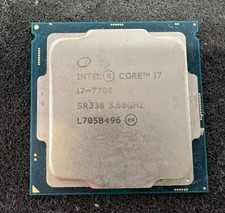
Intel 7th Gen Core i7-7700 3.6GHz 4 Core 8 Thread LGA1151 CPU SR338
$42.99
Intel Core i7-8700 3.2 GHz 8 GT/s LGA 1151 Desktop CPU Processor SR3QS
$67.99
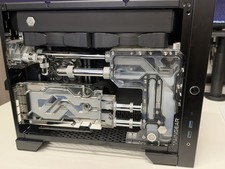
Maingear Apex Turbo computer rtx 3080 12gb , 64GB Ram, Ryzen 5800x , Parts
$1600.00
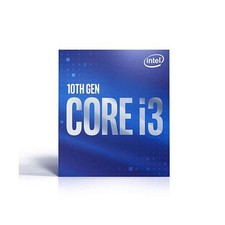
Intel Core i3-10105T @ 3.00GHz SRH3R CPU Processor - Tested
$54.95