
Does anyone know if the details of these new mastering scripts are covered in the new Oreilly Knoppix book?


Does anyone know if the details of these new mastering scripts are covered in the new Oreilly Knoppix book?
My guess is that they are not in the book, although FabianX was a contributing author. The book is not due out till October.
This utility isn't really a script, per se' , it is a graphical interface that performs the steps for remastering (creating a master / source directory, copying the files to them for remastering, chrooting into the development environment). I just finished my last remaster a day before this utility came out, but it appears that it makes remastering much closer to a "no-brainer".
These scripts are not covered, however "Klaus's scripts" the set of scripts that Klaus uses to remaster Knoppix are included, along with the standard step-by-step command-by-command method.Originally Posted by kbreen
Klaus's scripts make it pretty simple as well, there just isn't a GUI you can click
Hi, Sorry if this is a dumb question. I tried using this customize script and keep getting an error that there is not enough space on the device? Do I need to be running the knoppix distro from the CD? I currently have it installed on my HD.
I tried running with the CD installed etc. (but not booted)
What are the requirements to run the script? I have over 8 gigs of space so Im sure this error is incorrect and due to something I may have missed?
I just run the script with no argument and made a folder called "remastered" on my root directory..
/remastered
I then tell the customizing script this path and it says its not big enough... not enough space.
thats as far as I get. Any ideas anyone?
Thanks alot
**Don White**
Yes, you need to run it directly from the CD, as for creating the chroot it wants to access /KNOPPIX/, once created you should be able to run the script also from Harddisk.
I'll add that to the initial post.
cu
Fabian
thank you Fabian for you support! I will wait patiently for your return
I'm new to remastering Knoppix and this "Easy Way" script seems to have worked pretty nicely. One thing though, it doesn't generate an ISO of the same size as the original( I didn't do the update ).
Is there some different compressor that used for the released CD or is there some other reason for the size differences?
BTW, it's REALLY nice being able to install with "fromhd=" option for remastering and CD burning on the same machine.
The prerequisites are not clear as to whats needed to run the script. As in min size hard disk space, ram, and swap size. I have a 6 gig drive to work with..
Do I understand correctly that all I need is my HD to be partitioned with maybe 800 Mb swap (I have 300 Mb RAM) and the rest (5.2 Gb) empty, and I can boot off the CD and run the script? And then once I chroot, I will be able to apt-get to remove and install packages, and use dpkg to install .DEB packages etc?
first, it seems to want a total of 1GB of working memory( RAM + SWAP ). I have 512MB of RAM and created a 500MB swap file to handle this requirement.
second, the 700MB KNOPPIX CD is compressed and the script uncompresses/installs this to the HD. This decompresses to almost 2GB. Add to that the fact that you'll need space for the NEW rebuilt/compressed image AND that you'll probably want to run KNOPPIX "fromhd" and it would be best to have around 5GB of harddisk space.
third, the script has an update option for apt-getting to update the build but also has the chroot option which you should be able to manually "tune" the build image too( I've not tried this yet ).
My brief experience with this script is that it does work( builds a working KNOPPIX ISO ) but as I mentioned earlier, the new build is larger than the original for some reason. The author mentioned that you have to boot from the CD to run the script and since that would prevent you from also using the CD drive for burning the image, using the "tohd" and then "fromhd" cheat-code makes this all work pretty nicely. YMMV.
Will the script allow you to "apt-get remove" packages? If so I'd expect that to reduce the image size accordingly...
 Posting Permissions


Netac DDR4 32GB 16GB DDR4 3200MHz UDIMM C16 Desktop Internal Memory RAM Kit
$99.99
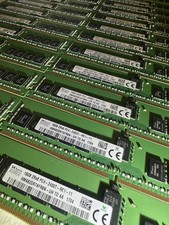
SK hynix 16GB 2Rx8 PC4-2400T-RE1-11 HMA82GR7AFR8N -UH TD AA
$2450.00
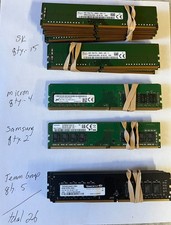
*LOT of 26* SK, Samsung, Micron, other 8GB PC4-2666V DDR4 DIMM Desktop Memory
$800.00

Major Brand 16GB (2x8GB) PC3-12800U DDR3-1600MHz DDR3-12800 DESKTOP RAM NON-ECC
$29.99

A-Tech 8GB DDR3 1600 PC3-12800 Laptop SODIMM 204-Pin Memory RAM PC3L DDR3L 1x 8G
$21.68
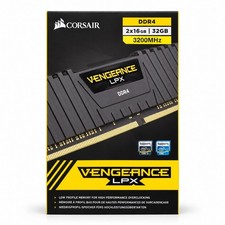
Corsair Vengeance LPX 32GB (2x16GB) DDR4 3200MHz CL16 CMK32GX4M2E3200C16
$169.99

RAMAXEL Lenovo 32GB LPDDR5X CAMM2 7500MHz Laptop RAM | UNTESTED
$445.00

DDR4 Laptop RAM 4GB 8GB 16GB 32GB 2400 2666 3200 Samsung Hynix
$30.00
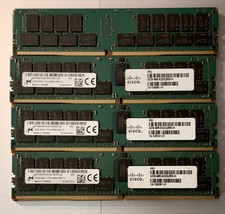
(LOT of 10) Samsung 32GB 2Rx4 PC4-2666V-RB2-12 DDR4 Cisco Server RAM Tested 100%
$1299.99

16GB ( 4X 4GB ) MEMORY DDR3 PC3-10600 1333MHz FOR DELL OPTIPLEX 790 780 990 980
$39.99

 Reply With Quote