-
Senior Member
registered user
tapsa,
First, thanks for making it easy to get those scripts in your deb.
I gathered that I should be booted from the CD/DVD so I did that and then refused mounting my persistent home when asked. (I usually boot from a bootable knoppix DVD on an 8GB usb thumb drive now that they are cheap.)
After I installed the package... I ran it and picked a directory I had made before running knoppix-remaster as root, on an 20GB ext3 partition. That would be /media/hdb5/remaster. I had told it to create a new remaster there.
I ran knoppix-remaster and I picked the first, then second, and then third options.
The first one made a long copy process. No error was reported there.
/media/hdb5/remaster/KNOPPIX.build/Knoppix.Master/KNOPPIX-CUSTOM/KNOPPIX has the files which are going to be compressed into iso. It seems to have everything I would expect to see in such a target.
But the curious thing is the KNOPPIX file.
301 bytes. The first part of the file is...
#!/bin/sh
#V2.0 Format
modprobe cloop file=$0 && mount -r -t iso9660 /dev/cloop $1
exit $?
with some binary bytes following that.
So I looked at the files and Knoppix-3.4.mkcompressed defines some environment vars pointing to files that do not exist.
CDRECORD=/KNOPPIX.build/cdrecord
MKISOFS=/KNOPPIX.build/genisoimage
BOOTSRC=/KNOPPIX.build/Knoppix.System/bootdisk/Knoppix3.4
Should the deb have installed those? There is no Knoppix.System at all for instance.
I will probably just try and copy those files to KNOPPIX.build/ and try again.
cheers!
-
Senior Member
registered user
Well I copied those files to /media/hdb5/remaster/KNOPPIX.build/ and got a little further along. Now I have a huge iso file.
Here is what make iso says at the end...
Total translation table size: 2048
Total rockridge attributes bytes: 10277
Total directory bytes: 36296
Path table size(bytes): 262
Max brk space used 21000
1035723 extents written (2022 MB)
Well it doesn't seem to be zipping anything. It only takes about 3 minutes to do too!
Bummer. This was also strange... I hope I don't need -publisher instead. I'll check that next.
I'm also not using /KNOPPIX.build but one buried deeper into /media/hdb5/remaster/KNOPPIX.build.
Checksumming...Done.
/KNOPPIX.build/genisoimage: The option '-P' is reserved by POSIX.1-2001.
/KNOPPIX.build/genisoimage: The option '-P' means 'do not follow symbolic links'
/KNOPPIX.build/genisoimage: Mkisofs-2.02 will introduce POSIX semantics for '-P'
/KNOPPIX.build/genisoimage: Use -publisher in future to get old genisoimage behavior
Unknown file type (unallocated) /KNOPPIX.build/Knoppix.Master/KNOPPIX-CUSTOM/.. - ignoring and continuing
Size of boot image is 4 sectors -> No emulation
-
Senior Member
registered user
Ok well since I did boot from the DVD maybe it is supposed to be that big... so I'll go ahead and try a burn even though I did not try and make a KNOPPIX2 cloop file or even manually copy the files in it to the source image files. Here goes nuthin... lol
-
Senior Member
registered user
Well I'll be darned... It was all okay. I am booted into my new Knoppix, with my slight changes... Wow.
I only did this so I could try out a couple of bug fixes...
1. I removed pump from the BLACKLIST of processes that get left running in knoppix-halt. It leaves some open files that cause a fsck on my persistent home on every boot I use it.
2. I am trying out a patch offered to automount a persistent home if it finds one. Well see.
I just wanted to let others who come along know what I found wrong with it as I did it.
Thanks again tapsa.
Similar Threads
-
By Xorpid in forum Hdd Install / Debian / Apt
Replies: 2
Last Post: 05-21-2004, 02:37 AM
-
By PrOCesSkIlL in forum Customising & Remastering
Replies: 29
Last Post: 04-02-2004, 01:32 AM
-
By KeithBlake in forum Hdd Install / Debian / Apt
Replies: 3
Last Post: 02-26-2004, 12:41 PM
-
By MichielioZ in forum Customising & Remastering
Replies: 11
Last Post: 04-15-2003, 12:13 AM
-
By a.lost.soul in forum Customising & Remastering
Replies: 2
Last Post: 01-23-2003, 09:19 PM
 Posting Permissions
- You may not post new threads
- You may not post replies
- You may not post attachments
- You may not edit your posts
-
Forum Rules


Intel Core i5-12500T SRL5W 2GHz 18MB 6 Core Socket LGA1700 Desktop CPU Processor
$114.99

Intel Core i7-8700 3.2 GHz 8 GT/s LGA 1151 Desktop CPU Processor SR3QS
$67.99

INTEL CORE I9-10940X X-SERIES PROCESSOR | 3.30GHZ | SRGSH
$179.99
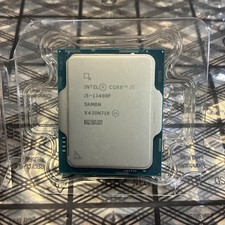
Intel Core i5-13400F 10 Core 16 Thread Processor SRMBN
$126.99

Intel SR3XE Core i5-8500 3.0GHz 9M Socket 1151 6-Core CPU Processor *Tested*
$32.99

Intel Core i7-3770K 3.5 GHz Processor
$39.00

Intel Xeon E3-1230 v3 SR153 3.3GHz Quad Core LGA 1150 CPU Processor
$14.49

Intel Core i7-7700K SR33A 4.20GHz 4-Core LGA1151 CPU Processor
$62.95

LAST BATCH *Brand New-Sealed* AMD Ryzen 9 9950X3D2 Dual Ed. 4.3GHz 16Core AM5
$768.00

AMD - Ryzen 7 5800X3D 8-Core - 16-Thread 3.4 GHz (4.5 GHz Max Boost) w/ Ice Pad
$355.99



 Reply With Quote