-
Help with ndiswrapper and driverloader
i have recently bought a WPC11 version 4 after taking back my Dlink Air Plus because i thought that this one would work because it is a older b card. I then looked around and found out it is a older chipset and thus not working with knoppix. I then found "ndiswrapper" and "driverloader" and after extracting the .gz files and using the shell to enter "make install", i recieved this for both Ndiswrapper and DriverLoader
knoppix@ttyp0[knoppix]$ cd /mnt/sda1/driverloader-1.77
knoppix@ttyp0[driverloader-1.77]$ make install
make: Warning: File `modules/imported/makeflags.mak' has modification time 1.2e+08 s in the future
make[1]: ../modules/kernelcompiler.sh: Command not found
make[1]: Entering directory `/mnt/sda1/driverloader-1.77/modules'
make[1]: Entering directory `/mnt/sda1/driverloader-1.77/modules'
make[1]: Warning: File `../modules/imported/makeflags.mak' has modification time 1.2e+08 s in the future
rm -rf "/usr/lib/driverloader/config.mak" "/usr/lib/driverloader/modules/imported" "/usr/lib/driverloader/modules"
mkdir -m 755 -p /usr/lib/driverloader/modules
mkdir: cannot create directory `/usr/lib/driverloader': Read-only file system
make[1]: *** [/usr/lib/driverloader/modules] Error 1
make[1]: Leaving directory `/mnt/sda1/driverloader-1.77/modules'
make: *** [install] Error 2
Can someone please tell me what i am doing wrong?
I am transfering all this on a USB pen drive, does that have anything to do with it?
-
well seeing as no one has responded i decided to follow up on this problem that i had. After noticing the same problem with both drivers, i realized that this was because i was running the OS on a computer w/o a hard drive, which was also one of the reasons i decided to use knoppix in the first place. I found out that you can not install drivers to the linux OS unless it is installed on the HardDrive.
My main goal with all of this was to be able to acesse the internet on my laptop somehow without a hardd drive, and without spending any money on any hardware except the WiFi card itself. I acomplised that by using a OS called BartPE which uses your Windows XP CD to make the ISO image itself. This PE builder allows the adding of plugins so i downloded the plugin for the WPC11 version 4 card ( they have lots of NIC drivers ) and now i am up and running with my card. I suggest this to anyone who had the same problem as i did. I know this may not be of interest to that many people, if any but i just thought i would share.
Similar Threads
-
By bigrobot in forum Networking
Replies: 0
Last Post: 03-23-2005, 03:26 AM
-
By Linuxrising in forum Networking
Replies: 2
Last Post: 08-08-2004, 06:29 PM
-
By cyph3r in forum Networking
Replies: 4
Last Post: 07-25-2004, 08:22 PM
-
By urbster1 in forum Networking
Replies: 1
Last Post: 05-11-2004, 08:27 AM
-
By andrej in forum Laptops
Replies: 0
Last Post: 04-29-2004, 02:15 PM
 Posting Permissions
- You may not post new threads
- You may not post replies
- You may not post attachments
- You may not edit your posts
-
Forum Rules


🔀 Juniper Networks EX2300-C-12P 12× Gigabit PoE+ • 2× 10G SFP+ Compact Switch ⚡
$109.99

Juniper EX2300 12-Port Gigabit PoE+ Managed Network Switch P/N: EX2300-C-12P
$149.99

Juniper Networks EX2300-48P 48-Port PoE Gigabit Switch (Renewed)
$361.91

Juniper QFX5100-48S-3AFI 48-Port SFP+ 6 QSFP+ 2x SFP/RJ-45 Management
$249.97

Juniper MX204 +JUNOS and Dual Power Supply
$7299.99
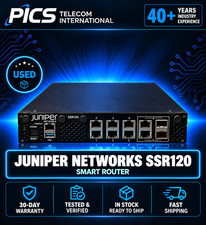
Juniper Networks SSR120 Smart Router
$500.00

Juniper EX2300-C 12 Port Compact Gigabit Switch EX2300-C-12p Discounted Cosmetic
$79.86

Juniper EX2300-C-12P 12 Port Gigabit PoE+ 2x10G SFP+ Managed Compact Switch
$179.99

Juniper Networks Mist Wireless Access Points, Model AP45
$59.99

Juniper EX3400-24P 24-Port PoE+ GbE + 4-Port 1/10Gb SFP Switch
$245.00



 Reply With Quote