-
Senior Member
registered user
apt-get install help
trying to install the udate for xine and when I run apt-get install xine.... I get this:
root@0[etc]# apt-get install http://aleron.dl.sourceforge.net/sou...b-1-rc5.tar.gz
Reading Package Lists... Done
Building Dependency Tree... Done
W: Couldn't stat source package list http://www.videolan.org i386/ Packages (/var/lib/apt/lists/www.videolan.org_pub_videolan_debian_i386_Packages ) - stat (2 No such file or directory)
W: You may want to run apt-get update to correct these problems
how is this fixed. I know I added something like this to a file but don't remember where and when.
-
Senior Member
registered user
Well friend that's not quite how apt works.  You add sources (package repositories) to /etc/apt/sources.list. Then you use apt to install the package.
To find a package:
apt-get update
apt-cache search xine
apt-get install xine-ui
HTH
-
Senior Member
registered user
Now trying to install libdvdcss2 with apt-get install libdvdcss2:
root@0[apt]# apt-get install libdvdcss2
Reading Package Lists... Done
Building Dependency Tree... Done
Package libdvdcss2 is not available, but is referred to by another package.
This may mean that the package is missing, has been obsoleted, or
is only available from another source
E: Package libdvdcss2 has no installation candidate
What does this mean?
-
Senior Member
registered user
-
Senior Member
registered user
I'll explain...
apt-get searches for the package you want on a set of servers. of course, some servers have a certain piece of software that another server lacks. So you should search for certain servers that can provide the package YOU need.
the list of servers is saved in the file /etc/apt/sources.list. you can edit it by hand (eg "mcedit /etc/apt/sources.list" or use kate/kwrite. remember you must be root to change it - su is your friend).
when you do an "apt-get update", the list of available software on the servers is refreshed. then you can install software.
but what did the first error you had, mean? well, apt-get wasnt able to get software-info from one of the servers, http://www.videolan.org. so you have to check if its entered properly in the sources.list file, and if the server exists and is online. then do apt-get update again. if you are unable to find the server, put an # before the name. this way you have made it an comment (wich is ignored by apt-get) so you can use it later on, if its available again.
the second error you had means there *is* a package "libdvdcss2" (which you tried to install, or was needed for something you tried to install) but its not in the list of one of the servers you have in sources.list. so you have to find out where this package is located. because its an dvd library, I guess its illegal under US law (which doesnt really care about consumer's rights in regards to software - read more about US software patents if you want, I guess linux might even become illegal itself, once...) so it isnt in the standard repository (thats how a server is called) but in a "non-us" repository. on www.debian.org you can find your (local) servers. remove the ones in the file and add your own. then you can add as much as you want from sites like www.apt-get.org (a searchsite for debian packages. you can use this site to find libdvdcss2 if you want).
then apt-get update and off you go.
good luck
 Posting Permissions
- You may not post new threads
- You may not post replies
- You may not post attachments
- You may not edit your posts
-
Forum Rules


Vintage ATI Graphics Ultra Pro EISA Video Card 2MB VRAM Mach32 Retro Gaming
$125.00

🔥Vintage Windows 95 Hp Pavilion 5030 Monitor, Tower Working Desk Computer DOS
$1095.00
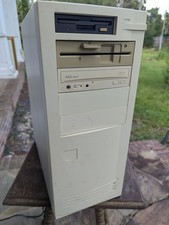
Vintage Beige Desktop PC Tower AT Computer w/ Floppy & 44X CD-ROM TC
$99.99

Vintage Core CL9 Master Universal Remote Control Steve Wozniak (Apple) READ
$1248.88

ViewSonic E70f Vintage 17" Flat Screen Color CRT Computer Monitor
$274.00
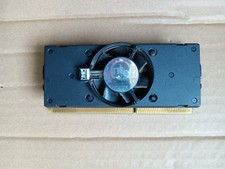
vintage computer oarts
$69.00

RARE Vintage HP 320LX Palmtop PC With Stylus Pen Works Great
$199.00
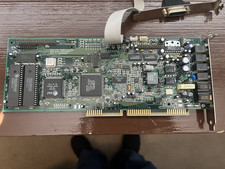
Vintage MediaMagic Telemetry-32 RIO ISA Sound Card Modem OPTi 82C950 AT&T DSP
$34.99

5x Vintage SSS SCP1802D SCP1802LD Ceramic CPU 1802 COSMAC 1978 Gold IC
$299.99

Vintage MICRON DESKTOP PC 133MHz Pentium - SEE BioS SCREEN PICS
$475.00



 Reply With Quote