

 Reply With Quote
Well friend that's not quite how apt works.You add sources (package repositories) to /etc/apt/sources.list. Then you use apt to install the package.
To find a package:
apt-get update
apt-cache search xine
apt-get install xine-ui
HTH


trying to install the udate for xine and when I run apt-get install xine.... I get this:
root@0[etc]# apt-get install http://aleron.dl.sourceforge.net/sou...b-1-rc5.tar.gz
Reading Package Lists... Done
Building Dependency Tree... Done
W: Couldn't stat source package list http://www.videolan.org i386/ Packages (/var/lib/apt/lists/www.videolan.org_pub_videolan_debian_i386_Packages ) - stat (2 No such file or directory)
W: You may want to run apt-get update to correct these problems
how is this fixed. I know I added something like this to a file but don't remember where and when.
Well friend that's not quite how apt works.
To find a package:
apt-get update
apt-cache search xine
apt-get install xine-ui
HTH
Now trying to install libdvdcss2 with apt-get install libdvdcss2:
root@0[apt]# apt-get install libdvdcss2
Reading Package Lists... Done
Building Dependency Tree... Done
Package libdvdcss2 is not available, but is referred to by another package.
This may mean that the package is missing, has been obsoleted, or
is only available from another source
E: Package libdvdcss2 has no installation candidate
What does this mean?
wget http://download.videolan.org/pub/lib...2.8-1_i386.deb
dpkg -i libdvdcss2_1.2.8-1_i386.deb
I'll explain...
apt-get searches for the package you want on a set of servers. of course, some servers have a certain piece of software that another server lacks. So you should search for certain servers that can provide the package YOU need.
the list of servers is saved in the file /etc/apt/sources.list. you can edit it by hand (eg "mcedit /etc/apt/sources.list" or use kate/kwrite. remember you must be root to change it - su is your friend).
when you do an "apt-get update", the list of available software on the servers is refreshed. then you can install software.
but what did the first error you had, mean? well, apt-get wasnt able to get software-info from one of the servers, http://www.videolan.org. so you have to check if its entered properly in the sources.list file, and if the server exists and is online. then do apt-get update again. if you are unable to find the server, put an # before the name. this way you have made it an comment (wich is ignored by apt-get) so you can use it later on, if its available again.
the second error you had means there *is* a package "libdvdcss2" (which you tried to install, or was needed for something you tried to install) but its not in the list of one of the servers you have in sources.list. so you have to find out where this package is located. because its an dvd library, I guess its illegal under US law (which doesnt really care about consumer's rights in regards to software - read more about US software patents if you want, I guess linux might even become illegal itself, once...) so it isnt in the standard repository (thats how a server is called) but in a "non-us" repository. on www.debian.org you can find your (local) servers. remove the ones in the file and add your own. then you can add as much as you want from sites like www.apt-get.org (a searchsite for debian packages. you can use this site to find libdvdcss2 if you want).
then apt-get update and off you go.
good luck
 Posting Permissions


Atari 1200 XL home computer with original owners guide and power supply power on
$255.00

Atari 400 / 800 Computer Memory Module 16K RAM PCB CX853 - Works Perfectly
$18.95
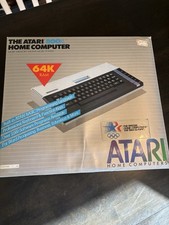
Atari 800XL Home Computer 64K RAM in Original Box 1984 Olympic Edition Untested
$149.99
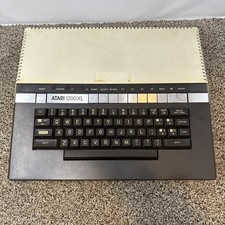
Atari 1200XL Computer Game Console Vintage Rare FOR PARTS OR REPAIR READ
$270.00

Fujinet 1.7.1 Atari 400 800 800XL 130XE 65XE XEGS Assembled, Tested, Working
$99.99
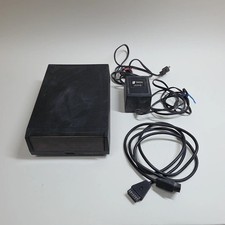
Broken Indus GT Floppy Disk Drive for Atari
$129.99
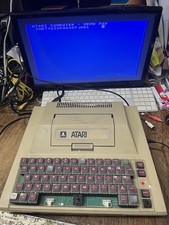
atari 400 Upgraded 48k board & mpp-1100 working & Power Supply
$109.65
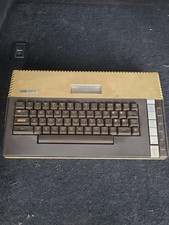
Atari 800XL 8-bit Home Computer Video Game System - **UNTESTED PARTS OR REPAIR**
$89.99

DEFECTIVE Atari 810 Vintage Computer Disk Drive powers on Unit Only Boo G3D
$49.29

Atari 400 Home Computer System includes Power Cord G2U
$159.99