

 Reply With Quote
Yes it can be done and it is not that difficult. Docs have been written on the very subject. I hate to tell you to go RTFM but I also have no intentoin of rewriting something that already exists.


I have a laptop that doesn't have a cdrom. It is connected to my home lan via ethernet.
I have done a network install of Redhat 9.0 and all is well.
I would like to put Knoppix/debian on it... either by a hard drive install or by just booting the knoppix image from files copied to the laptop's hard drive.
Is this possible.
Can I copy the files from the cd, off of a Knoppix cd which is mounted on my lan's server, to a free partition on my laptop and then mount and run the previously copied image??? How?
Johnny
PS... thanks for your assistance
Yes it can be done and it is not that difficult. Docs have been written on the very subject. I hate to tell you to go RTFM but I also have no intentoin of rewriting something that already exists.
Many thanks.
Your reply tells me where to go!!!
Your reply does not give the slightest 'hint' of what to search for!!!
Why did you reply at all.
Are you really that arrogant?
It doesn't? OK I'll write it a little more clearly.Originally Posted by opensource_powered
READ THE DOCUMENTATION!! There is a link at the top of this very page called Docs. If you click it it will take you to ......oh I dunno.....THE DOCUMENTATION!!! Here's the part you want:
FaqHdBased - FAQ about booting the Knoppix compressed filesystem from HD
Unless I'm mistaken that's EXACTLY what you want to do.
Because no one else took pity on you and bothered to reply on either of the posts you left. At least I was kind enough to tell you IT"S IN THE DOCS!!Why did you reply at all.
Apparently I am. :PAre you really that arrogant?
It's so funny. You ask a question that someone spent hours answering in a nice format that anyone can read but you don't feel that you're required to read it. Instead you want someone to rewrite in on your post and you have the audacity to call me arrogant???
Admit it. You haven't even bothered to click the Docs link have you?
You 'get off' putting people down....
don't you,
little man,
go play with your self,
probably all you'll ever get
Look: Don't dis mzilikazi. He knows a lot about this crap, and is usually a lot of help.
Assuming you've got GRUB installed (it's what Red Hat uses, right?), and your existing / partition is /dev/hda1, all you have to do to simulate a Knoppix CD boot from the hard drive is:
- Make a folder named /KNOPPIX (all caps) on hda1.
- Copy the huge /KNOPPIX/KNOPPIX file from a Knoppix 3.4 CD to it.
- Also copy whatever kernel/miniroot pair you want. If you want kernel 2.4, copy /boot/isolinux/linux24 and /boot/isolinux/minirt24.gz from the CD to your /KNOPPIX dir on hda1. If you want kernel 2.6, use linux26 and minirt26.gz.
Let's say you chose kernel 2.6, using the "minirt26.gz/linux26" pair. So now you've got a directory, /KNOPPIX, on hda1 that contains:
KNOPPIX
minirt26.gz
linux26
You could then add a stanza to menu.lst like this:
# For booting Knoppix off the hard disk
title Boot Knoppix 3.4 from hard disk (kernel 2.6)
# Requires /KNOPPIX/KNOPPIX, miniroot, and kernel on hda1
kernel (hd0,0)/KNOPPIX/linux26 noapm fromhd=/dev/hda1 lang=us keyboard=us alsa vga=791
initrd (hd0,0)/KNOPPIX/minirt26.gz
Note that your "cheatcodes" like "noapm" and "alsa" go on the line that starts with "kernel."
Note also that you will not be able to access hda1 read-write when you do this; just read-only (just like it was a CD-ROM).
If you want to create a partition specifically to hold the ~700M KNOPPIX file, just make sure you put it in a directory called /KNOPPIX, and change (hd0,0) to whichever partition it really is.
P.S. Did I forget to say, don't dis mzilikazi?
 Posting Permissions


Lot of 500 Cisco 10-3145-02 QSFP-100G-CWDM4-S 100G CWDM4 QSFP28 Transceiver
$1500.00

Cisco WS-C3650-12X48UR-L 48-Port Stackable Layer 3 8x10G SFP+ Port Switch
$129.99
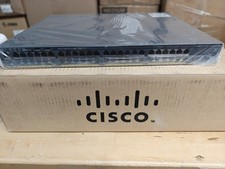
Cisco Catalyst 2960x (WS-C2960X-48FPD-L) 48 Port POE Rack Mount Switch Brand New
$399.99

Cisco Catalyst WS-C2960+24TC-S 24-Port Gigabit Managed SFP Switch
$39.99
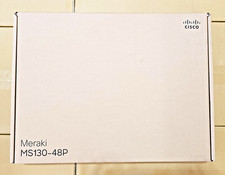
Lot of 10 Cisco Meraki MS130-48P-HW 48-Port Gigabit PoE+ Cloud Manage UNCLAIMED
$22000.00

Genuine Cisco SFP-10G-SR 0-2415-03 10 Gigabit Transceiver
$5.40

Cisco Nexus N9K-C92160YC-X 48P 25GbE SFP28 6P QSFP+/QSFP28 PE Switch
$439.00
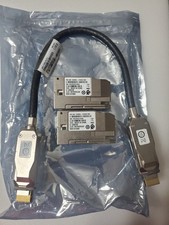
Cisco C9300L-STACK-KIT V02 Stack
$190.00
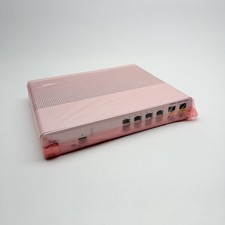
Cisco 8-Port Ethernet Catalyst Switch - WS-C2960C-8TC-L - Brand New
$50.00

Cisco Catalyst C9130AXI-B WiFi 6 802.11ax Wireless Access Point Brand New
$101.99