

 Reply With Quote
Maybe here:
http://www.garloff.de/kurt/linux/dc395/
The download links seemed to work OK.


Hello,
I'm searching for a kernel module (dc395x_trm.o) for a Tekram DC-395U SCSI controller for KNOPPIX V3.1. Can somebody tell me where I can get it.
Thanks.
Steve
Maybe here:
http://www.garloff.de/kurt/linux/dc395/
The download links seemed to work OK.
Thank you for the link. But I found only the sources there. I have no idea how to make a module.
Here's a brief how to on compiling from source. It isn't always the same but this will give you the general idea. Virtually all tarballs have instructions on how to install/compile. You will find them after you untar it.
cd /the_directory_where_you_downloaded_your_tarball
then do a:
tar xzvf dc395-141.tar.gz<---insert the name of your tarball here.
This will create a new directory called dc395-141-do a:
cd /dc395-141
After you cd to the new directory you will see alot of files. There is usually a 'README' or some info on how to compile and install. This is generally how it goes:
./configure
make
make install
make clean
You can always do a:
info tar too. I think the info pages are better than man pages myself-much more informative. Post back if you need further assistance.
Ok, I have untar the file and open the README file and follow up the install instructions.
I should copy the files to "/usr/src/linux/drivers/scsi". How can I do this? This directory is located on CD-ROM and therefore read-only.
The next thing is: Are all sources on CD? Under /usr/src/linux I see only 2 directories "documentation" and "include".
oH.....I thought you had installed it to your hard drive - my bad. Anyway......... I have installed Knoppix myself so I don't know alot about additional modules. There is 'persistent home' but I think that's only for the home directory and would save setting like browser preferences, backgrounds and such. I do know that booting 'expert' mode allows you to load additional modules from a floppy. I might be as easy as simply extracting the module to a floppy and then telling Knoppix to load the module on boot but it's probably a little more complicated than that. Sorry I can't give you more direction. I would repost with a title of "how to load module from floppy at boot" or something similar - hopefully someone here at this forum can help you out. I'll keep my eyes open. gluck
 Posting Permissions


Kingston 32GB 64GB 128GB 256GB USB 3.0 Flash Drive Thumb Memory Stick Pen lot
$285.90

Microsoft Windows 11 Pro 64bit - New Sealed – Flash USB 1 PC
$49.99

1/ 10/ 100pcs USB 2.0 2GB, 4GB ,8GB ,16GB ,32GB ,64GB 128GB USB Flash Drives Lot
$269.10

SanDisk Ultra Luxe USB 3.1 Flash Drive – 5 Pack | Premium Metal USB Flash Drives
$59.99

USB Type-A Flash Drive Metal Memory Stick High Speed USB Drive 128GB 256GB 512GB
$8.47

USB 3.0 Flash Drive 32GB 64GB 128GB Memory Stick Thumb Stick Lot Pack
$826.09

LOT 10x SanDisk 32GB ULTRA USB 3.0 flash drive SDCZ48-032G 32 GB read 100 MB/s
$39.80
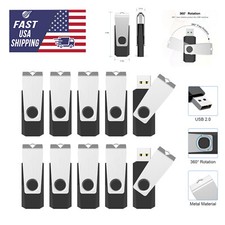
USB 2.0 Flash Drive 16GB 32GB 64GB 128GB Thumb Memory Stick Multi Pack Bulk Lot
$1082.99

Microsoft Windows 11 Pro 64-Bit USB Flash Drive (HAV-00162)
$36.99

Zero Trace Pen: All-in-one Tor Network Anonymous Drive + Cryptocurrency Wallet
$147.00