-
-
G'day Jessse5935,
Yes, Knoppix is one of the better known "live Linux" distros.
You can play with Knoppix without an installation to your hard drive.
As for the "stuff" on a Knoppix CD : http://public.planetmirror.com/pub/knoppix/packages.txt
-
Junior Member
registered user
Check out Tom's Hardware description of Knoppix at
http://www4.tomshardware.com/howto/20040303/
It will give you a brief flavor of what's on Knoppix. Just a scratching but well worth the read.
For shear gee whiz factor check out Kstars (right click stars/objects for the really cool stuff).
JP
-
Senior Member
registered user
Jessse,
It's totally safe to play with Knoppix. In fact, you will soon find that measure of safety to be very frustrating, after coming from a Windows environment. Any change you make will not "stick" unless you learn how to make it stick and do it right.
From what I've seen here (and in my own experience), most newbies soon get extremely frustrated at this point, and immediately want to do a hard drive dual boot install that won't mess up their Windows installation, try it without backups and other precautions, mess something up, scream and beg for help with incredible urgency (e.g., Windows won't run, spouse is angry, homework is due tomorrow, can't get into TurboTax on April 14th to finish return - you get the idea). It's a humbling experience, and many go back to Windows, never to return. But it doesn't have to be that way - you just need to think a little differently.
First, load the live CD and look around. Enjoy the tour - nothing bad will happen. If you want to go further, do not assume a hd install to be the next logical step - it isn't. You cannot do anything in MSWindows without installing to HD - not so with Knoppix. There is an option called setting up a "persistent home" directory. Think of it as kind of like "My Documents" and "Program Files", all in one. You set it up to take a portion of whatever storage device you want, to save files and programs. There is also an option to "Save configuration", so that when you set up your printer and change your desktop settings to do what you want, you won't have to do it all over again when you reboot. You will learn that if you enter "cheat codes" at bootup, the Knoppix CD will look for these saved files and configurations at startup, and serve them up to you. The easiest way to install other applications (Knoppix has quite a few built in, though), is to use Klik, and you will find out about that if you look for the "sticky" posts in the various forums. You will eventually realize that running your OS from a CD limits your ability to use your CD reader/burner for other uses, and you may be tempted to do a hd install at this point. Don't. There is another option which some call a "poor man's" install. Basically, you copy the CD to a file on a hard drive, without installing it, and use a cheat code (the "tohd" and "fromhd" cheatcodes) to tell Knoppix to install from that hd copy of the CD, instead of from the CD (you will still use the CD to get the boot prompt).
Using a combination of the "poor man's" install with persistent home and save configuration, you will have virtually the same capabilities available to you as with a hd install, but without the hassles. Don't feel as if you are "settling" for something less with this - this is the configuration I use now, and a lot of very knowledgable Knoppix users use this setup also (including the guy who invented Klik). As far as I'm concerned, it has all of the advantages of a hd install, and none of the disadvantages. And, when you decide to use Windows, simply reboot without sticking in the Knoppix CD, and you're back in Windows, just as if nothing had happened in Linux, until you're ready to boot back in to Linux and have it all back available to you.
And, for goodness sake, if you decide to do a hd install anyway, please defrag and backup all your Windows stuff first. As far as I can tell, the most likely consequence of a faulty Linux hdinstall is to mess up your bootloader, so that you can't get back in to Windows, and you might not know about Linux to fix it (or not care). SUre, you might be in the habit of skipping the backup advice when upgrading Windows, confident that nothing bad will happen, but odds are pretty significant that you could make a mistake with your first attempt at a dual boot linux hdinstall.
So, that's kind of an overview of what to expect. If you want specific details, there are lots of posts and WIKIs to guide you if you use the search box at the top of the page.
HTH,
jd
-
Junior Member
registered user
Interesting thread! There is another intermediate step you can take before installing Knoppix to a hard drive. There are two programs that run on WinXP that have 30-45 day trials that "install" virtual PCs on your system. They are VMware and MS Virtual PC. These programs allow you to create a virtual hard drive on your PC and then partition it and format it and install other OSs on that virtual hard drive. It looks and seems like the real thing, but everything is contained within the virtual PC. I installed Win98 on one such virtual PC and then used the Knoppix installer to resize the partition and install Knoppix for a dual boot system, all within virtual PC, without doing anything to my real hard drive. Very good practice for a later real hard drive installation.
And if you mess something up, you just delete a file and the whole virtual PC is gone and you can start over from scratch.
jimbo
Similar Threads
-
By Tetsuo in forum Networking
Replies: 1
Last Post: 07-29-2004, 11:06 AM
-
By sbassi in forum Customising & Remastering
Replies: 1
Last Post: 06-22-2004, 09:09 PM
-
By marcelwalus in forum Hdd Install / Debian / Apt
Replies: 5
Last Post: 07-11-2003, 09:01 PM
-
By Colonel Sanders in forum Customising & Remastering
Replies: 6
Last Post: 07-04-2003, 06:23 PM
-
By _r00t- in forum General Support
Replies: 2
Last Post: 06-22-2003, 09:33 PM
 Posting Permissions
- You may not post new threads
- You may not post replies
- You may not post attachments
- You may not edit your posts
-
Forum Rules


Dell PowerEdge FX2s + 8x FC430 Blades 16x E5-2630v4 160 Cores Rails No PSU/RAM
$699.00

Dell PowerEdge FC430 Blade Server 2x Xeon E5-2630v4 20 Cores FX2 FX2s No RAM/HDD
$119.99

Dell PowerEdge M630 Blade Server 2x Xeon E5-2680 v4, 2F3MP , 4GDP5 ,R10KJ ,JVFVR
$140.00

Dell PowerEdge M620 Blade Server 2x Xeon E5-2680v2 2.8ghz 20-Cores | 128GB
$149.99
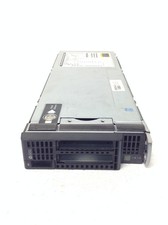
HP ProLiant BL460c Gen8 Blade Chassis w/2x Xeon E5-2630L 2.0GHz, 32GB RAM, No H
$144.99
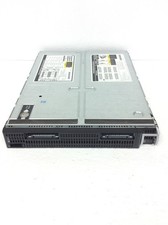
HP ProLiant BL660C Gen8 Server Blade 2x Xeon E5-4650L 2.60Ghz w/ 32GB DDR3, QTY
$189.99

Dell Poweredge C6400 24x 2.5’’ 2x 2400W 4x C6420 Nodes H330 | 2x SFP | 8x Trays
$799.99

Cisco B200 M3 2x E5-2670V2 10 Core 8x 16GB-128GB Ram Blade Server VIC1240 14900R
$399.00

Dell PowerEdge M640 Blade Barebone Server Dell P/N: HHB006 Tested Working
$149.99

Dell PowerEdge M620 Blade Server 2x Xeon E5-2680v2 256GB DDR3 RAM NO HDD
$349.99



 Reply With Quote