

 Reply With Quote
Sounds like you need to use a cheat code to pass the proper parameters to your hardware. Tell us about your video card and monitor. You can find the cheat codes in the Docs.


For some reason, when I boot up knoppix, It does all of the stuff it needs to do, but it doesnt take me to the desktop..Just a full screen terminal..
Can anyone help?
Sounds like you need to use a cheat code to pass the proper parameters to your hardware. Tell us about your video card and monitor. You can find the cheat codes in the Docs.
Well, I have a laptop with a 15.4 inch screen.
The video card...
A radeon IGP 354M w/64 mb of memory
Also..If it helps, I was going over to my mom's (different IP or something?(my parents are divorced)), and I was in the terminal, and typed "shutdown now"..it said "sending all proceses the TERM signal", then froze up, so I had to use a hard shutdown...If that makes a difference..It was working before when I was @ my dad's..
Can anyone help?
I presumed you were running the live cd. If so it shouldn't make any difference how it shut down. If running from hdd install then it *may* matter.
When you boot the disc on subsequent attempts are you using any cheat codes? Perhaps try:
knoppix xmodule=radeon
Or perhaps another cheat code or combination of codes. They can be found here: http://www.knoppix.net/docs/index.php/CheatCodes
Usually it should provide an error message when it fails to start X (x-windows). Post the error please.
I'm not running from the CD. I'm running from the HD. It has all the hardware info saved on it. So, I'm not sure why it wouldnt work, because It was working, like, ten minutes before..
I also have no clie how to enter the cheat codes..=/
Tell me, do you have a user login at the full screen terminal you get after booting?
If you do, you can login, and type the command:
or even:Code:startx
Then, you should have a desktop, unless something has gone terribly wrong with your installation.Code:X :0.0 | xterm -display :0.0 -e startkde
Also, you may wan't to post any errors you get at bootime (if any), and, or, any errors while trying to start X (only if you have a login of course).
The only error I get with the full-screen terminal (or what I think is an error), is, unstable tty..But that's it..
EDIT: Thanks! Startx works! Is there a way to get that to boot up automatially?
Run ksysv as root, and you can edit your init (the programs which are started automaticly at bootime). It should include the program kdm.Originally Posted by Kevin
Here is where kdm appears on mine, you can edit your's correspondingly (simply drag and drop, programs are to your left):
Runlevel 2 (kdm should be underneath rmnologin)
Runlevel 3 (kdm should be underneath rmnologin)
Runlevel 4 (kdm should be underneath rmnologin)
Runlevel 5 (kdm should be underneath rmnologin)
Stop (underneath Runlevel 0, kdm should be first)
Stop (underneath Runlevel 6, kdm should be first)
If kdm is already in these places, then, most likely, something is killing your init at bootime.
I'm sorry. I did not understand a WORD of that..lol
I'm fairly new to linux..
 Posting Permissions


GIGABYTE A520M DS3H AC AMD AM4 Motherboard mATX
$59.99
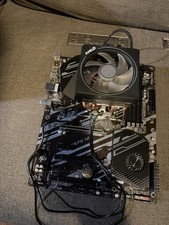
GIGABYTE B450 AORUS M AM4 AMD B450 Micro ATX Motherboard Tested Working
$49.95
GIGABYTE X570 UD AM4 motherboard +AMD Ryzen 9 3900x CPU+Cooler
$250.00

Intel H310 LGA1151 8-9th Gen DDR4 M.2 NVMe mATX Motherboard IO Shield Battery
$54.99

Intel H81 Motherboard M.2 NVMe LGA 1150 mATX w/ IO Shield (Random Slot Color)
$29.90

GIGABYTE B365 HD3 LGA1151 Intel 9th Gen motherboard
$59.99

MSI B550M PRO-VDH Micro-ATX Motherboard - AMD AM4, Ryzen 5000/4000/3000 Ready, P
$101.99

ASUS PRIME Z370-A II LGA 1151 Intel Z370 DDR4 DIMM USB3.1 DVI ATX RGB
$69.99

MSI B460M-A Pro DDR4 LGA 1200 Micro ATX Motherboard 10th Gen
$59.99
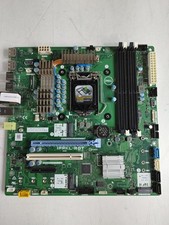
Dell Precision 3650 Tower Intel LGA 1200 DDR4 Desktop Motherboard NDYHG
$59.99