-
Senior Member
registered user
And the winner is........
I felt this deserved it's own thread. The user=no modem problem is over and the winner was ecogeek. His suggestion maybe was overkill. But it has worked in a toned down form. Anybody want to look at what I did here:
First tonight I tried markus' suggestion of chgrp dip /etc/resolv.conf. Nada. Then I looked at resolv.conf and it was a link with no permissions. AHA. It linked to etc/dhcpc/resolv.conf so I thought I would outsmart it and did chgrp dip /etc/dhcp/resolv.conf. No joy.
Next on to eco's suggestion. It was his email I was reading when I let loose the great coffee flood of 2004 on my computer kingdom: chmod 777 /dev/ttyS0 I decided to go rooting around the ol' dev folder before letting loose with this nugget. I found something odd and hoping someone here can explain. ttyS0, 1 and 2 - the permissions were zip, forbidden across the board. While ttyS3-6 were read&write for root and group (dialout). None executable. So instead of shooting for the 777 I just changed ttyS0 to root & group read & write and it worked. Ok, now what have I let loose? If kano had these things forbidden he must have had a reason, the modified date on these character device files were much more recent than the other ones. Dare I ask him? Or is this pretty much OK what I have done? I do intend to do a fresh install. I have been ch modding all over the place and I am sure I have done other nasty things and probably shouldn't been on here on this until I make a new one all nice and secure. But not forbidden 
Oh the keyboard is looking pretty good, drying in the hottest room in the apt and doesn't smell of coffee, sour milk or rust yet. The mouse is bigger trouble. I am sure it is fine but getting the scroll wheel assembly back together is proving difficult. Anyone have a link on them to a assembly diagram of a logitech optical wheel mouse

-
-
Senior Member
registered user
Well, I did go ahead and post the question on kano's forum. What nags at me that this might not be a good thing I did - because how did root access the modem before when it was forbidden? Root had no problem getting the modem and dialing out even before I changed those permissions. Know what I mean I will hold off on the fresh install until I hear something, hopefully, from them over there
-
Senior Member
registered user
Ok,
You got me curious, so, I looked at my setup...
Very interesting...
/dev/modem is symlinked to ttyS0, and ttyS0 is where I have my external modem... Here is the interesting thing though...
/dev/modem is rwx across the board, for root user, and root group... Whereas,
/dev/ttyS0 is rw across the board, for root user, and dialout group...
My guess is, is that, I created the symlink from /dev/modem to /dev/ttySO, and that I must have created the "open" permissions to all - i.e. a chmod 777. But the ttyS0 device must have been set the way it was from the beginning, or I would have done the same thing, a chmod 777 on it as well...
I guess the reason my setup works is that I am getting the "other" permission from /dev/modem, and probably "group" permission from /dev/ttyS0 -=- I would think that this "could" be a vulnerability in security - and that I should revert /dev/modem down to rw only for owner and group, and none for other - and do the same thing with /dev/ttyS0. But, then again, that is why I probably am running a firewall, and am not on a local network.... [?]
Ms. Cuddles
-
Senior Member
registered user
well, Cuddles if I am not mistaken, if there had been ch mod 777 on that it would also be executable I think. I can't believe the knoppix script does that as I did run it here and it didn't change permissions when it created the link. Didn't help user get the modem either 
Yes, will be interesting to hear something at kano's forum maybe on it. I looked at BH4 setup which worked "out of the box" and the permission for TTYS0 and all of them are as I have set BH7a now, root & group read& write and forbidden all others. There is no dev/modem link in BH4's setup. Must be something new they do.
One thing, do you know why there is a ttys0 and a ttyS0 and so on with all of them? Starting to wonder if it isn't something like a mistake in BH7a and the permissions were set on the wrong character devices, typos maybe. And so few dialeruppers that nothing hit the forum about it. Of course the bulk of the forum is german and there may well be something there.
Once I get my BH7a installation settled, I will try the lmsensors deal and let you know how it works out. My athlon has been running really hot lately - gee, its summer. Maybe might even pull the heatsink and give it a fresh coat of artic silver.
Oh mouse, is gimping along. May have to put it to sleep.  And the IBM keyboard is becoming aromatic, coffee definitely with hint of milk - just coffee alone might be pleasant
  Must have migrated to furthest reaches where the shower couldn't clean it out.
-
Senior Member
registered user
For what it's worth, here's what O'Reilly's Running Linux 4th Ed. has to say about the security issue:
Be sure that the permissions for any device you add to the system correspond to how the device can and should be accessed by users. Devices such as serial ports, sound cards, and virtual consoles are generally safe for mortals to have access to, but most other devices on the system should be limited to use by
root (and to programs running setuid as
root).
So hopefully it's not a glaring security hole.
By the way, the "chmod 777" idea came from a tidbit in a book about Red Hat that talks about troubleshooting "Permission denied" errors when users try to play audio CDs. If users don't have read access, they'll get the error; and you (as root) can give them read access (and root write access) by "chmod 644 /dev/scd1" (or whatever the CD device is).
So, you could try "ramping down" the permissions on ttyS0 until you find the one that works, while giving the least amount of access.
 Posting Permissions
- You may not post new threads
- You may not post replies
- You may not post attachments
- You may not edit your posts
-
Forum Rules


16GB (2x8GB) Kingston HyperX blu KHX1600C10D3B1/8G PC3-12800U DDR3 1600
$27.99
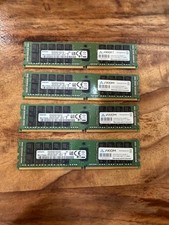
4 x Samsung DDR4 16GB 16GB 2Rx4 PC4-2400T-RA1-11-MC0 M393A2G40EB1-CRC 64G total
$300.00

DDR4 Laptop RAM 4GB 8GB 16GB 32GB 2400 2666 3200 Samsung Hynix
$66.00

NEW Kingston 8GB DDR4 2666MHz Desktop RAM KCP426NS8/8 PC4-21300
$30.00

A-Tech 8GB DDR3 1600 PC3-12800 Laptop SODIMM 204-Pin Memory RAM PC3L DDR3L 1x 8G
$21.68

Samsung W03J0009150379F87A 64GB (2x32GB) RAM DDR4 2400MHz CRC0Y
$179.99
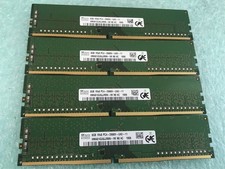
SK hynix 32GB(4 x 8GB) HMA81GU6JJR8N-VK PC4-2666V DDR4 Desktop RAM - CR337A
$89.95

Crucial DDR3L 16GB 2 x 8GB 1600 MHz PC3L-12800 Laptop RAM Sodimm Memory 1.35V
$41.00
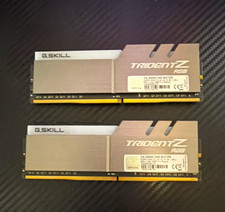
G.SKILL Trident Z RGB 16GB (2x8GB) DDR4-3000 DDR4 DIMM RAM F4-3000C16S
$70.00
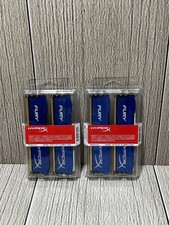
Lot of 2 Kingston Fury 8GB (4x4GB) HX316C10FK2/8 DDR3-1600MHz Ram
$50.35



 Reply With Quote
