

 Reply With Quote
The device is probably probed, and vfat identified as filesystem; try the '-o umask=000' option in your mount command. Or add the following entry in /etc/fstab: "/dev/sda1 /mnt/sda1 vfat users,umask=000 0 0"


Hi!
I have a question which seems to me to be very simple to answer. I've spent the last hours looking in this forum, as well as kanotix.com, and linuxquestions.org- and I almost feel stupid for not having found any answer to it.
OK, I plug in a USB-devices (I'm using a SD-card & a USB-harddrive). Then, as root, I write
mount /dev/sda1 /mnt/sda1
the drive gets mounted. Which I find surprising since it is not defined in fstab - it's nice, but I don't understand how it works (an explanation would be very much appreciated for the learning newbie
The problem is that only root has access to the mounted drives. I don't know how to change this, especially since the device is not defined in fstab. Please help. Thanks in advance.
The device is probably probed, and vfat identified as filesystem; try the '-o umask=000' option in your mount command. Or add the following entry in /etc/fstab: "/dev/sda1 /mnt/sda1 vfat users,umask=000 0 0"
many thanks!
Of all the answers I've gotten on this and similar issues across different forums, this is the one tha helped; umask=000!
I'm trying to figure out another thing now, namely how to get an icon pop up automatically on the desktop when a device is inserted. This should be possible as it happens when running from the liveCD. However, information on how to get a HD-install behave that way seems very hard to find. Any suggestions?
Thanks again
As root in a console, run this:This is a knoppix specific package that isn't in Debian proper, but it will create the icons on your user(s) desktop except root based on what was entered in /etc/fstab. If /etc/fstab doesn't have an entry for all of your mountpoints, then it won't create any icons for what isn't in there.Code:mkdesktophdicons
HTH,
Durand
 Posting Permissions


Samsung DVI to DVI Cable 6 ft Digital Video Interface Audio Video NEW
$30.89
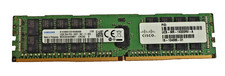
SAMSUNG 32GB 2Rx4 PC4-2400T M393A4K40BB1-CRC0Q ECC REG Server Memory RAM
$250.00
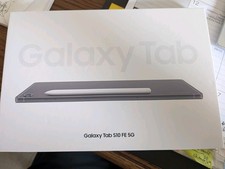
Samsung Galaxy Tab S10 FE 128GB, 12GB RAM, Silver *NEW -See Box*
$460.00

Samsung Galaxy View Tablet 18.4 SM-T670/677A Digitizer 100% Original Oem
$152.99

Kids Case for Samsung Galaxy Tab A9+/A9 plus 11 Inch 2023 Case, with Strap, Shoc
$27.99

Samsung JC95-01514A Cover-Side Roller T2 Compatible
$39.00

Samsung JC93-01078A Transfer Roller T2
$89.00
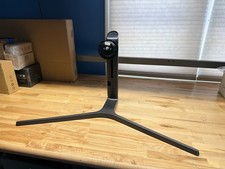
Samsung CHG90 49" Monitor Stand ONLY LC49HG90DMNXZA OEM w/ Screws NO MONITOR
$89.95
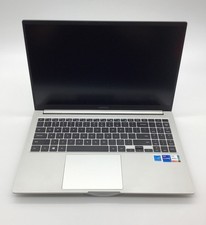
Samsung NP750XDA i7-1165G7, 2.80GHz, 16GB, No HD, No Adapter
$249.99
Samsung 100" Class FHD (1080P) LED Projector (SP-LFF3CLAXXZA)
$234.00