

 Reply With Quote
Oops, this was easier than I thought. Just rename the configs.tbz to configs.tar.bz and you can open it!


I want to look inside the configz.tbz file that is created when Knoppix settings are saved. Unfortunately, the KDE archiver program "ark" does not open the .tbz file. How can I edit the contents of this file? (I want only some settings to be "persistent")
And, is there any advantage to using .tbz instead of, let's say, .tar.bz, which ark could handle?
Oops, this was easier than I thought. Just rename the configs.tbz to configs.tar.bz and you can open it!
'.tbz' is acceptable shorthand for tar.bz
At the command line, you can do ' tar tjvf configz.tbz |less ' OR:
' bzip2 -cd configz.tbz | tar tvf - | less '
Originally Posted by probono
perhaps we should tell that the ark developers so that they can include it as an acceptable suffix for ark.
Thanks a lot!
How can I pack them again after editing them or deleting unneeded files? (e. g. saving such things as X configuration and fstab is actually stupid since it renders hardware autodetection useless! Antialiasing however is a thing I would love to save...)
--I dunno; if you custom-modified your fstab you'd definitely want to save a copy. Personally I don't use the save-config stuff; just boot KPX where needed, usually w/o X. I figure running from CD is *designed* to be ad-hoc, and use knx-hdinstall for "saving changes"
--Anyway, the ' tar tvf ' only LISTS the files in the tarball. CD to where you want the extracted files and dirs to go, and replace "t" with "x" (tar xvf). This will eXtract the directories and all into your current directory. I highly recommend using ' mc ' to browse and delete. Also make a copy of the original .tbz file JustInCase. To re-archive it gets a little tricky:
' tar cvf - * |bzip2 >configz.tbz '
--This is an *uncofirmed* method of re-archiving. You'll have to double check that the config-restore program extracts the re-archived file correctly, due to subdirectories not being fully-qualified. (See ' info tar ' for more info on tar than you ever hoped to see.) Again, I don't use the saveconfig/restore stuff; tried it once and then just installed to HD.
 Posting Permissions


Kingston 32GB 64GB 128GB 256GB USB 3.0 Flash Drive Thumb Memory Stick Pen lot
$285.90

Microsoft Windows 11 Pro 64bit - New Sealed – Flash USB 1 PC
$49.99
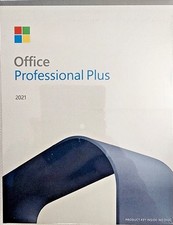
Full Version MS Office Professional Plus 2021 - 64-Bit Flash USB Drive Install
$59.99

Zero Trace Pen: All-in-one Tor Network Anonymous Drive + Cryptocurrency Wallet
$147.00

USB Type-A Flash Drive Metal Memory Stick High Speed USB Drive 128GB 256GB 512GB
$8.27
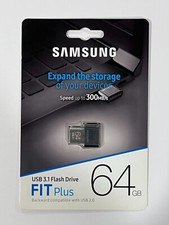
New Samsung FIT Plus 64GB USB 3.1 Flash Drive MUF-64AB/AM
$34.95

1/ 10/ 100pcs USB 2.0 2GB, 4GB ,8GB ,16GB ,32GB ,64GB 128GB USB Flash Drives Lot
$269.10

LOT 10x SanDisk 32GB ULTRA USB 3.0 flash drive SDCZ48-032G 32 GB read 100 MB/s
$39.80

SanDisk Ultra Luxe USB 3.1 Flash Drive – 5 Pack | Premium Metal USB Flash Drives
$49.99

TESLA OEM Model S,3,X,Y USB Flash Drive for Dashcam 128GB READ DESCRIPTION BELOW
$22.00