-
XFCE4 and gnome-panel
I've been using this combination for a few days now, and love it. I found xfce4 to be very fast and light-weight, but I didn't much care for it's panel and lack of certain features. I was looking for something on google and happened to see that some people use gnome-panel within xfce4. The result is that you have gnome's functionality at your fingertips, but within a much lighter window manager.
I'm sure that it's not as fast as running pure xfce4, but it seems to be significantly faster than gnome (and kde). It's very easy to get rid of xfce's panel and taskbar and use gnome-panel using xfce4's session editor (which shows up in gnome-panel's notification area). If you want speed, but don't want to give up functionality this seems to be a really nice compromise between the two.
-
Senior Member
registered user
HI champagnemojo
Always glad to see a fellow xfce4 user.  I too love the speed and simplicity. I also agree that the panel is in need of some 'upgrades' but in fact it already has them! Unfortunately xfce4 in Debian is quite differnt than the cvs version. I beleive this is in part due to the way in which xfce4 has evolved. Both xffm-icons & xfce4-modules are deprecated.
I have some screens. Please note the nice panel menu, desktop icons and improvements to the configurability of xfce4.
The menu does not yet seem to find all of the applications (solved w/ deskmenu). The desktop icons are provided by rox and requires only a small edit to your xinitrc file for xfce to run rox on start. It seems as tho rox and xfce4 were built for each other.
To launch the rox pinboard w/ xfce4 (after installing rox of course).
Code:
scite /etc/X11/xfce4/xinitrc
comment (or remove):
#xfdesktop&
add:
rox -p desktop&
BTW rox pinboard should also work just fine using the gnome-panel.
There is a new installer (unofficial??) for xfce4 from cvs. Automaticly download and build xfce4-cvs w/ little effort on your part. Everything installs to your choice of directories and is easily removed. So far it has worked well in 3 attempts. Please be sure to remove any xfce4 debian packages first. I am not sure how they would regard each other but likely it would not be a good thing!
Keep in mind that debian xfce4 plugins & goodies will of course insist on having xfce4 from Debian installed. It is therefor recommended that you build the goodies & plugins by hand which is not yet automated. gtk2 themes do not require xfce4 from Debian and work just fine.
I have built a few remasters of Kanotix w/ its excellent GRUB boot menu and fantastic SID installation w/ the exact xfce4-rox desktop you see linked although it is still in need of tweaking. Specifically everything must be configured by hand as none of the defaults (especially the very unattractive default rox pinboard) are adequate.
Perhaps after BUG_HUNTER_08 w/ squashfs is released I will no longer be too embarrassed to make available an xfce4 remaster. Perhaps w/ a gnome-panel & gdesklets option?? Certainly I am very glad to hear any suggestions ideas comments or otherwise.
-
Thanks for the info mzilikazi. I installed the cvs version on my test partition. It's definitely go better functionality than what you get through debian. Some things I was really missing, like being able to close windows by right-clicking on the taskbar entry and such are there. The file manager is much better too. My only gripe now...which is admittedly small, but still important to me...is the way you can't have both the panel and taskbar at the bottom of the screen. I'm not sure I can get used to having one on top and one on bottom.
The rox pinboard thing is great. I already had rox-filer installed, but I had no idea it could do that. I was wondering about being able to put desktop icons and such into xfce4 though. And some features of rox, like the way it mounts cd-roms automatically and such is very nice for the desktop. I'm having a problem getting xfce4 start up with the pinboard though. I changed the xinitrc file as you mentioned but that didn't do it. I now get just a black screen when it starts up. I can run "rox -p desktop" once I have xfce4 running...but I wish I could get it to start it up automatically. Any ideas on what might be wrong?
-
Senior Member
registered user

Originally Posted by
mzilikazi
HI champagnemojo
Always glad to see a fellow xfce4 user.
I too love the speed and simplicity. I also agree that the panel is in need of some 'upgrades' but in fact it already has them! Unfortunately xfce4 in Debian is quite differnt than the cvs version. I beleive this is in part due to the way in which xfce4 has evolved. Both xffm-icons & xfce4-modules are deprecated.
I have some
screens. Please note the nice panel menu, desktop icons and improvements to the configurability of xfce4.
.
Looks good!! I didn't know there was a way to get desktop icons on xfce, I'll have to try it. I've pretty well stuck with KDE because I really like Konqueror & Kate but they will run under xfce.
-
Senior Member
registered user
You'll have to edit the pb file in /home/youruseraccount/.rox_choices/rox-filer. If you study it a bit, you can edit it to display an icon for your mount point(s). This is what I have done with enlightenment as well. I don't know how to make the pinboard start with enlightenment but from some of the documentation I've read, you might need the rox-session package. Personally, I just make an entry in the menu for the pinboard, both on and off to give me control at will with a click.
HTH,
Durand
P.S. Do the moderators allow posting of jpgs to display screenshots if it was to show how things look?
-
Originally Posted by
Durand Hicks
You'll have to edit the pb file in /home/youruseraccount/.rox_choices/rox-filer. If you study it a bit, you can edit it to display an icon for your mount point(s). This is what I have done with enlightenment as well. I don't know how to make the pinboard start with enlightenment but from some of the documentation I've read, you might need the rox-session package. Personally, I just make an entry in the menu for the pinboard, both on and off to give me control at will with a click.
I'm not sure I understand. I was able to create desktop icons for my mount points by dragging from rox-filer onto the desktop. You may be right about rox-session. But you'd think it could just be added to a script. I save my session with rox pinboard running the same way I got gnome-panel and gkrellm to load up automatically, but it doesn't seem to save the pinboard. And it just shows /rox in the session editor.
Originally Posted by
Durand Hicks
P.S. Do the moderators allow posting of jpgs to display screenshots if it was to show how things look?
I think showing screenshots the way mzilikazi did it is probably best. That way people can choose whether or not to download the jpgs if they're on dialup. But as long as you made the screenshot small enough, I imagine the mods wouldn't mind you putting it in the body of the message. I've seen people do it here before...I think I've even done it once or twice. 
-
Here is a screenshot I took of xfce4 with the gnome-panel and rox pinboard. It's not as fancy as mzilikazi's setup, but it works...now if I can just get pinboard running at startup I'll be set. 
-
Senior Member
registered user
Doh! methinks I named the wrong file.
champagnemojo try /usr/local/etc/xfce4/xinitrc instead.
Which session manager do you use? I use gdm which reads its configuration from /usr/share/xsessions/ which in turn launches /usr/local/bin/startxfce4 which in turn executes /usr/local/etc/xfce4/xinitrc.
(oy vey that's alot of nonsense just to get the wm started!).
Your screen looks nice using the gnome-panel. Are you using xfce4 to set the background still or has rox taken over that task? On my system I simply right click the desktop, select Background and drag & drop a new background from a rox-filer window. You may need to tweak the 'Compatibility' settings under rox preferences.
Oh and as for the screens posted in the forum I'm not sure how well they're approved but I have seen them (reduced in size of ).
-
I'm using kdm, but you had the right file all along. The problem was that the session manager was being invoked and was choosing what to run at startup. So I commented out the session manager and added my stuff to the initrc file and now it's working great. You should see how fast it starts up.
Yep, rox takes over the background setting, so I dragged and dropped like you did. I just figured since I was using xfce4 that I'd go with their background. I must say, I'm really pleased with this setup. Thanks for helping me get it working.
-
Senior Member
registered user
Right on! Glad you like it. Have you noticed that rox is even mentioned in the splash screen? Perhaps you could post your tips on using gnome-panel w/ XFCE4? Post your config files?
If you like to use deskmenu:
apt-get install deskmenu
touch ~/Desktop/Autostart/deskmenu.sh
echo "deskmenu -f /etc/deskmenurc.debian" > /Desktop/Autostart/deskmenu.sh
chmod +x ~/Desktop/Autostart/deskmenu.sh
(You may want to specify your own button for deskmenu w/ the -b option).
Obviously ~/Desktop/Autostart is where you put anything you want to run on login as well. I also launch gdesklets from there.
champagnemojo what app is it that you're using to display cpu temp et. al.? A frontend for mbmon?
Similar Threads
-
By Crusader in forum Ideas
Replies: 0
Last Post: 01-16-2005, 10:50 PM
-
By shah in forum General Support
Replies: 4
Last Post: 12-21-2004, 03:35 AM
-
By mzilikazi in forum The Lounge
Replies: 7
Last Post: 11-22-2004, 06:28 PM
-
By RJDReid in forum Hdd Install / Debian / Apt
Replies: 1
Last Post: 11-18-2003, 06:07 AM
-
By sb73542 in forum Ideas
Replies: 0
Last Post: 10-11-2003, 06:15 PM
 Posting Permissions
- You may not post new threads
- You may not post replies
- You may not post attachments
- You may not edit your posts
-
Forum Rules


Commodore 128 C128 Computer FOR PARTS / REPAIR Untested Missing Key No Cords
$149.99

TeensyROM+ TR+ v0.4 Cartridge for C64/128 - w/ Case & 32GB SD Preloaded
$89.50

Commodore VIC-20 Diagnostic Cartridge & Test Harness Set - USA seller
$39.99

Commodore OS USB | Bootable LIVE + Install | The Ultimate Gaming Linux OS | NEW
$11.99
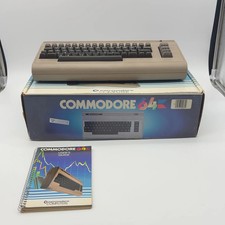
Commodore 64 C64 Vintage Personal Computer
$299.99
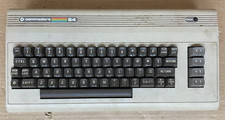
Commodore 64 C64 Computer & RF TV Switch Cable UNTESTED NO POWER SUPPLY AS IS
$104.99

Commodore 64 Serial Cable 6PIN DIN 1541 1571 C64 128 C128 Disk Drive Printer USA
$10.49

Commodore 1541 Emulator PI1541 HAT with ROTARY, OLED screen, USA Seller
$29.99
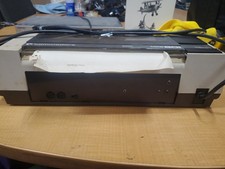
RARE Commodore MPS801 Printer - 1st printer for the 64 - powers on
$70.00

Commodore 64 Dead Test & Diagnostic Cartridge & Test Harness Set - USA seller
$39.99



 Reply With Quote