-
Senior Member
registered user
Need help with flat screen lcd monitor
Hello. I hooked up a 15" Sylvania flat screen monitor. I have been using a generic 17" standard [tube] display. The flat panel monitor displays the following message right at beginning of boot-up: "vga mode not supported"
H: 35.4 kHz
V: 86.8 Hz
I tried to boot with the CD using some cheat codes and it either displays the same error, or boots all the way to where X is supposed to start, but screen goes blank and stays that way! I have a DUAL BOOT PC with Knoppix on one HDD and WINXP on the other and have used this config for a long time with no problems with previous monitor. [the old one].
My wifes PC will boot KNOPPIX fully with no prob using the Sylvania LCD monitor....Is this a VIDEO CARD issue????? Wife has a VOODOO 3 2000 card, and I have a MAD DOG [?] 3d. I dont have any idea about that one!!! My brother installed it! So I post here hoping to resolve the issue, but in mean time I have put my old monitor back in service. 
Is something not being detected right? I used "failsafe" and it booted all the way up to right where "X" is supposed to start but it goes black and stays black. I can't use cheat codes with a HD install at boot up. Is there a file that may need a line changed so that LCD monitor will work? Please help!!!! Bob58 
-
Senior Member
registered user
additional question
I have looked thru forums and have found this cheat code:
"knoppix xmodule=vesa"
I can try it from a CD boot and if this works, how do I get it to work in the HD installation? Is there a file I can add this line to?
-
Senior Member
registered user
Use the cheat codes you need to boot a live KNOPPIX CD. Then when you run knoppix-installer, the correct video card settings will be copied over, usually....
Good Luck,
AJG
-
Senior Member
registered user
monitor help
Hi Jorge.....I am still confused. Does this mean I have to re - install KNOPPIX to get the LCD monitor to work? With monitor hooked up, I cannot even get far enough to re install! To re install, I would have to be able to fully boot into knoppix off CD, then bring up console and type "knx2hd" to re install. But I cannot get that far. Part of the problem is I dont understand the error I get : "vga mode not supported"
So isnt there a file in knoppix I can go to and make some kind of change to make KNOPPIX work with the monitor? Another problem is I cant use cheat codes from a HDD install. I wonder if the next version of KNOPPIX could include an option in LILO when after you select the OS or kernel to run, you can select another option to "boot with cheatcodes".....
I hate to re install if I dont have to, but even so, the error I get stops me dead in the water so I cant even get far enough to do that!!!!
-
Senior Member
registered user
Try and see if "knoppix vga=normal" gets you any further.
-
Senior Member
registered user
bob58, you can't even get the liveCD to boot in video mode on that monitor? Well, then what cheatcode would you use? So hd-install is booting into console mode only? I suppose that's because you had this PC installed already for a different monitor.
BTW, I think there is a line in lilo where you can place cheatcodes. My memory is poor on this, is it "append=..."?
Regards,
AJG
-
Senior Member
registered user
monitor woes
Hi Baldyeti....I did try the code "knoppix vga=normal" but that did nothing. What about using:
"knoppix xmodule=vesa"
I havent tried that one yet. I am out of ideas on this one! I would like to use this monitor though. If I run failsafe it boots all the way to where "X" starts then screen stays blank. I don't understand cause my wife has a similar computer and Knoppix ran from CD perfectly using that flat panel lcd monitor. . Is it my video card? ? ? ? ?
-
Senior Member
registered user
lilo
Hi Jorge....I will look at LILO and see about what you mention about putting cheat codes in here...it may help with something. On my 2 computers i dont have to use any cheat codes, but to use this new monitor i may have to if i can find one that will work!
-
Senior Member
registered user
Sometimes you need a combination of cheatcodes. You have to play with the combos until you get the one that's right for you. Most of my PCs are OK without any cheats or maybe just one. However, my new Dell GX270s need
Code:
knoppix vga=normal screen=1024x768 vsync=60 nosmc nodma
or forget it!
Good Luck,
AJG
-
try fb1280x1024 or your suitable resolution as a cheat code.
Similar Threads
-
By robwelch100 in forum Hardware & Booting
Replies: 0
Last Post: 02-19-2005, 08:49 AM
-
By jimeee in forum General Support
Replies: 0
Last Post: 11-03-2004, 10:13 PM
-
By SoulSlinger in forum Hardware & Booting
Replies: 0
Last Post: 07-18-2004, 05:30 PM
-
By cj_b in forum General Support
Replies: 11
Last Post: 01-26-2004, 09:53 PM
-
By maltta in forum Hdd Install / Debian / Apt
Replies: 8
Last Post: 05-16-2003, 10:41 AM
 Posting Permissions
- You may not post new threads
- You may not post replies
- You may not post attachments
- You may not edit your posts
-
Forum Rules

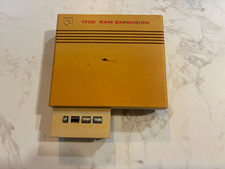
Commodore 1750 512K RAM Expansion REU for C128 / C64 – Tested & Working
$110.00

TeensyROM+ TR+ v0.4 Cartridge for C64/128 - w/ Case & 32GB SD Preloaded
$89.50

Commodore 64 Dead Test & Diagnostic Cartridge & Test Harness Set - USA seller
$39.99

Commodore OS USB | Bootable LIVE + Install | The Ultimate Gaming Linux OS | NEW
$11.99

Commodore 128 C128 Computer FOR PARTS / REPAIR Untested Missing Key No Cords
$149.99

Commodore 64 Serial Cable 6PIN DIN 1541 1571 C64 128 C128 Disk Drive Printer USA
$10.49

Commodore 1541 Emulator PI1541 HAT with ROTARY, OLED screen, USA Seller
$29.99
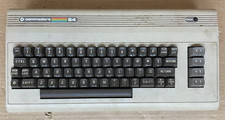
Commodore 64 C64 Computer & RF TV Switch Cable UNTESTED NO POWER SUPPLY AS IS
$104.99
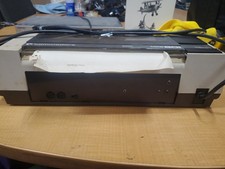
RARE Commodore MPS801 Printer - 1st printer for the 64 - powers on
$70.00

Commodore VIC-20 Diagnostic Cartridge & Test Harness Set - USA seller
$39.99



 Reply With Quote