

 Reply With Quote
I have looked thru forums and have found this cheat code:
"knoppix xmodule=vesa"
I can try it from a CD boot and if this works, how do I get it to work in the HD installation? Is there a file I can add this line to?


Hello. I hooked up a 15" Sylvania flat screen monitor. I have been using a generic 17" standard [tube] display. The flat panel monitor displays the following message right at beginning of boot-up: "vga mode not supported"
H: 35.4 kHz
V: 86.8 Hz
I tried to boot with the CD using some cheat codes and it either displays the same error, or boots all the way to where X is supposed to start, but screen goes blank and stays that way! I have a DUAL BOOT PC with Knoppix on one HDD and WINXP on the other and have used this config for a long time with no problems with previous monitor. [the old one].
My wifes PC will boot KNOPPIX fully with no prob using the Sylvania LCD monitor....Is this a VIDEO CARD issue????? Wife has a VOODOO 3 2000 card, and I have a MAD DOG [?] 3d. I dont have any idea about that one!!! My brother installed it! So I post here hoping to resolve the issue, but in mean time I have put my old monitor back in service.
Is something not being detected right? I used "failsafe" and it booted all the way up to right where "X" is supposed to start but it goes black and stays black. I can't use cheat codes with a HD install at boot up. Is there a file that may need a line changed so that LCD monitor will work? Please help!!!! Bob58
I have looked thru forums and have found this cheat code:
"knoppix xmodule=vesa"
I can try it from a CD boot and if this works, how do I get it to work in the HD installation? Is there a file I can add this line to?
Use the cheat codes you need to boot a live KNOPPIX CD. Then when you run knoppix-installer, the correct video card settings will be copied over, usually....
Good Luck,
AJG
Hi Jorge.....I am still confused. Does this mean I have to re - install KNOPPIX to get the LCD monitor to work? With monitor hooked up, I cannot even get far enough to re install! To re install, I would have to be able to fully boot into knoppix off CD, then bring up console and type "knx2hd" to re install. But I cannot get that far. Part of the problem is I dont understand the error I get : "vga mode not supported"
So isnt there a file in knoppix I can go to and make some kind of change to make KNOPPIX work with the monitor? Another problem is I cant use cheat codes from a HDD install. I wonder if the next version of KNOPPIX could include an option in LILO when after you select the OS or kernel to run, you can select another option to "boot with cheatcodes".....
I hate to re install if I dont have to, but even so, the error I get stops me dead in the water so I cant even get far enough to do that!!!!
Try and see if "knoppix vga=normal" gets you any further.
bob58, you can't even get the liveCD to boot in video mode on that monitor? Well, then what cheatcode would you use? So hd-install is booting into console mode only? I suppose that's because you had this PC installed already for a different monitor.
BTW, I think there is a line in lilo where you can place cheatcodes. My memory is poor on this, is it "append=..."?
Regards,
AJG
Hi Baldyeti....I did try the code "knoppix vga=normal" but that did nothing. What about using:
"knoppix xmodule=vesa"
I havent tried that one yet. I am out of ideas on this one! I would like to use this monitor though. If I run failsafe it boots all the way to where "X" starts then screen stays blank. I don't understand cause my wife has a similar computer and Knoppix ran from CD perfectly using that flat panel lcd monitor. . Is it my video card? ? ? ? ?
Hi Jorge....I will look at LILO and see about what you mention about putting cheat codes in here...it may help with something. On my 2 computers i dont have to use any cheat codes, but to use this new monitor i may have to if i can find one that will work!
Sometimes you need a combination of cheatcodes. You have to play with the combos until you get the one that's right for you. Most of my PCs are OK without any cheats or maybe just one. However, my new Dell GX270s need
or forget it!Code:knoppix vga=normal screen=1024x768 vsync=60 nosmc nodma
Good Luck,
AJG
try fb1280x1024 or your suitable resolution as a cheat code.
 Posting Permissions


Lenovo ThinkPad E14 Gen 2 Laptop 14” HD Ryzen 5 16GB RAM 512GB SSD Win 11 Pro
$334.99

Lenovo ThinkPad L15 Gen 3 15.6" 16GB, Thunder Black
$241.50
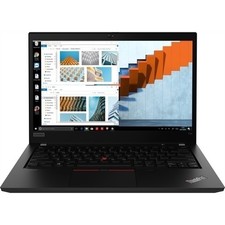
Lenovo Thinkpad T14 Gen 1 14.0" 16GB 512GB, BLACK
$285.99

Lenovo Thinkpad X1 Yoga Gen 6 14" 16GB, Storm Gray
$356.80

Lenovo Legion 5 Gaming 15.1" WQXGA OLED 165Hz Core i9-14900HX 16GB 1TB RTX 5070
$1469.00

Lenovo Thinkpad T14 Gen 2i 14" 16GB 512GB, Black
$313.00

Lenovo ThinkPad T14 Gen 1 14" AMD Ryzen 5 16GB 256GB SSD
$219.99

Lenovo ThinkPad E14 Gen 3 Laptop 14” FHD AMD Ryzen 5 16GB RAM 512GB SSD Win 11
$374.99
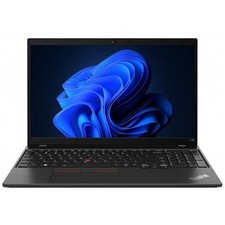
Lenovo ThinkPad L15 Gen 3 15.6" 16GB, Thunder Black
$242.00
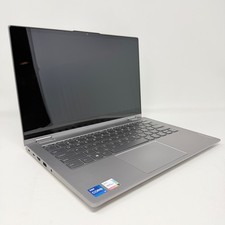
Lenovo Thinkbook 14s Yoga ITL 14” Core i7-1165G7, 16GB RAM, 512GB SSD Touch
$379.00