

 Reply With Quote
Not in the current knoppix, no. It would be an interesting idea though.

I have tried to search it in google but I found nothing. Everyone says "using a bootable CD or a bootable floppy". However, I just want to run the cd from a running windows system. Is there a "loadlin" for knoppix?

Not in the current knoppix, no. It would be an interesting idea though.
...for VMWare? http://www.vmware.com/
--Knoppix (and *nix in general) is not designed to boot from within Windows. For one thing, it confuses the hell out of Win (you will probably get a scandisk at the next reboot from dirty-drive flags) and the system won't be in the consistent, fresh state that Linux expects on bootup.
--Just put the CD in the drive and boot the computer. If you can't boot from the CDROM, use rawrite to dump the knoppix\boot-en.img file to floppy, and boot from the floppy. It's that simple.
Originally Posted by Anonymous
For better or for worse, I've got a dual Athlon system based on a Tyan MPX-4M mobo and no floppy drive. If you've read about Tyan's AMD+SMP systems, you may have seen a thing or two about CD booting not working accurately (only Win2K and WinXP CDs work for me!). So, it would be nice to have an option to start Knoppix via loadlin from a DOS prompt (hard drive boot).
I haven't looked at the files on the boot floppy image, but it *may* just be a matter of extracting those to a directory and rigging loadlin to run accordingly. (Yes, I am aware that SMP may not be available to me using this method.)
-SUO
--If you can't get that to work, I'd just throw a floppy drive in. You can get them at computer shows for ~$15. You should also see if there's a flash upgrade available for your BIOS that fixes the problem.
--I've gotten around the computer not being able to boot from CD (or done the following for speed/convenience) by repartitioning the disk so that there's a 1-cylinder primary partition (2/3/4) after the Win stuff, and putting a boot flag on it. The computer then boots from that partition instead of Win, and you can reassign the boot flag using either Win fdisk or linux. Once you have the partition in place (I will assume partition 4):
As root:
' fdisk /dev/hda '
o ' a '
oo ' 4 '
o ' a '
oo ' 1 ' == Activate 4 and deactivate 1
o ' p ' == Print partition table; the boot flag should now be on 4
o ' w ' == Write and exit
--To init the new partition:
' dd if=/dev/zero of=/dev/hda4 '
--To copy the boot-en.img to partition 4 so the computer will boot from it:
' dd if=/cdrom/KNOPPIX/boot-en.img of=/dev/hda4 '
' reboot '
--The computer will now find the floppy image on hda4 and boot from there.
--To reassign the boot flag from Win, run fdisk and hit ' 2 ' - Set active partition. Set it to the non-DOS 1-cylinder one. Reboot.
--Obviously, to reassign the boot flag from Linux, re-do the above mentioned fdisk steps.
--BTW, this method also works fine if you want to run Knoppix from the hard drive; just copy X:\knoppix\knoppix to c:\knoppix. If you actually have a Knoppix CD in the drive when it boots, it will run from the CD; if not, it finds the image on the HD and runs from there - which is good, especially if you want to upgrade the Knoppix compressed file on the HD.
I do like the idea of having a very small partition to serve as a "bootable floppy." However, making use of 'dd' sorta assumes that some competent *NIX is up and running.
And, yes, I am trying to force the issue of moving beyond the era of the floppy drive. Heck, we've got single hard drives inching towards 250 and 320GB. Bootable CDs would definitely suffice, by Tyan seems to be having a little trouble with El Torito and friends.
-SUO
--If you just need quick-and-dirty stuff w/o Reiserfs or complex networking, try Tom's Root/Boot: http://www.toms.net/rb/
--1.44 floppy becomes a 1.7(?) with special format, boots, dumps everything to Ramdisk so you can use the floppy drive. There's also a 2.88MB El Torito boot image.
--IMHO, IBM did a Good Thing(TM) when they standardized on the 1.44M starting with the PS/2 MCA series; remember, all we had before those were basically 360k, el cheapo 720, and half-assed 5 1/4" 1.2M drives.
--The "era" of the floppy drive is long past, but you still can't beat it for built-in (BIOS) *writable* support. If you could make a Zip-100 drive act as /dev/fd0 ( A:\ ) in the BIOS (or an LS-120 hybrid even) it would be a good leap fwd; but for most common, everyday stuff it would be overkill.
--Of course I'm still waiting for packet-writing CD burners to be BIOS-supported; then we can use those 3.5" CDRW's as floppies.
Even after trying all of the great suggestions posted above, I still cannot boot into Knoppix on my Tyan-based system *without* a floppy. The CD is good, as it boots just fine on other systems. I've created small primary partitions (on hard drive and Zip disks), made them active, and dropped the boot floppy image on those partitions via dd. Nothing works *on this system* (other systems perform as expected).
Although this isn't the end of the world, Tyan still hasn't solved this bootable CD problem with this board. If I want to install anything non-MS, I'm gonna hafta *GASP* install a floppy/LS-120 drive. Oh, the horror!
-SUO
--What kind of error msgs do you get from the HD-based floppy image? That should have worked as a last resort...
 Posting Permissions


Crucial MX500 1TB 2.5" SATA III Internal SSD CT1000MX500SSD1
$99.99

Samsung 2.5" 870 EVO SSD SATA III 250GB 500GB 1TB Internet Solid State Drive Lot
$90.00

Samsung 860 EVO 250GB SSD MZ-76E250 2.5" SATA III Solid State Drive -
$39.99
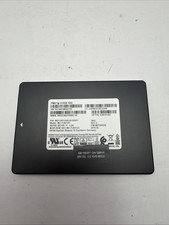
Samsung 2.5" MZ-ZLN512C 512GB SATA III 6Gbps SSD MZ7LN512HAJQ-000H1
$49.99

Netac 2TB 1TB 512GB 256GB Internal SSD 2.5inch SATAIII Solid State Drive lot
$549.00

Samsung 256 GB Internal SATA SSD Fully Tested 50%-79% Health
$24.00

Fanxiang 256GB 512GB 1TB 2TB 4TB SSD Lot 2.5'' SATA Internal Solid State Drive
$42.99

2 PACK 128 GB SSD M.2 2280 SATA Solid State Drive Major Brands, Samsung, LiteON
$28.00
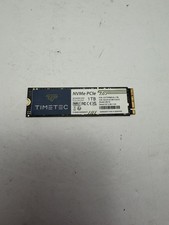
Timetec MS10 1TB SSD NVMe PCIe Gen3x4 3D NAND SSD 35TTFP6PCIE-1TB
$89.99
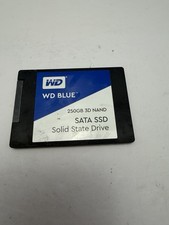
WD Blue DRIVE SSD 250gb Internal SATA Solid State Drive for Laptops
$39.99
