-
Administrator
Site Admin-
Re: Strange network behaviour

Originally Posted by
CallACD
I have a notebook with an integrated LAN adapter which is configured to get the ip via dhcp. .... I can browse the internet as well as my local network.
...USB WLAN adapter which also works fine with internet, but: I cant connect to any of my other local computers...
A bit more information is needed:
Are you using a common home dsl/cable router to connect to the Internet? What additional hardware you have is a big factor here; spell it out rather than have us guess wrong.
You stated that the wireless connection ends up on the same subnet as the other systems. Good. Now spell out what those IP addresses are (there is no security issue here as long as they are unroutable addresses; and they certainly should be). What is your net mask too? Is it the same on the other computers? Are all computers set up to use DHCP, or did you "hardwire" some addresses (which can be handy for running servers, for example)?
Are the other systems on the local network running Windows or Linux or something else? Are you running firewall software on the other systems that might be letting the wired IP address through but blocking the wireless IP address? (For that matter, I would also want to check the rules, mac filtering and the like set up in the router, but again we need to know the brand and model to even know where to start there.)
Also, I'm assuming (since I was given no real information) that a single wireless home dsl/cable router is being used and is what is assigning the dhcp addresses; but there certainly could be other configurations. Is it the router doing the dhcp? Is the router also the wireless accesspoint, or is the local network more complex? Are there any other switches or networking hardware in the system? And what are you connecting to? Spell it all out. About the only thing may you might want to keep private is the IP address that your ISP is assigning you, although it might even be good to give us the first couple of numbers in that too.
Also, you say that you cannot even ping the other systems from your wireless system. Good test. I'm assuming that you are trying to ping them by IP address, but please confirm this (and try it if you were not). My question is, can you go the other direction and ping the wireless connection by it's IP address from the other computers on the network when the wireless system is up and able to access the Internet?
Similar Threads
-
By CallACD in forum Networking
Replies: 3
Last Post: 09-05-2004, 08:45 AM
-
By ZedroS in forum Customising & Remastering
Replies: 6
Last Post: 08-17-2004, 04:11 PM
-
By freddys in forum General Support
Replies: 0
Last Post: 06-20-2004, 10:58 PM
-
By Yogich in forum Hardware & Booting
Replies: 1
Last Post: 05-26-2004, 06:52 PM
-
By true1ever in forum General Support
Replies: 5
Last Post: 11-13-2003, 11:21 PM
 Posting Permissions
- You may not post new threads
- You may not post replies
- You may not post attachments
- You may not edit your posts
-
Forum Rules

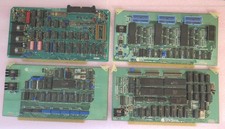
Vintage S-100 California Computer Systems cards Z80 cpu + ADS PromBlaster
$895.00

🔥 RARE VINTAGE HP 2113A 21MX 1000 E-SERIES MINICOMPUTER CHASSIS BACKPLANE
$249.00

🔥 RARE VINTAGE HP 2112A 21MX M-SERIES 16-BIT MINICOMPUTER HP
$299.99

Vintage Computer - PC Innovation Intel 486DX2 - Dos Ver 6.2 Windows 3.1
$250.00
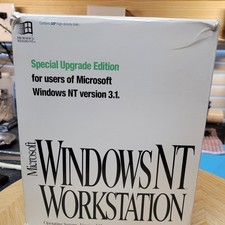
Vintage Microsoft Windows NT 3.51 Workstation 3.5 Floppy Big Box Complete No COA
$139.99
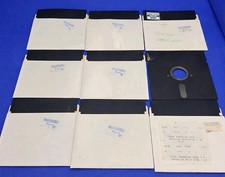
Vintage Radio Shack TRS-80 5.25" Floppy Disk Lot of 9 Single Sided Used
$49.99

Vintage Schlesinger 17" Leather Briefcase Classic Flap Whiskey Brown Attache EUC
$99.99

HP 5060-8359 8K Semiconductor Memory Module 5080-9747 Vintage HP Computer
$224.72

HP 13210-60001 Disc Drive Interface PCB HP 7900A 7901A Vintage
$225.61

Vintage Jetway J-620BF Socket 370 Celeron AT Motherboard SiS 620 Brand New
$75.00



 Reply With Quote