

 Reply With Quote
Thanks to everyone who didn't respond, but luckily for me I fixed the problem.


Last night I was making some last minute changes to debian and I inadvertently selected the wrong mouse settings and now my mouse doesn't work. Is there any way to bring back up the wizard, gui, or whatever that walks you through setting up your mouse? Thanks in advance.
Thanks to everyone who didn't respond, but luckily for me I fixed the problem.
Sorry, I don't know the keystrokes to replace the mouse. How did you fix it?
Thanx,
no problem. Basically I just used the keyboard to open a terminal and then I typed synaptic (the apt-get gui). Through synaptic, I used the keyboard to remove gpm and rebooted. When the system came up everything worked well.
I would just like to point out that 34 minutes is a bit brief to expect a response...
 Posting Permissions


VINTAGE DEC LA34/ LA100 SERIES KEYBOARD W/NUMERIC PAD 70-17864-01C
$140.00

Vintage DEC Digital Starion 200 Desktop PC Powers On Boots To BIOS NO HDD - DW
$269.99

Vintage Digital DEC 54-15688 rainbow color graphics option
$129.99

Vintage DEC/Mostek memory systems MK 8015 AA-00 6805-08015 1100 REV C(B7)
$279.99
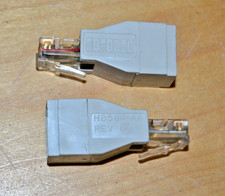
lot of 2 ~ Vintage Digital DEC ~ H8584-AA ~ 8-pin MP to 6-pin MJ **NOS**
$18.99

VINTAGE DEC VX20A-OP ACCELERATOR, 54-20309 FOR VXT2000 SYTEMS
$95.00

Vintage DEC LK201 Computer Keyboard Used
$59.97

Vintage DEC PDT11 (VT100 Series) Terminal (Powers On).
$550.99

Vintage DEC Digital VR319-DA 19" High Resolution Monochrome CRT Monitor - Tested
$180.00

VINTAGE DEC/MDB Systems MLSI-TEV Circuit Board #40040340 1976 (B5)
$69.99