

 Reply With Quote
Thanks to everyone who didn't respond, but luckily for me I fixed the problem.


Last night I was making some last minute changes to debian and I inadvertently selected the wrong mouse settings and now my mouse doesn't work. Is there any way to bring back up the wizard, gui, or whatever that walks you through setting up your mouse? Thanks in advance.
Thanks to everyone who didn't respond, but luckily for me I fixed the problem.
Sorry, I don't know the keystrokes to replace the mouse. How did you fix it?
Thanx,
no problem. Basically I just used the keyboard to open a terminal and then I typed synaptic (the apt-get gui). Through synaptic, I used the keyboard to remove gpm and rebooted. When the system came up everything worked well.
I would just like to point out that 34 minutes is a bit brief to expect a response...
 Posting Permissions

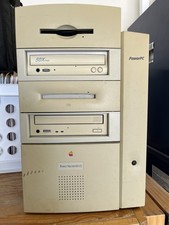
Vtg Apple Macintosh G3 PowerPC M4405 Desktop Computer, Powers On, Cords/Keyboard
$99.00

2001 Apple iMac G3 600MHz DV M8492LL/A in Strawberry shell Vintage Mac OS PPC 9
$299.99

VINTAGE Apple Mac OS X Computer Monitor
$250.00
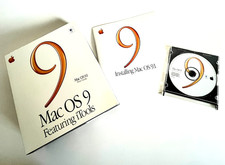
Apple Mac Vintage OS 9 OS 9.1 Software Box Set CD iTools Sherlock Original NM
$99.95

Vintage Apple Macintosh Computer Carry Bag Case
$150.00
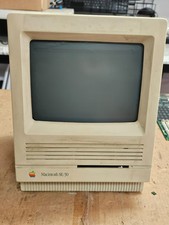
Vintage Apple Macintosh SE/30- Samsung CRT - Shell/Case Assembly Tech Special
$148.45

Vintage Apple Macintosh LC II M1700 80MB HDD Expansion Card Parts/Repair
$69.00

Vintage Power Computing PowerCenter 132 Apple Macintosh Clone Computer Tower
$350.00

NEW Vintage Apple Mac OS X Version 10.1 Upgrade CD 2001 Factory Sealed Package
$29.95

Vintage Entrega Mac USB Dock Multi-Port Replicator SCSI Serial USB-DOCK Boxed
$99.99