

 Reply With Quote
From what I saw in the changelog it sounds nice, but ill just wait til knoppix has it. If its not broken, dont fix it, if it is just let someone else do the work


Anyone else upgraded KDE to 3.3?
Every KDE upgrade I do the same dumb thing - forget to upgrade KDM too! (End up wondering why I can't log back in- and then remember to apt-get install -u kdm via console and woohoo!)
Other quirks are :-
Icons - have decided to line up in a different orderagain!
My Konqueror profiles, window size and placement were ignored. I ended up messing around with the new [Advanced] [Special Window Settings] and have Webbrowser, filemanager and Desktop Drives back to normal.
Other than the above "personal settings" surprises - it's running "very" smoothly
Should be interesting to track down the new features and improvements in the next few days.
Cheers
rob
From what I saw in the changelog it sounds nice, but ill just wait til knoppix has it. If its not broken, dont fix it, if it is just let someone else do the work
So far nothing but good impressions. Definitely worth the upgrade.
With KDE 3.2.3 - konqueror would occasionly start using +50% CPU while doing nothing and for no apparent reason. Never did track down what caused it (closing and reopening konqueror always fixed it!?)
The initial problems I had with the upgrade were all due to my sloppy after midnight concentration and a very non-standard desktop configuration/layout.
Speed, stability, performance = excellent so far!
Cheers
rob
PS read someone was experiencing some problems running it with 2.4.xx kernel.
How do I update to KDE 3.3 final release? I tried updating in apt-get but its still in 3.2. And I dont want a beta/unstable version...
Much like the opriginal writer of this post I am using Sid/Unstable and upgraded to KDE 3.3. However after the upgrade for some odd reason KDM abjectly refuses to recogize the keyboard I have. Bios recognizes, it is recognized system wide as in order to get KDE up I have to log into the console and then "startx". Then the keyboard works fine in KDE, but something seems foobared with KDMs new version. Anyone else have this problem?
Oh and to the last person who asked about getting stable KDE, might take a while, usually the release passes through unstable, then into testing, then to stable. IMHO Sid/unstable is perfectly fine for a home computer, it may carry the label of "unstable" but I haven't had any major crashes with it. If you're running a production server yeah I'd advise you to stick to stable, but for a home desktop you're not going to do yourself wrong by going with unstable, and you'll get the latest releases as they become availble to the apt repository.
I've had this happen twice, but IIRC it was the first two times booting up the new KDM so I just wrote it off to some new config being generated. Does it happen every time for you? Perhaps just swicht to GDM.Originally Posted by Hayabusa
What I dislike most about KDE 3.3 is that I can't find a way to adjust the vertical grid size for desktop icons. Perhaps I just didn't look in the right place though. Anyone?
OT: Another weird thing is this:
I thought Sarge was getting to be called 3.1 and I've always ran unstable/experimentalmarkus@fujibox:~$ cat /etc/debian_version
3.1
True. But that file doesn't seem to get changed as you upgrade from sarge to sid. Or at least mine haven't.
But the file did get upgraded: -rw-r--r-- 1 root root 4 Jul 26 21:03 /etc/debian_version
And "unstable/experimental" was the output before the upgrade. Or did you mean that sarge and sid share the same file?
Hmm, not exactly a KDE problem
NoI was just confused...a common occurrence for me. It does seem to change after a dist-upgrade. On my latest debian install I've done plenty of upgrades, but not actually run a dist-upgrade and it still says 3.1. On another partition I have another debian sarge install that I ran dist-upgrade on to get the latest stuff and it outputs testing/unstable.
Great! Now you confused me too
BTW, I was wrong about the keyboard problem. It didn't get detected after a shutdown and boot, only after a reboot. OTOH I think I got it fixed by adding ServerVTs=-7 to /etc/kde3/kdm/kdmrc:
[X-*-Core]
AllowNullPasswd=false
AllowRootLogin=false
AllowShutdown=None
AutoReLogin=false
Reset=/etc/kde3/kdm/Xreset
Session=/etc/kde3/kdm/Xsession
Setup=/etc/kde3/kdm/Xsetup
Startup=/etc/kde3/kdm/Xstartup
ServerVTs=-7
 Posting Permissions


185--Sonnet Crescendo G3 PPCG3-375-5-K-06 G3 Add-On Card for Vintage Mac
$90.00

Vintage 1988 Apple Macintosh Plus 1MB M0001A Computer Keyboard WORKING See Video
$225.00
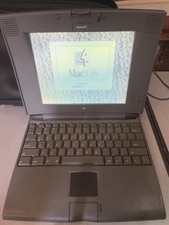
Clean Retro Apple Macintosh PowerBook 520 - Vintage Laptop - Tested And Working
$149.99

VINTAGE Apple Mac OS X Computer Monitor
$250.00
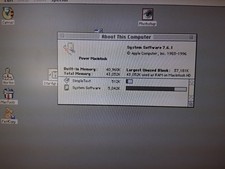
Vintage Apple Power Macintosh 6100/66 M1596 - WORKING
$149.95
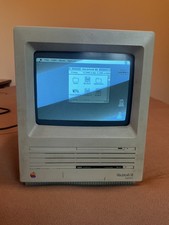
Vtg Apple Macintosh SE SuperDrive (FDHD) Computer Boots to Desktop Sold AS IS
$140.00
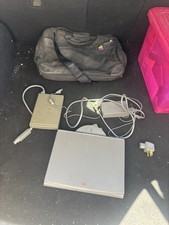
Vintage Apple Macintosh PowerBook Duo 230 With Power Supply Floppy Drive Parts
$100.00
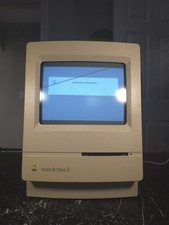
Vintage Apple Macintosh Classic II Computer M4159 FULLY Recapped + BlueSCSI
$300.00
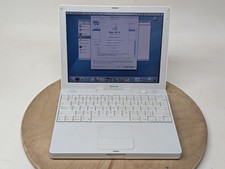
Apple iBook G4 A1054 1.07GHz PowerPC G4 256MB RAM Mac OS X 10.4.11
$69.96
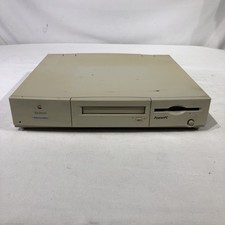
Apple Power Macintosh 6100/60AV M1596 Vintage
$129.99