-
Background of menu items, after remaster
I've made a remastered Knoppix by removing some large items and adding some custom software. Afterward booting my new CD, the background of all of the menu items become transparent until you move the mouse over the menu item. Is this caused by a package I removed, or is this a known bug? Any ideas are appreciated!
-Doug
-
Solution

Originally Posted by
dsblank
Try this: make a new remastered version without running "apt-get update" and see if that causes the menus to look funny.
Good news: I tried this experiment (did not run "apt-get update") and the menus are fine. The remastered image was over 700 MB, but I used the over-burn option in xcdroast, and it worked fine. SO, it looks like there is an updated package that breaks something in Knoppix 3.4 2004-05-17.
So, for now, I just won't update the packages.
-Doug
-
Senior Member
registered user
Transparent menus are a KDE 'feature'. What is happening is that something is causing KDE to set this feature on as default. Just go to control center, find the appropriate setting ( I think it's under 'appearance>styles' but I can't remember & I'm on a win system right now) & disable translucent menus.
BTW, did you mean apt-get upgrade, not apt-get update? apt-get update doesn't do anything that could break your system; it merely updates the list of available packages.
-
Originally Posted by
CrashedAgain
Transparent menus are a KDE 'feature'. What is happening is that something is causing KDE to set this feature on as default. Just go to control center, find the appropriate setting ( I think it's under 'appearance>styles' but I can't remember & I'm on a win system right now) & disable translucent menus.
BTW, did you mean apt-get upgrade, not apt-get update? apt-get update doesn't do anything that could break your system; it merely updates the list of available packages.
The menus aren't just transparent, but transparent with wacky background color reversal. The menus become impossible to read. I'm not sure what I did differently, but now it is working for me.
Similar Threads
-
By UnderScore in forum Customising & Remastering
Replies: 102
Last Post: 10-19-2007, 02:04 PM
-
By nvgringo in forum Customising & Remastering
Replies: 3
Last Post: 08-24-2005, 08:00 PM
-
By knopx4me in forum Customising & Remastering
Replies: 1
Last Post: 04-22-2005, 07:27 PM
-
By zxc in forum General Support
Replies: 2
Last Post: 12-22-2004, 03:38 AM
-
By zroiy in forum Customising & Remastering
Replies: 5
Last Post: 08-07-2004, 02:56 AM
 Posting Permissions
- You may not post new threads
- You may not post replies
- You may not post attachments
- You may not edit your posts
-
Forum Rules

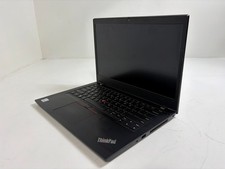
Lenovo ThinkPad L14 Gen 1 Core i5-10310U 1.7GHz 16GB 512GB 14" W11P Laptop
$197.10
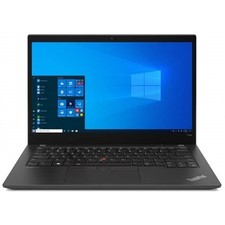
Lenovo ThinkPad T14s Gen 2 14" 32GB, Thunder Black
$318.83

Lenovo Thinkpad E15 Gen 2 8GB RAM 256GB SSD Intel Core [email protected] Laptop
$220.36
LENOVO 83A100PBUS Lenovo V15 G4 IRU 15.6" FHD i3-1315U 1.2GHz Intel UHD Graphics
$346.00

LENOVO THINKPAD T14s GEN 2a Ryzen 7 PRO 5850U 1.9GHz 16GB 256GB TOUCH - NO OS
$299.95
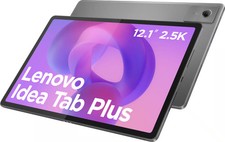
Lenovo - Idea Tab Plus - 12.1" 2.5K Tablet - 8GB RAM - 128GB UFS - Luna Grey
$209.99

Lenovo ThinkPad 14" T440P Intel Core i7-4600M 2.9GHz 4GB DDR3 NO SSD NO CHARGER
$100.00
Lenovo ThinkPad T14 Gen 1 Core i5 1.70GHz, 16GB RAM , 256GB SSD
$259.99
Lenovo Lenovo ThinkPad X13 Yoga Gen 2 i7-1185G7 32GB RAM 512GB NVMe SSD
$449.00

Lenovo ThinkPad L14 Gen 3 Laptop 14” FHD Core i5 12th 16GB RAM 512GB SSD Win 11
$359.99



 Reply With Quote