-
Network Card Problems - Help!!
I'm a Knoppix newbie. I'm still learing a lot about it. I ran into trouble with my networt card. It's doesn't recognize it!! I try to install a driver for it, but there isn't any for my card. Through windows, the driver is for "HP EN1207D-TX PCI 10/100 Fast Ethernet Adapter." I was hoping there would be a generic driver, but I didn't see one. I tried a couple different ones from the list, but they didn't work either. I'm running this on an older HP machine. I'm going to be connected through DSL just for a little more info incase anyone can help me, which I hope someone can. I hope someone can help so I can learn a little more on here.
-
Senior Member
registered user
Can't say for sure but when I used to use an HP NIC it used the eepro100 driver. You might try the eepro as well.
-
Senior Member
registered user
Re: Network Card Problems - Help!!

Originally Posted by
carpie
Through windows, the driver is for HP EN1207D-TX PCI 10/100 Fast Ethernet Adapter
I posted on this a while back, so I'll just quote myself here:
This card uses a MX EN5038A1 chip, which (from a quick scan of Google) seems to be VERY poorly supported under ANY version of Linux. Shame on HP (even their own tech support admits it won't work under Linux). I had the same problem with an SMC TX-1211 card. You would think that brand-name hardware would "just work."
What I wound up doing was getting another network interface card (NIC). Fortunately, Knoppix LOVES the Realtek RTL8139 chip, and there are at least 2 common cards that use it: the D-Link DFE-530TX+ and the Encore ENL832-TX+. The D-Link card sells for about $12 (I got it free with my DSL kit), I bought the Encore card for $8. Both work equally well with my DSL modem and Knoppix; I would recommend them to anyone using Knoppix; it's my new "default" NIC. A bonus: the Encore drivers for Windows are newer.
Since then, I have seen other cards with this same Realtek chip for even less, and they work just as well.
-
Thanks guys. I'm gonna try out the driver first, and if that doesn't work, I'll just pick up a new NIC. Thanks again. Anything special I shoud becareful with putting my machine on the network connected through broadband?
-
The RTL8139 is supported for its prevalence, but the chip design has serious problems.
Personally, I go with Tulip-clone chipsets, e.g. the Linksys LNE100TX (which has used a few different chips in its lifetime; current versions are fine, archaic versions had some bugs, but are probably still 'fine' when compared to an 8139). They're all well-supported now, again due to prevalence.
This isn't to say that all Realtek chips are bad- the 8019AS (as found on many generic ISA 10baseT cards) is one of the best NE2000 clones ever made (by virtue of its integrated RAM- if you're using early 3c509s in your 486 router, trade them for generic Realteks and feel the difference!), and the 8029 is a PCI version of same that's been a great boon to alternative platforms trying to provide basic ethernet support (e.g. on the Amiga line, with recently-available PCI busboards). They just shot the food with the 8129/8139, their attempts at modern 100baseT chips.
-
DFE netcard
My D-Link DFE-530TX+ nic is not recognized by Knoppix 3.2. I'm on a Dell 350 mhz Optiplex.
I'm on Sympatico DSL and it's the NIC they supply.
What drivers should I try to load ?
-
Senior Member
registered user
Re: DFE netcard
Originally Posted by
Frankzen
My D-Link DFE-530TX+ NIC is not recognized by Knoppix 3.2. I'm on a Dell 350 MHz Optiplex.
As im my reply above, I have no problems with this card. Found automatically, it's what I use every day. As the heading for this section states, "Please post a full output of 'lspci -v' if your hardware is not detected, and all relevant information about your hardware." It may not be being detected properly for some reason...
-
I posted this thread over at http://www.tek-tips.com in this forum:
http://www.tek-tips.com/gthreadminde...ev3/70/pid/619
(can't link straight to the post I guess). The poster came back with this a bit ago:
Redhat 9 not recognizing network card
Ok a little update so you guys can help the next person that has this problem. Hewlett Packard put its name on my NIC so i thought it was a HP NIC, but i inspected the tons of number physically on the card and got the part number and found out it was made by Accton, which must have been bought out by SMC, so i used the RealTek 8139 driver.... I was beginning to think i was going ot have to get a new NIC. Thanks for you time looking though.
Don't know if it's of any help to anyone, but what the heck?
Similar Threads
-
By Nextus in forum Networking
Replies: 1
Last Post: 12-15-2003, 03:49 PM
-
By Trikster in forum Hardware & Booting
Replies: 3
Last Post: 11-25-2003, 01:07 PM
-
By gill1109 in forum Networking
Replies: 2
Last Post: 07-28-2003, 05:20 AM
-
By corwinspyre in forum Hardware & Booting
Replies: 0
Last Post: 07-26-2003, 03:46 AM
-
By Anssi in forum Networking
Replies: 2
Last Post: 04-29-2003, 06:38 AM
 Posting Permissions
- You may not post new threads
- You may not post replies
- You may not post attachments
- You may not edit your posts
-
Forum Rules


Intel Core i7-9700 Octa-Core 3 GHz Desktop Processor LGA 1151
$79.99

RYZEN 7 9800X3D 8-Core, 16-Thread Desktop Processor
$440.00

INTEL CORE I7-870 SLBJG 2.93GHZ LGA1156 4 CORE CPU PROCESSOR
$23.00

INTEL CORE I7-9700K PROCESSOR | 3.60GHZ | SRG15
$89.99

Intel SRG13 Core i7-9700 3.00GHz Socket 1151 8 Core CPU Processor LGA1151
$77.99

AMD Ryzen 5 5600X Desktop Processor (3.7GHz, 6 Cores, AM4 CPU) 100-100000065
$135.00

Intel Core i9-9900 3.10GHz CPU Processor SRG18
$165.00
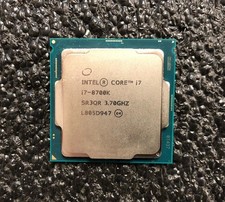
Intel i7-8700K Coffee Lake 3.7 GHz (4.7 GHz Turbo) LGA 1151 Unlocked
$69.99
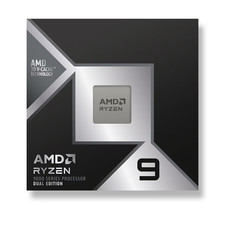
*Brand New-Sealed* AMD Ryzen 9 9950X3D2 Dual Ed. 4.3GHz 16Core AM5 (Bulk+Fast)
$790.00
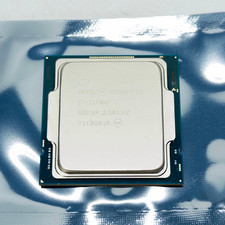
Intel Core i7-11700F SRKNR 2.5GHz 8-Core 16MB CPU Processor Socket LGA1200
$149.99



 Reply With Quote