

 Reply With Quote
I've always had good luck with mozplugger. You can apt-get it. It will play all of that stuff as long as you have mplayer and the codecs and all.


I was able to compile and install the mplayerplug-in for mozilla (from tp://mplayerplug-in.sourceforge.net) but when attempting to view streaming video (using the mplayer that is installed with kplayer from klik), I just see a box that says "mplayerplug-in playing <url>".
Anybody get this to work in knoppix? I'm using live cd knoppix 3.4.
I've always had good luck with mozplugger. You can apt-get it. It will play all of that stuff as long as you have mplayer and the codecs and all.
I'm really not that big of a fan of the mplayer plugin. Why not apt-get kaffeine and the kaffeine plug in? I think they work much better. The kaffeine plugin will not embed the video into your browser. It will open up kaffeine and play your video there. The upside is that it seems to pretty much just work whereas I find that the mplayer plugin just chokes on a lot of streams. Also kaffeine will let you save any stream that it opens. This comes in handy some times.
AAY: Thats good info, just what I need. I have gotten kaffeine to install from the klik site, and having kaffeine play the video outside the browser is no big deal, as long as I don't have to manually extract the mms: url from the html/javascript.
But I have yet to get kaffeine to work so my question for you is: after installing kaffeine from klik, do I have to manually associate mime types myself, and did you get kaffeine to play streams without having to dig out the url? And would this require a harddrive installation as opposed to live CD? (because apt-get won't work unless with a HD install I believe)
airplays,Originally Posted by airplays
sorry. i didn't notice that you weren't working from a hd install. do you have to manually associate mime types yourself? well i guess so. you can go through the settings on mozilla and clear out what's there and you should be prompted to associate the media type with an app when you next try and open it. unfortunately probono's klik script for kaffeine does not install w32codecs by default. you can download the .deb and open it up with unp and then copy the codecs to the appropriate place. I think it's ~/kaffeine/usr/lib/win32/
Just for troubleshooting purposes, I went ahead and installed knoppix to HD and was actually easily able to get the mplayerplug-in to show streaming video in the browser! I installed mplayer & mozilla plugin with 'apt-get install mozilla-mplayer' after adding 'deb ftp://ftp.nerim.net/debian-marillat/ unstable main' to /etc/apt/sources.list
Well that tells me that the plugin can work with HD but I want to get it working with the liveCD since apt-get doesnt work well with liveCD (lets get probono to add mplayerplug-in to the klik site!)
I know that kplayer (installed from klik) installs the mplayer libraries which is the only way I know to get mplayer installed in liveCD, but I'm not sure what I'd have to change to get mplayerplug-in working with liveCD - any ideas?
You can bet I've tried this. Unfortunately, I don't know how to make that work. If anybody can give me a clue, I will add the plugin to the kplayer recipe. The same applies for the kaffeine and kmplayer plugins.
One plugin that should work indeed is realplayer.
champagnemojo: I assume you got mozplugger to work with a HD install? I'm running liveCD and no luck with mozplugger so far
Yes, I've only gotten it working in a hd install. I'm not sure how it'd work in a livecd setting. It's a great plugin. It will embed not only movies and sounds, but also pdf files and office documents. But I'm afraid I don't know how to get it working in the livecd setup.
Maybe not what you wanted to hear but it looks like your solution might be to make a remaster with mplayer & all the plugins in place. Might as well add flashplayer & realplayer as well since lots of sites need flash & mplayer won't do realplayer.ram files. I think you need realplayer 10 for these, I'm trying to get it working right now.
 Posting Permissions

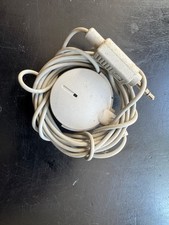
Vintage 1991 Apple Computer Omni Directional Microphone 590-0617-A
$17.00
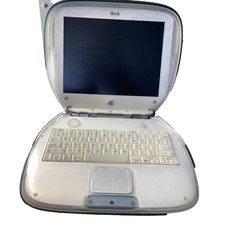
Vintage Apple iBook G3 Clamshell M2453 Dead HDD For Parts As is
$189.99
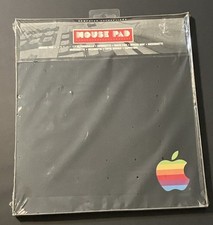
vintage Rainbow Apple Logo Mouse Pad-Sealed New
$79.00

Lot of 3 VIntage Apple Computer Rainbow Logo Sticker Decal Macintosh 1980s NOS
$7.00
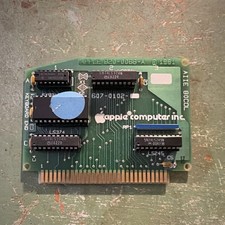
Apple Vintage 80-Column Interface Card UNTESTED
$29.99

Vintage Apple USB Mouse M4848 Bondi Blue iMac G3 Hockey Puck - Tested Working
$22.99
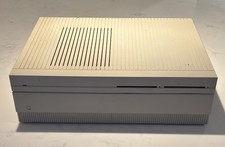
Vintage APPLE MACINTOSH II Desktop PC EMPTY CASE & Power Supply Only UNTESTED
$39.90

Vintage Apple Extended Keyboard- M0115 - no cord
$44.99

Vintage Apple Multiple Scan 15av Display Monitor M4681
$299.99
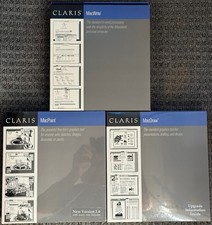
3 Boxes-Vintage Apple Claris Macwrite MacPaint MacDraw - Sealed - NOS Rare 1988
$74.99