

 Reply With Quote
Most probably you've tried already, but I don't think we've asked you yet: are you seeing this problem with both 2.4 and 2.6 kernels?


You're right, it could well be your router conflicting with how Linix expects DHCP to work. Now that you say this I recall that over a year ago I tried a real hunk of junk Belkin wireless router on my network. It never could DHCP properly with Knoppix on my notebook (not sure if I even tried it with the desktop), although the same computer works fine with windows. I could make it work by manually setting the IP and related stuff. The router had other problems and they were so serious I had to stop using it. They never did issue a firmware fix for it; Belkin replaced the hardware with v2 hardware and started upgrading the firmware for that, but left all of us v1 hardware users abandoned with defective stuff.Originally Posted by drekidd
Three guesses if I or my friends will ever buy Belkin routers again.
So anyway, you very well may find that your router doesn't quite work for DHCP with all system (was likely tested only under windows and doesn't exactly confirm with the DHCP spec). There is precident for this.
If it's any comfort, I've also tried Linksys, SMC, Netgear, Nextlan, and Dlink routers, and the models I've tried have all worked fine with Knoppix.
Most probably you've tried already, but I don't think we've asked you yet: are you seeing this problem with both 2.4 and 2.6 kernels?
No - sorry. I just made trial-error with the cheat-codes on my system. (And found a hint, that apic=off and noapic might do different things here in the forum, but at least a month ago.p.s - Do you know what the 'noapic' option ommits from the h/w detection??
The cheat-codes doc doesnt say much!
No, I have only tried the one Kernel version on this build... You could have a point there.. But changing kernels will be another mamoth task for me to learn.. as I'm sure I read it's more than copying files
I haven't done anything else with this but over the weekend I will try and find the time and get traces from the Router and tcpdump etc.
It will probably turn-out to be the Router on reflection.. it is an old one (3Com Office Connect 812 ADSL Router) and hasn't been supported by them in a few years.. Their recent routers of the same type are by far better to use & feature rich.. I will get-hold of one of those and test..
Thanks again to you all.. I hope this thread is of some use to those having problems with a correctly setup Knoppix DHCP client.
://DK
Which build are you referring to? If you've got a recent enough version of knoppix, it'll have both kernels and you can try just booting from the CD and see if by any chance dhcp/pump works better under one version than the other.
I wonder under linux how to try dhcp by default, then fallback to static settings after a reasonable timeout?
Knoppix 3.3..
I'll search the forum and see how to switch - I remember seeing the command set somewhere...
Ciao
Knoppix 3.3 only came with a 2.4.x kernel; you'd need 3.4 for 2.6.x
You could download the latest version (don't forget to statically configure IP 1st ;-) or try installing the 2.6.8 kernel from kanotix.
But if I were you, I'd first try one of the alternative dhcp client implementations. "apt-cache search dhcp" reveals several, eg dhcp-client, dhcpcd, udhcpc... These are tiny downloads, worth a try.
 Posting Permissions

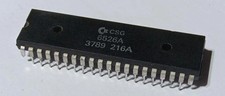
Rare CSG brand 6526A CIA chip for Commodore 64. Used pull. Guaranteed. From U.S
$44.99

TeensyROM+ TR+ v0.4 Cartridge for C64/128 - w/ Case & 32GB SD Preloaded
$89.50

Commodore OS USB | Bootable LIVE + Install | The Ultimate Gaming Linux OS | NEW
$11.99

Commodore 64 Dead Test & Diagnostic Cartridge & Test Harness Set - USA seller
$39.99
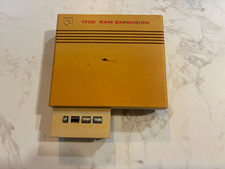
Commodore 1750 512K RAM Expansion REU for C128 / C64 – Tested & Working
$110.00

Commodore 128 C128 Computer FOR PARTS / REPAIR Untested Missing Key No Cords
$149.99

Commodore 64 Serial Cable 6PIN DIN 1541 1571 C64 128 C128 Disk Drive Printer USA
$10.49
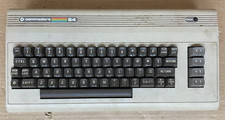
Commodore 64 C64 Computer & RF TV Switch Cable UNTESTED NO POWER SUPPLY AS IS
$104.99
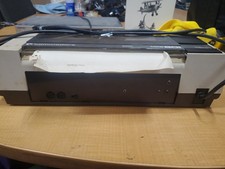
RARE Commodore MPS801 Printer - 1st printer for the 64 - powers on
$70.00

Commodore VIC-20 Diagnostic Cartridge & Test Harness Set - USA seller
$39.99
