-
Senior Member
registered user
Sure. Up at the top of this forum is a tab called Docs, which has a WIKI that several people have contributed to. Some of it is out of date, but it will at least give you a starting point. There is also a search box, that works pretty doggone well.
This CD isn't intended to be installed. It can be, but that's not how it's designed. It's intended to be used as a live CD. Hard drive installations of Linux can be tricky propostitions for newbies. No offense intended - I'm sure that you have a wealth of experience that you bring here - but in the context of this forum, almost all "newbies" are people who have a wealth of computer experience already, but are new to Knoppix. If you try to do a hd install before you get the lay of the land, and you will risk hosing anything you already have on your computer. Plus, even experienced Knoppix users often have problems with their first hd install. Also, if you, or co-workers, or family members still rely upon Windows apps (I do), running Knoppix as a live CD ensures that you won't do anything to damage your access to Windows and those apps. Anytime you want to run Windows, simply reboot without the CD,
.
Try the live CD first. Pop the CD into a bootable CD-ROM on your computer and reboot. Hopefully, all will go well, and a desktop will appear. The OS is actually running off of the CD - Linux is that efficient. You will see your drives on the desktop, but they are set as read only for now. The default configuration prevents you from doing anything to damage your computer. Later, as you gain experience, you will probably set up your printer, and you'll want to make changes and save your configuration. There's a way to do this. You can also set up a persistent home, so that you have a place to save data and downloaded programs. There is an option that allows you to save the Knoppix file to a spot on your hard drive, and run from there, without performing a full installation. It's simpler and very powerful, and doesn't risk your setup. From there, you might want to download applications using Klik, which automatically downloads and installs the latest versions of popular software. If all that isn't enough, and you feel comfortable in the linux environment, then you might want to research the knoppix-installer, which performs the hd install you originally asked about. Bear in mind, though, that it really isn't necessary to put yourself through that torture just to use Knoppix. The whole point is to facilitate the use of Linux without installing. Unlike Windows, you don't have to install Knoppix in order to fully utilize it's potential. Several linux users use it without ever installing to the hard drive. In fact, I've been using it for over a year, and have never installed it.
There is an MS Windows forum here for recent immigrants that you might be interested in checking out as well. Have fun.
jd
 Posting Permissions
- You may not post new threads
- You may not post replies
- You may not post attachments
- You may not edit your posts
-
Forum Rules

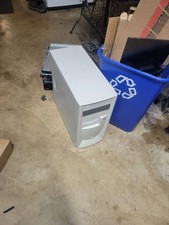
vintage pentium 3 pc turns on no display no post
$150.00

Vintage Computer Keyboard Northgate OMNIKEY Ultra
$120.00

Lot of 2 Vintage Plextor PX-43CS SCSI CD-ROM Caddy Drives + 4 Caddies Used
$55.99

Vintage Hewlett Packard HP 13181-60074 Circuit Card Assembly / Interface Board.
$135.37

MicroProse Falcon 4.0 PC Flight Sim Big Box Manuals Korean Map CD Lot Vintage
$60.00
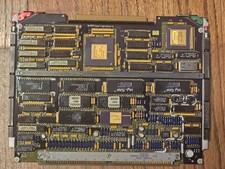
Vintage Military Avionics PCB AlliedSignal 1750A CPU Ceramic Aerospace Board
$299.95

Original Vintage Old Style STANDARD Black CD Jewel Case (Heavy Duty) 90g Lot
$316.95
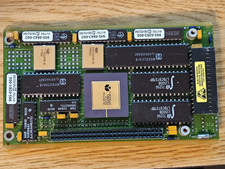
Vintage Military Avionics PCB Philips Ceramic ASIC Gold Lid Aerospace Computer
$99.95

VINTAGE COLLECTIBLE Comp USA Maxtor 20 GB 3.5 Inch EIDE Hard Drive NEW SEALED
$500.00

Vintage Hewlett-Packard HP-25 Applications Programs 1975 Manual 00025-90011
$29.50



 Reply With Quote