-
How to stop KDE from starting at boot time?
With the HD install done, I don't want KDE (or any other window manager) to start at boot time.
I just want the console. Or rather the virtual terminals at boot time.
I want to start KDE only when I need it.
How can this be done?
-
Senior Member
registered user
Welcome!
That's right!
That's linux!
And here's the howto:
edit /etc/inittab
change
to
(close to the top).
The inittab controls the very first processes, run by the system.
By convention, runlevel 3 is for multiuser + networking, and runlevel 5 for X11.
-
Besides KDE, will this stop anything else from running?
-
Senior Member
registered user
No.
Look at my post close to this http://www.knoppix.net/forum/viewtopic.php?t=12672 (how to make sshd start on boot).
If you look at the differences between rc3.d and rc5.d, you will know exactly what will not start in runlevel 3.
A correctly done installation will only start (additional to rc3.d) X11-related stuff in rc5.d.
-
Senior Member
registered user
I think you can type "knoppix 2" (without quotes) at the boot prompt to get run level 2, which, as I understand it, will keep you in the console.
jd
-
Senior Member
registered user
That's right - it will put you to runlevel 2, which is probably not intended, since it lacks networking.
For networking, you use 3.
-
With the hard disk installation, I do not see the boot: prompt anymore.
At the beginning, all I see is the Debian logo with 3 options:
Linux
Linux(2.4)-1
Linux(2.6-2
And the "Linux" option is the default.
How do I get to the boot: prompt?
-
Senior Member
registered user
My apologies. I compeletly missed that this was the Hdd install forum. 
-
Senior Member
registered user
I use a text-menu, where I see
Code:
linux-2.6.7
linux-2.4
When I move the curser, the corresponding entry is shown below the menu too.
After choosing the 2.6.7 (which is default although) I simply hit the '3' key, which makes the below-the-menu-entry
linux-2.6.7 3
I don't use a graphic boot-screen, but would expect the same functionality in a similar way there.
If you don't have them, you may switch to a textmenu-lilo, or make two alternative boot-options with lilo.
Code:
linux-2.6.7-X11
linux-2.6.7-console
linux-2.4
and use append="3" for console, append="5" for the -X11 - entry.
-
Thank you. Appreciate it.
append="3" for console
append="5" for the -X11
Did the job.
Similar Threads
-
By jwh7 in forum General Support
Replies: 1
Last Post: 10-13-2004, 11:06 PM
-
By rfarmer in forum General Support
Replies: 2
Last Post: 01-30-2004, 01:22 AM
-
By oscar in forum Customising & Remastering
Replies: 0
Last Post: 05-23-2003, 12:55 AM
-
By SillyFly in forum General Support
Replies: 4
Last Post: 04-15-2003, 11:20 PM
-
By FelixDzerzhinsky in forum Hdd Install / Debian / Apt
Replies: 0
Last Post: 12-27-2002, 02:24 AM
 Posting Permissions
- You may not post new threads
- You may not post replies
- You may not post attachments
- You may not edit your posts
-
Forum Rules

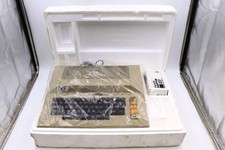
Atari 800 Home Computer Later Variant In Original Styro W/ BASIC CLEAN Untested
$224.99

ATARI XF551 DISK DRIVE WITH AC POWER ADAPTER AND PARALLEL PORT ADAPTER, UNTESTED
$250.00
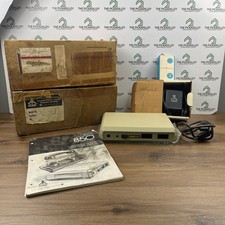
Atari 850 Interface Module Vintage 8-Bit Computer Expansion Serial Parallel Box
$159.95

Happy 1050 Upgrade for Atari 1050 Disk Drive - Solderless Installation - HS/DD
$49.97

Fujinet 1.7.1 Atari 400 800 800XL 130XE 65XE XEGS Assembled, Tested, Working
$99.99
Atari 800 XL 8-Bit Computer W/ Blue LED And S Video A/V Cable
$155.00

A8PicoCart Multicart for Atari 800xl /65xe / 130xe / XEGS
$16.95
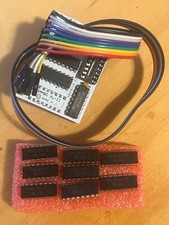
Atari 800XL/1200XL 256k Memory Upgrade Kit
$48.00
Atari 800 8-bit Computer System Fully Tested 48k READ
$370.00

GreaseWeazle v4 board USB floppy drive adapter Retro All Formats
$35.00



 Reply With Quote