

 Reply With Quote
Sign of a bootloader problem, IIRC. Check out the first sticky in the Networking forum on how to ungoof your MBR. That may help, but this only happened to me once a while back.


Actually, this is both a "remastering" and a "HD install" problem, as it only is an issue if I do both...
Remastering, I uninstalled the 2.6 kernel to gain some space. The resulting CD boots perfectly, but when I install the new image to HD it fails to boot. I was able to boot with a CD and chroot into the installed copy, and doing so I was able to edit lilo.conf to remove the reference to the missing kernel and run lilo. Then it booted perfectly. But I can't find where it got the reference to the missing kernel to add in the first place.
Sign of a bootloader problem, IIRC. Check out the first sticky in the Networking forum on how to ungoof your MBR. That may help, but this only happened to me once a while back.
I know it's a bootloader problem, but it seems (after two tries) to be directly related to the installer thinking the 2.6.x kernel is there--while in fact it isn't, so lilo (as in the config utility) doesn't properly write to the MBR.
I find that /etc/lilo.conf on the HD install includes reference to the missing kernel, and that if I edit that out and run lilo while chrooted to my install, it fixes it. But I also know the installer sets this up on the fly, because it will detect additional operating systems and add them.
So I'm trying to kill any reference to the missing kernel that the installer will find. (But I was hoping someone might know or have discovered the specific location that will work the needed magic.)
As far as my initial project--quickly getting a desktop OS onto some used computers--knowing what the problem is so I can fix it easily is enough. But ultimately I'd like to give the CD to some people who aren't necessarily very Linux-knowledgeable
Okay, I did it. I kept looking through files in /boot, in both the part that boots the CD, and the part that is copied onto the HD install--and I cleaned it up considerably. And it even made the CD boot faster, as the first remaster without the 2.6 kernel took a longer time to actually load the kernel and boot (but didn't have any trouble doing so, unlike the installed copy).
What I think actually did it was deleting the remaining 2.6 kernel modules that hadn't gone. There was a /lib/modules/2.6.x directory that hadn't gone completely away when I uninstalled everything else, which is what I think the installer was seeing.
Now, if I could only get the system to set up the Knoppix user from /etc/skel, or the installer to set up the initial user from /etc/skel instead of /home/knoppix--I'd have everything I want.
(Well, almost. I'd kind of like to install Webmin, but I think it's too big for the space I have created. And I'd like wine to work for the Knoppix user on the CD, but doing so requires stuff from /etc/skel--I can copy it manually, but that makes for a poor demo. But telling someone to delete the user they create on install, or ignore it, and create another on on bootup is certainly better than having to tell them to chroot into the install and run lilo--after manually editing /etc/lilo.conf. And I should be able to replace the solitaire on the Cd with Kpat, which is a lot more like what they would be used to.)
 Posting Permissions


RAM-HOL-SAM52CPU RAM USB-C Powered Dock Samsung Tab Active4 Pro & Tab Active Pro
$81.99

Samsung 32GB DDR4-2666 PC4-21300 288-Pin DIMM RAM M393A4K40CB1CRC0Q
$185.00

New Samsung 512GB FIT Plus USB 3.2 Gen 1 Type-A Flash Drive MUF-512AB/AM NEW
$120.00

Samsung 24" S3 Essential IPS 100Hz Monitor | Sealed | Fast shipping
$50.00

RAM-HOL-SAM60CPU RAM USB-C Powered Dock for Samsung Tab Active5 - 3 - 2
$81.99

RAM-GDS-SKIN-SAM54-NG-1 RAM Mounts IntelliSkin® Next Gen for Samsung Tab Active4
$93.99

Samsung Galaxy Tab SCH-1800 7" 4GB Wi-Fi + Verizon Tablet Working
$30.00

RAM-GDS-DOCK-SAM88CPU RAM GDS® Tough-Dock™ for Samsung Tab A9+
$174.99
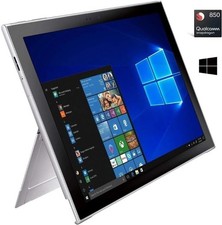
Samsung Galaxy Book2 12inch Silver FHD+ TOUCH Snapdragon 850 2.96 GHz 4GB 128GB
$160.00

NEW Samsung NoteBook NT930QCG touch LCD Full Screen Assembly Blue
$225.77