-
Senior Member
registered user
Youooohoooo..
I have to diasagree with User unknown. You can configure your print server without configuring your network. Your boss is right and always do 
The way this printer server is configured, similar to configuring a router, infact it is a router cum print server. You only need to configure your network card before configuring it.
You can set your network later.
-
Junior Member
registered user
yodelahihoo....
okie shah....
i tried your way just now....
went to http://192.168.0.100 ==>my boss changed it....
when using windows web browser, i can see the system server information....
when using knoppix web browser, "an error occurred while loading http://192.168.0.100/status.htm.
could not connect to host 192.168.0.100."
argh!!!!
but before that, since i had the server information already i went ahead with the set up wizard....
it comes to a page(the same page im stuck at) where it asked for printer information....
i did a network scan (network : 192.168.0.0-255) and it shows ip address 192.168.0.3....
so i thought maybe that is the printer's ip address and so i just click on next,next,next....
when it comes to a test print, our printer did not even receive any data....
so its totally frustrating when i cant click on finish....
thnx(im gonna be bald!!),
~ira (-.-)~
-
Senior Member
registered user
Okay
Lets do step by step....
This procedure is for knoppix
1) Before run any web browsing to configure print server (which you did in windows) you need to set your network card. Run network card configuration. Assign IP address : 192.168.0.X (*x = don't use 100, already reserved to print server) Make sure it doesn't conflict with other pc.
netmask :255.255.255.0
2) Setup your printer using wizard and the ip is : 192.168.0.100 (what your boss set) and port : 631.
Don't scan, just click <next>. If success it will list all the printer driver. Select your printer type and model. Follow the instruction till end.
-
Junior Member
registered user
so sorry....
how do you configure the network card?
it will come out the black screen right?
~ira~
-
Senior Member
registered user
Caranya:
1) Click Penguin icon di bawah---> Network-->Networkcard configuration. Don't use dhcp.
-
Junior Member
registered user
hehe....
pandai-pandai guna bahasa melayu....
terima kasih....
bear with me please....
thnx....
~ira~
-
Junior Member
registered user
elo....
did those things you said....
ip address : 192.168.0.3
netmask : 255.255.255.0
default gateway : 192.168.0.1
that done....
did the wizard....
keyed in the ip : 192.168.0.100
error msg appeared....
"no printer found at this address/port!"
 sedih saya....
~ira~
-
Senior Member
registered user
netcardconfig okay
cuba scan dengan same IP: 192.168.0.100 dan port :631
Kalau tak boleh, cuba tukar gateway too : 192.168.0.100
-
Senior Member
registered user
Forgot to ask, Is your port number really 631?
Please check using webrowser again. http://192.168.0.100
-
Junior Member
registered user
hiey....
still cant work....
did those things you said(again)....
ip address : 192.168.0.3
netmask : 255.255.255.0
default gateway : 192.168.0.100
broadcast address : 192.168.0.255
nameserver : IS-D2D363
that done(again)....
guess what shah?
i cant login to the internet pula after i configure the network card....
adeh....sakit hati saya  (angry not evil)
,
~ira~
Similar Threads
-
By shantanuo in forum Networking
Replies: 0
Last Post: 09-20-2005, 05:52 AM
-
By brianfay in forum Hdd Install / Debian / Apt
Replies: 0
Last Post: 04-04-2005, 01:42 AM
-
By ebidder in forum MS Windows & New to Linux
Replies: 2
Last Post: 02-05-2005, 12:42 AM
-
By ptesone in forum Hardware & Booting
Replies: 0
Last Post: 03-16-2004, 08:25 PM
-
By urpk in forum General Support
Replies: 0
Last Post: 02-11-2004, 02:34 PM
 Posting Permissions
- You may not post new threads
- You may not post replies
- You may not post attachments
- You may not edit your posts
-
Forum Rules


IBM 4262 SYSTEM x3200 Tower - HDD Wiped, NO OS
$80.00

IBM QRadar xx29 2x Xeon E5-2650v4 2x 900W PSU M5120 12x 3.5" Bay Server No RAM
$149.99

IBM 7915 AC1 M4 E27R704 Server Intel 2650V2 32GB RAM NO HDD w/ 2x 750w PSU
$200.00

IBM QRadar xx29 M4 2x Xeon E5-2670 2.6GHz 16-Cores | 64gb | M5120 RAID
$349.99

IBM POWER8 8286-42A S824 16-Core 128GB RAM 4.8TB SAS Fedora Linux Server PowerVM
$750.00
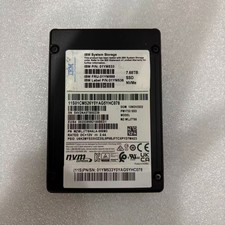
IBM 01YM588 01YM536 MZWLJ7T6HALA-000M3 PM1733 MZ-WLJ7T60 7.68TB NVME SSD
$1950.99

IBM Power S822 POWER8 1x CPU 32GB DDR4 RAM 2U Rack Server No HDD.
$629.99

IBM Power S922 9009-22A Power9 DDR4 10GbE 6X SFF Barebone Server
$999.95

IBM System x3755 M3 2U Rackmount Server – No Drives or Trays
$150.00

IBM X3650 M4 Server System Board 00MX553 00AM209 00Y8499 00Y8457 00D2888 00W2671
$230.00



 Reply With Quote