

 Reply With Quote
Manual yang saya jumpa : http://www.dlink.pl/docs/manuals/DP-802_manual.pdf


I believed you are using DHCP for your network. Sebab itu tak dapat connect to internet after setting network card. Reset network card kepada asal,and please check again configuratuion print server.
Manual yang saya jumpa : http://www.dlink.pl/docs/manuals/DP-802_manual.pdf
heya,
the PDF file you gave me is the exact manual i found in my boss' filing cabinet....
(not under his table)
i read that and tried whatever it says....
my boss was there to help me....
but it still doesnt work so we put it off till tml....
thanks for being patient with me....
wonder where U.U gone....?
need all the help i can get....
~ira~
I don't know the kde printer wizard and your printer-model, nor similiar printer-models.
I only setup my parallel-printer with linux so far, and used CUPS to make it available to other hosts, but I guess this is a very different task from setting up a network-printer, with builtin network capabilities.
The printer is using 192.168.0.100 and you use that as gateway-adress too?
This printer isn't an webserver and database-server too.
Port 631 is the internet-printer-protocol port (ipp)
which is used from cups too.Code:grep 631 /etc/services
Did you try http://PRINTER_IP:631/?
I guess your Browser will send request on port 80 by default, where normally webservers are listening.
User Unknown
This print server can act as a modem router if properly set and you can print directly from net.
hallo....
just came back from my 2 days medical leave....
been sick
now im back, been trying to configure the printer again....
all i did didn't work....

tried everything you guys suggested to me....
still didn't work....
~ira~
Kecian...
Forget to ask you,
1) Is your modem connected to your print server?
2) Is your printer supported by your print server?
3) Is your printer & print server working in other OS?
Nothing much I can help from here. If you have no other way to print using print server, just throw it away. Connect the printer to any pc or server and share that printer.
Another thing to try:
Run this under konsole:
arp -s 192.168.0.100 "printserver mac address"
*change printserver mac address with printserver mac address printed on your printserver.
or try this
telnet 192.168.0.100
select Port configuration, it will show your port name. Something like PS-62C609-P1.
When you got the port name, Start with printer wizard, this time we will use Remote LPD Queue.
Host: 192.168.0.100 (whatever your printserver ip is)
Queue : port name

heehee....
kecian eh kite....
regarding your questions....
1) Is your modem connected to your print server?
~>there is a modem connection for internet server but we are not using it
2) Is your printer supported by your print server?
~>any printer is supported by the print server.they just connect using parallel port.
3) Is your printer & print server working in other OS?
~>yes, working well in windows 95, 98, ME and 2000
*all answers provided by my boss
my boss says if i can't get the printer working with knoppix, he's going to change to mandrake....
huh?sounds like an orange to me....
and the worse thing is....
i got to fiddle with that mandrake too....*sigh
~ira~
Not all printer can work with printserver eventhough it's connected to parellel port.any printer is supported by the print server.they just connect using parallel port.
Certain printers may not work with print servers because they do not have command interpreters built in to the printer. Such printers are designed to operate only when connected directly to a computer and will not be able to function on a network. Especialy GDI and PPA printer.
Since your printer can be used by windoooze, then it's okay.
Mandrake is a good choice interm of easy installation and their hardrake is good too. I used it many many moons ago, then redhat, then suse, gentoo....you named it. I got bored, until I found knoppix and then kanotix.
 Posting Permissions

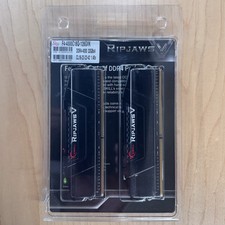
G.Skill Ripjaws V 128GB (4x32GB) DDR4-4000 CL18 Memory Kit F4-4000C18Q-128GVK
$875.00
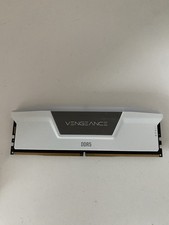
Corsair Vengeance - 16gb DDR5 Ram (Single Stick)
$190.00

Corsair CMK32GX4M2B3000C15 Vengeance LPX DDR4 3000mhz Memory Kit - 32GB (2x16GB)
$164.95

RAMAXEL Lenovo 32GB LPDDR5X CAMM2 7500MHz Laptop RAM | UNTESTED
$445.00

Corsair Vengeance DDR3 8GB 16GB 32GB 1866MHz PC3-14900 Desktop RAM Memory DIMM
$43.00
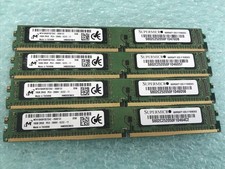
Micron 64GB(4 x 16GB) MTA18ADF2G72AZ-2G6E1ZI PC4-2666V ECC DDR4 UDIMM RAM R1076A
$319.95
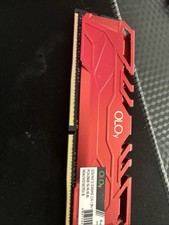
$90.00
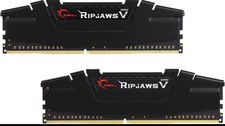
RAM G. SKILL Ripjaws V Series 16GB 2x8GB DDR4 3200 CL16 F43200C16D16GVKB Matched
$78.00
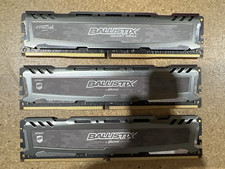
LOT OF 3-Corsair BLS8G4D240FSB.16FBD2-8GB Ram Sticks (24GB Total) (205)
$88.00
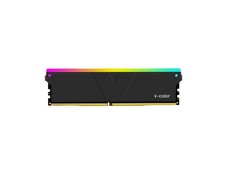
V-Color 16GB (2 x 8GB) DDR4 3200 (PC4 25600) Desktop memory Model
$285.62
