

 Reply With Quote
What complete loadlin command-line have you been trying?
You might also want to look here for a discussion about this very topic.


I can't burn cdroms so i try to boot knoppix with loadlin (in FreeDOS). I downloaded the files needed for loadlin (including the iso-file). When i type 'loadlin vmlinuz ....' I get the colourfull 'welcome to knoppix live cd'. After a few second I get the message 'kernel panic'. What did I do wrong?
[EDIT] I get the suggestion to pass "INIT=" to the kernel
What complete loadlin command-line have you been trying?
You might also want to look here for a discussion about this very topic.
I tried "loadlin vmlinuz root=/dev/hda5 initrd=miniroot.gz lang=en ro"
Now i tried something else "loadlin linux26 fromhd=/dev/hda5/Knoppix ramdisk_size=100000 init=/etc/init initrd=minirt26.gz home=/dev/hda7 BOOT_IMAGE=Knoppix" This gave a bit more: Can't find Knoppix filesystem.
Anyway I have the Iso file in d:\Knoppix (/dev/hda5) and I'ld like to install to /dev/hda7 if possible.
Are you using the raw ISO image, or have you extracted the KNOPPIX file within that?
With the ISO, I think it's bootfrom you should be using instead of fromhd
See here
I've both an iso and the extracted version of knoppix
[edit]NowI've tried this:"loadlin linux26 bootfrom=/dev/hda5/Knoppix ramdisk_size=100000 init=/etc/init initrd=D:\Knoppix\minirt26.gz BOOT_IMAGE=Knoppix tohd=/dev/hda7"
But i got a message: line to long. Can I drop something?
[edit] the same result for "loadlin linux26 bootfrom=/dev/hda5 ramdisk_size=100000 init=/etc/init initrd=D:\Knoppix\minirt26.gz BOOT_IMAGE=Knoppix tohd=/dev/hda7"
[edit]The setup still tries to find the cdrom
Thanks for the quick responses
In the 1st post mentioned above, I explain why it's better to use loadlin with a parameter file rather than a long command line that gets truncated.Originally Posted by Taldor
http://www.knoppix.net/forum/viewtopic.php?t=2273
I have WinXP.
and what's the command then? "loadlin loadlin.par" or "loadlin config.sys" or ...?
[edit] I found it: loadlin @loadlin.par
now i get something:
[edit again]Now I use D:\knoppix\linux26 bootfrom=/dev/hda5/knop.iso ramdisk_size=100000 init=/etc/init lang=be vga=791 initrd=D:\knoppix\miniroot.gz apm=power-off hda=scsi hdb=scsi hdc=scsi hdd=scsi screen=1280x1024 home=scan myconfig=scan nomce, but this gives the same error as before.Accessing KNOPPIX CDROM at /dev/hda5...cat: No file /KNOPPIX/etc/ld.so.cache.
Setting paths...run: not found
awk: not found
awk: not found
Total memory found: kB
expr: not found
expr: not found
mkdir: not found
Creating directories and symlinks on ramdisk...mkdir: not found
chown: not found
/linuxrc: cannot create /var/run/utmp: directory nonexistent
FAT: bogus logical sector size 0
Kernel panic: VFS: Unable to mount root fs on 01:01
What's the cheatcode for a belgian azerty keyboard?
Here , someone says i should put the big KNOPPIX file to the D:\Knoppix\ folder, but the folder D:\Knoppix\KNOPPIX\ can't coexist with the big KNOPPIX file. Should I rename something?
Just to clarify, it sounds like you're booting FreeDOS and running LOADLIN off a boot floppy, and it sounds like /dev/hda5 (aka your D: drive under Windows) is not formatted as NTFS, but is FAT32, correct?
(Knoppix won't load from an NTFS partition, and LOADLIN won't run from an NTFS partition, either, for all intents and purposes.)
You can name LOADLIN's parameter file anything within the DOS "8.3" filename constraints. Name it "nsync.sux" or "bkstboyz.rul" if you like. Just tell LOADLIN where it is using the @ sign as described in the thread baldyeti pointed to. Nothing magical about its name.
That big ~700MB file on the Knoppix CD called KNOPPIX - the one in the /KNOPPIX directory - has to be saved on your hard disk partition just like it is on the CD in order to to use the "fromhd" command. In other words, make a /KNOPPIX directory, and then put the ~700MB KNOPPIX file in it. So that /KNOPPIX/KNOPPIX is the big KNOPPIX file in a directory named KNOPPIX. Then you can use the "fromhd=/dev/hda5" command (assumming it's on /dev/hda5, of course).
correct, except I run loadlin from a FAT partition with FreeDOS, I don't use a floppy at all.
Ok that's what i did wrong: I had this: D:\Knoppix\KNOPPIX\KNOPPIX. Now I have a seperate partition with only the Knoppix 'cdrom', (M:, /dev/hdaThat big ~700MB file on the Knoppix CD called KNOPPIX - the one in the /KNOPPIX directory - has to be saved on your hard disk partition just like it is on the CD in order to to use the "fromhd" command. In other words, make a /KNOPPIX directory, and then put the ~700MB KNOPPIX file in it. So that /KNOPPIX/KNOPPIX is the big KNOPPIX file in a directory named KNOPPIX. Then you can use the "fromhd=/dev/hda5" command (assumming it's on /dev/hda5, of course).and the big KNOPPIX file in M:\KNOPPIX\KNOPPIX.
With these options: vmlinuz fromhd=/dev/hda8 ramdisk_size=100000 init=/etc/init lang=nl vga=791 initrd=miniroot.gz apm=power-off hda=scsi hdb=scsi hdc=scsi screen=1280x1024 home=scan myconfig=scan nomce, I get the same error message as before. Quite strange I still tries to find Knoppix in /dev/hda5...
Accessing KNOPPIX CDROM at /dev/hda5...cat: No file /KNOPPIX/etc/ld.so.cache.
Setting paths...run: not found
awk: not found
awk: not found
Total memory found: kB
expr: not found
expr: not found
mkdir: not found
Creating directories and symlinks on ramdisk...mkdir: not found
chown: not found
/linuxrc: cannot create /var/run/utmp: directory nonexistent
FAT: bogus logical sector size 0
Kernel panic: VFS: Unable to mount root fs on 01:01
The miniroot and the kernel are in pairs. For "linux26" you have to use "minirt26.gz" and for "linux24" you have to use "minirt24.gz" (they're in the /boot/isolinux dir on the CD). Also try it without that "init=/etc/init" line.
 Posting Permissions


Dell Poweredge R630 2x Xeon E5-2680 v3 2.5ghz 24-Cores / 64gb / Raid / 2x 1Tb
$374.99

Dell EMC PowerEdge R440 Xeon silver 4215 2.5GHz 16 GB ram 2x 550W PSU No HDD
$275.00

Dell Poweredge R630 2x Xeon E5-2680 v3 2.5ghz 24-Core | HBA330 | No RAM or HDD
$149.99

Dell PowerEdge R530 2x E5-2630v4 H330 iDRAC8 Port Card Riser No PSU/RAM/HDD
$99.99

Dell Poweredge R730xd 12LFF 2*2660v4 4*1Gbe h730 2x 750W Server CTO
$248.00

Dell PowerEdge C4130 1U AI GPU Server | 2x E5-2680 v3 | 32gb Ram | 2x 1600W
$409.99

Dell PowerEdge R640 10SFF 2x Gold 6140 2.3GHz 36-Cores 64gb H730p 2x Trays
$599.99

Dell PowerEdge C4130 1U AI GPU Server | 2x E5-2690 v3 | 64gb Ram | 2x 1600W
$524.99

Dell PowerEdge R730 Server 2x Xeon E5-2630 V4 64GB DDR4 2TB HDD Rackmount
$489.99
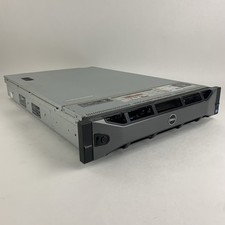
Dell PowerEdge R720 Server 2x Xeon E5-2670 2.6 GHz 64 GB RAM No OS No HDD Read-
$239.95