

 Reply With Quote
The file he is talking about is /etc/fstab but the line should start with /dev/sda1.


I'm having the same problem, except I have no idea what you guys are talking about. I'm new to the whole linux thing, just using it to recover some important files off a friends machine. Someone referred to a doc with this information, where can I find that, and what are the first steps I can take to recognizing the drive?
Thanks,
Hamid.
The file he is talking about is /etc/fstab but the line should start with /dev/sda1.
Ok, so whats the first things i should type in console to detect/install the drive?
Sorry for this newb question, but its really important my friend gets these files.
There are three questions on the last page - so what means 'the same problem'?
First the optimistic test:
while /mnt/usb has to exist.Code:mount /dev/sda1 /mnt/usb
Test with
and create it withCode:ls -la /mnt
Code:mkdir /mnt/usb
 Posting Permissions

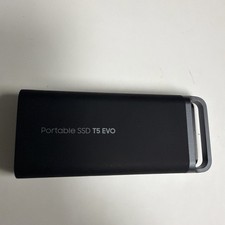
Samsung T5 EVO 4TB Portable SSD USB 3.2 External
$250.00
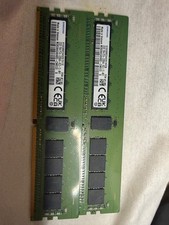
2xM393A4G40AB3-CWE SAMSUNG 32GB (1X32GB) 1RX4 PC4-3200AA SERVER MEMORY
$690.00
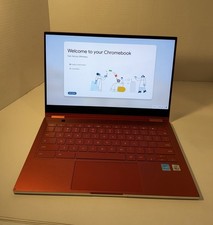
Samsung Galaxy Chromebook XE930QCA 13.3" Red
$325.00

Samsung 860 PRO 2TB 2.5" SATA III V- NAND SSD MZ-76P2T0 86%-90% Health
$187.00

RAM-HOL-SAM60CPU RAM USB-C Powered Dock for Samsung Tab Active5 - 3 - 2
$81.99

RAM-HOL-SAM52CPU RAM USB-C Powered Dock Samsung Tab Active4 Pro & Tab Active Pro
$81.99

RAM-GDS-SKIN-SAM54-NG-1 RAM Mounts IntelliSkin® Next Gen for Samsung Tab Active4
$93.99

Cell Phone Smartphone Computer repair banner poster sign iphone Samsung
$89.99
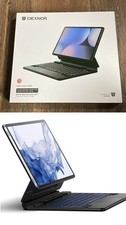
Dexnor for Samsung Galaxy Tab S10+ Plus/S9+ Plus/S9 FE+/S7 FE Keyboard
$69.00
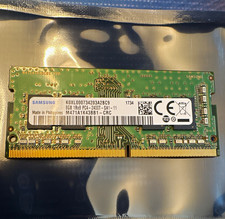
Samsung 8GB DDR4 SO-DIMM PC4-2400T 260-Pin Unbuffered M471A1K43BB1-CRC
$27.50