

 Reply With Quote
The file he is talking about is /etc/fstab but the line should start with /dev/sda1.


I'm having the same problem, except I have no idea what you guys are talking about. I'm new to the whole linux thing, just using it to recover some important files off a friends machine. Someone referred to a doc with this information, where can I find that, and what are the first steps I can take to recognizing the drive?
Thanks,
Hamid.
The file he is talking about is /etc/fstab but the line should start with /dev/sda1.
Ok, so whats the first things i should type in console to detect/install the drive?
Sorry for this newb question, but its really important my friend gets these files.
There are three questions on the last page - so what means 'the same problem'?
First the optimistic test:
while /mnt/usb has to exist.Code:mount /dev/sda1 /mnt/usb
Test with
and create it withCode:ls -la /mnt
Code:mkdir /mnt/usb
 Posting Permissions


Intel Core i7-3770K 3.5 GHz Processor
$39.00

INTEL CORE I9-10940X X-SERIES PROCESSOR | 3.30GHZ | SRGSH
$179.99

Lenovo ThinkCentre M920s SFF Barebones PC Motherboard PSU DVD No CPU RAM SSD
$27.99
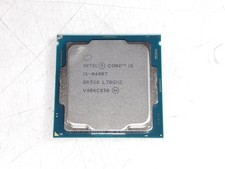
Intel Core i5-8400T 1.7 GHz LGA 1151 Desktop CPU Processor SR3X6
$28.99

Intel Xeon E3-1230 v3 SR153 3.3GHz Quad Core LGA 1150 CPU Processor
$14.49
Intel Core i7-6700 SR2L2 3.40GHz 8 MB 4-Core LGA1151 Socket CPU Processor
$27.99

Intel Core i5-12500T SRL5W 2GHz 18MB 6 Core Socket LGA1700 Desktop CPU Processor
$114.99
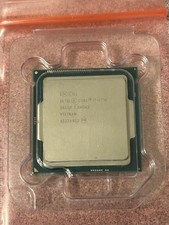
Intel Core i7-4790 3.6 GHz 4th Gen 4 Cores 8 Threads Desktop CPU SR1QF
$39.95

Intel 6th Gen Core i7-6700K 4.0GHz (Turbo 4.2GHz) 4-Core LGA1151 CPU SR2L0
$38.00
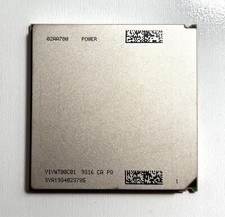
IBM 02AA780 Power9 Processor CPU
$24.50