

 Reply With Quote
The file he is talking about is /etc/fstab but the line should start with /dev/sda1.


I'm having the same problem, except I have no idea what you guys are talking about. I'm new to the whole linux thing, just using it to recover some important files off a friends machine. Someone referred to a doc with this information, where can I find that, and what are the first steps I can take to recognizing the drive?
Thanks,
Hamid.
The file he is talking about is /etc/fstab but the line should start with /dev/sda1.
Ok, so whats the first things i should type in console to detect/install the drive?
Sorry for this newb question, but its really important my friend gets these files.
There are three questions on the last page - so what means 'the same problem'?
First the optimistic test:
while /mnt/usb has to exist.Code:mount /dev/sda1 /mnt/usb
Test with
and create it withCode:ls -la /mnt
Code:mkdir /mnt/usb
 Posting Permissions


GIGABYTE A520M DS3H AC AMD AM4 Motherboard mATX
$59.99

Intel H310 LGA1151 8-9th Gen DDR4 M.2 NVMe mATX Motherboard IO Shield Battery
$54.99

Intel H81 Motherboard M.2 NVMe LGA 1150 mATX w/ IO Shield (Random Slot Color)
$29.90

ASUS B85M-G/B85M-G PLUS LGA1150 DDR3 Micro ATX Motherboard HDMI for Inter 4thCPU
$45.00

GIGABYTE B365 HD3 LGA1151 Intel 9th Gen motherboard
$59.99

ASRock B550M PRO4 AM4 AMD B550 SATA 6Gb/s Micro ATX AMD Motherboard
$81.99
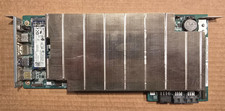
ASRock AMD BC-250 16GB 128GB SSD Used
$220.00

ASUS PRIME Z370-A II LGA 1151 Intel Z370 DDR4 DIMM USB3.1 DVI ATX RGB
$69.99
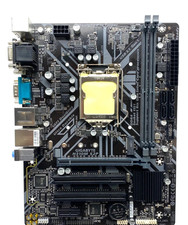
GIGABYTE H310M S2P Motherboard
$55.99

MSI B460M-A Pro DDR4 LGA 1200 Micro ATX Motherboard 10th Gen
$59.99