

 Reply With Quote
Try this utility which comes with knoppix:
1)
Open konsole
su
testdisk
Make sure you make some reading first : http://www.cgsecurity.org/index.html?testdisk.html


Hi there,
I used cfdisk to make the parttitions for Knoppix-Installation. I have one 40GB HD, 20 GB for existing XP, 19,5 for Knoppix and 500 MB for Swap.
The problem came up when I wrote the table with cfdisk. It used another geometry (cylinders, heads, sectors). I realized it when I tried to modify Lilo and it told me about the different data in BIOS and partition table.
I then started again cfdisk and it shows me wrong infos. I also tried to remove the two linux partition and make new ones with qtparted, but the table seems to be still incorrect.
What can I do to repair my partition table?
Norman
Try this utility which comes with knoppix:
1)
Open konsole
su
testdisk
Make sure you make some reading first : http://www.cgsecurity.org/index.html?testdisk.html
cfdisk is not supposed to be affected, but there's a known problem when using (qt)parted under linux2.6: http://mlf.linux.rulez.org/mlf/ezaz/ntfsresize.html
Thanks,
I tried Testdisk. After changing the geometry to the real values, Testdisk told me a diskspace of 8 GB instead of 40 GB. Therefore I refused to write the new partition table.
Meanwhile I tried to change geometry with linux fdisk. But the error message was, that fdisk can not change the geometry till it is in use. The problem is, I have in this notebook only one harddisk and one CD-ROM. If I boot Knoppix from CD harddisk is in use too.
XP and Knoppix from HD are running at the moment without error messages related to this issue.
I hope this wouldn't change.
Norman
There are a couple of other utilities worth looking into. gpart and sfdisk, see the manual pages for details.
You might try booting your knoppix cd to a non graphic environment:
the 2 will bring uo a simple command line interface and the noswap should prevent the mounting of the hard drive.Code:knoppix2 noswap
HTH
Probably because it's autodetecting and using your swap file. You can tell it not to by using the "noswap" cheatcode.Originally Posted by NormanBates
oops, in the knoppix 2 code note, that a space should be between knoppix and 2 .
My comment:
Don't panic. Nothing to worry about, since you can boot Xp and knoppix flawlessly.
It is normal for cfdisk and and qtparted reported your harddisk geometry is wrong or what ever. Linux read geometry differently compared to your bios.
Lucky for you, you didn't run that test utility and try to fix it, or else you willl lost all your data.
 Posting Permissions


🔀 Juniper Networks EX2300-C-12P 12× Gigabit PoE+ • 2× 10G SFP+ Compact Switch ⚡
$109.99

Juniper EX4400-EM-4S expansion modules
$599.00

Juniper EX2300 12-Port Gigabit PoE+ Managed Network Switch P/N: EX2300-C-12P
$149.99

Juniper Networks EX3400-24T 24-Port Ethernet Switch w/Power Cord
$174.99

Juniper MX204 +JUNOS and Dual Power Supply
$7299.99
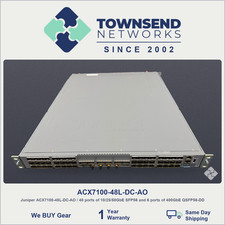
Juniper ACX7100-48L-DC-AO / 48 ports of 10/25/50GbE SFP56
$25995.00

Juniper EX2300-C 12 Port Compact Gigabit Switch EX2300-C-12p Discounted Cosmetic
$79.86

Juniper Networks AP33-US Indoor Wifi6 (US Version) 5GHz: 4x4:4; 2.99
$24.99

Juniper EX3400-24P 24-Port PoE+ GbE + 4-Port 1/10Gb SFP Switch
$245.00

Juniper Networks EX2300-48P 48-Port Gigabit PoE Managed Ethernet Switch
$79.99