

 Reply With Quote
Hi,
I have the same problem and I am still looking for a solution.
May anybody help me?
Even the problem is, that machine with knoppix on it is my DHCP-Server.


How do I disable DHCP from running on interface ETH0?
I have set /etc/network/interfaces up properly but on boot it still asks for asks the DHCP for an address.
If i do an ifdown eth0 then ifup eth0 it uses the static address not the dhcp'ed address.
Hi,
I have the same problem and I am still looking for a solution.
May anybody help me?
Even the problem is, that machine with knoppix on it is my DHCP-Server.
If you don't want the DHCP client to run at all then a quick and dirty way is to do, as root:
Code:chmod -x /sbin/pump
I am running DHCP on that machine, but the DHCP request, wich the computer during the start makes worries me.
I have a fixed IP-Adress for my local network here set to that card, but any time on start up the computer tries to get DHCP-Information for himself from out of the local net. After reboot I start ifconfig and then the network is running with the specified values.
What do I have to do, to become those fixed values every time during reboot to run?
I don't really undestand the question, but try to figure it out. I assume this is hd installation.
1) If you don't want dhcp to try get an ip for you, try append cheat codes = nodhcp onto /etc/lilo.conf. Don't forget to update lilo by running lilo afterward.
2) If your IP resetting everytime you boot and your static ip don't stick, there is two way you can solve the problem.
a) Edit your /etc/init.d/knoppix-autoconfig:
comment out line that reads: pump -i $DEVICE >/dev/null 2>&1 &
and add line : /etc/init.d/networking restart
or
b) You can create a script consist of this lines:
#!/bin/sh
ifconfig eth0 down
/etc/init.d/networking stop
rmmod *xxx
insmod *xxx *xxx= your network card module
ifconfig eth0 up
/etc/init.d/networking start
name it to what ever you wan't ex: mynet.sh and save it in /etc/init.d
and run update-rc.d mynet.sh defaults so it can run on boot. To remove , run update-rc.d -f mynet.sh remove .
3) If you not using gateway, remove it from your /etc/network/interfaces
Might or might not work. Use at your own risk.
 Posting Permissions


Vintage Apple II Avant-Garde Creations Super Shape Draw And Animate 1981
$295.00

Vintage Apple Monitor IIc 9" Green Monochrome 06/1985 A2M4090 October 1984 Stand
$275.00

Rare Vintage Macintosh Apple Wooden Disk Storage Box Dovetailed
$69.95

LARGE LOT Vintage Apple Macintosh Mouse Cables Accessories SCSI etc - UNTESTED
$80.00

Retro Vintage Apple M0110A Compact Wired Mechanical keyboard for Macintosh Plus
$64.95

Vintage Apple Macintosh 128K 512K Carrying Case Rainbow Logo Excellent Cond
$140.00
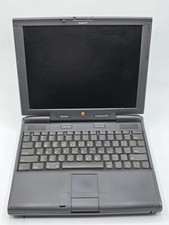
Apple PowerBook 3400c TFT LCD RARE Vintage Laptop untested
$139.99

Vintage Apple Power Mac G4 Cube Poster (2000) 36 x 24 - Think Different
$29.99
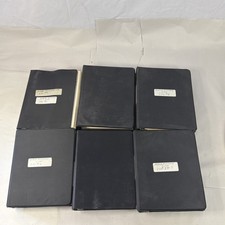
Vintage Apple Assembly Line Newsletter Vol: 1,2,3,4,5,6,7 From 1984
$179.99

Vintage Apple Multiple Scan 15av Display Monitor M4681
$299.99