-
Administrator
Site Admin-

Originally Posted by
transistordude
Harry: I have a question about the private unroutable address. Exactly what in the 192.168.1.2 numbers guarantees it doesn't match some IP address somewhere on the net if I have a dialup modem online with the ethernet between the two PCs on?
The Internet TCP/IP spec defines some unroutable IP address ranges for just this purpose (sorry, I can't give you the exact RFC #). Off the top of my head, 10.xxx.xxx.xxx and 192.168.xxx.xxx are defined to be unroutable, there may be others but 192.168.xxx.xxx is the most common used for home networks. I don't know what logic, if any, was used to select these ranges.
Other people may certainly be using those numbers as well, but since they will not route on the 'net they can't see yours and you can't see them, so there is no conflict. That you are connecting via dial-up brings up another issue; that connection will end up with it's own IP address and your system will figure out what to send to the local lan and what to send to the dial-up, but as long as you use these addresses things will be safe even when you are directly connected to the Internet through the same NIC.
Originally Posted by
transistordude
Another detail I didn't mention Knoppix seems to think the laptop has two ethernet ports. I am using a PCMCIA card and assume that it's eth1.
Actually I would expect it to be eth0, but I'm not clear why Knoppix thinks you have multiple NICs unless you have a motherboard with a built-in NIC. You don't , do you? (many recent laptops do). And you don't have built-in wireless in that laptop, do you? Try either and/or both of the connections Knoppix thinks it sees.
Originally Posted by
transistordude
I suspect something might be wrong because if I run netcardconfig on the client tower PC, with the DHCP, DHCP doesn't work.
I'm not clear here where you think the DHCP server is that would supply an IP address when you do this, unless you already have DHCP services running on the laptop. If you had a home DSL/Cable router it would server as a DHCP server and assign you a DHCP address (even if it was not connected to the Internet, and, in fact, even if it never connected to the Internet (although the DHCP setup might make your computer keep trying to get to the Internet through that router, even if you did make a dial-up connection, unless you reset a few things)).
I'm not an expert on hard disk install (nor on many other things), so I'm going to back out and hope others can give you more help than I, but at least I hope I answered some of your first questions.
Similar Threads
-
By kubikanber in forum Hardware & Booting
Replies: 0
Last Post: 05-19-2004, 08:22 PM
-
By phoenix07 in forum Networking
Replies: 3
Last Post: 04-09-2004, 10:48 AM
-
By gill1109 in forum Networking
Replies: 2
Last Post: 07-28-2003, 05:20 AM
-
By Anssi in forum Networking
Replies: 2
Last Post: 04-29-2003, 06:38 AM
-
By david in forum Hardware & Booting
Replies: 0
Last Post: 01-09-2003, 02:11 PM
 Posting Permissions
- You may not post new threads
- You may not post replies
- You may not post attachments
- You may not edit your posts
-
Forum Rules

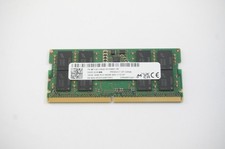
MTC8C1084S1SC56BD1 Micron 16GB DDR5 1Rx8 PC5-5600B 5600Mhz SO-DIMM Memory
$149.99

Netac DDR4 32GB 16GB DDR4 3200MHz UDIMM C16 Desktop Internal Memory RAM Kit
$99.99

16GB KIT (2x8GB) DDR3 Gamer Desktop RAM PC3 MIXED BRANDS VIPER VENGEANCE FURY
$10.00

A-Tech 8GB DDR3 1600 PC3-12800 Laptop SODIMM 204-Pin Memory RAM PC3L DDR3L 1x 8G
$21.68

Major Brand 16GB (2x8GB) PC3-12800U DDR3-1600MHz DDR3-12800 DESKTOP RAM NON-ECC
$29.99
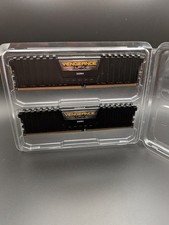
Corsair Vengeance LPX 64GB (2x32GB) DDR4 3200MHz C16 RAM CMK64GX4M2E3200C16
$399.99

G.SKILL FLARE X5 64GB (2 x 32GB) 6000 MT/s DDR5 (AMD EXPO + INTEL XMP) *CL30*
$785.00

Samsung 16GB LPCAMM2 PC5 7500 DDR5 LPDDR5X CAMM2 M561K1LC4DM0-CCTGM RAM Memory
$189.00

Micron 32GB 1x32GB DDR5 5600 CL46 ECC Unbuffered SO-DIMM MTC20C2085S1TC56BD1
$399.00

NEW IN BOX - Corsair Vengeance RGB 32gb (2x16gb) DDR6200 CL36 CMH32GX5M2B6200C3
$550.00



 Reply With Quote