-
In Trouble. boots up then I have a monitor problem , help
I recently bought Knoppix 3.4 off of ebay. I put it in a boot-up I get loads of the scrolly messages, then my monitor displays a message saying frequency out of range.
Its a 17" LCD, My grpahics CaRd is a Radeon 9200SE, What can I do????
Please Help Me Because I've always wanted to use Knoppix.
-
Senior Member
registered user
I would try booting with some of the cheatcodes. See http://www.knoppix.net/docs/index.php/CheatCodes Many people who have problems with video find that a cheatcode to enable a basic or specific configuration solves their problem.
For example,
knoppix vga=normal No-framebuffer mode, but X
failsafe
Boot with (almost) no hardware detection
Try using the search box at the top of the page, and see if anyone has reported similar problems and solutions. You might just start by typing in the model number of your graphics card. You may get lucky and find a solution. Otherwise, search with terms like radeon, boot, "out of range", maybe even 3.4 (although you'll eliminate a solution that someone found for 3.3 or earlier).
Knoppix doesn't know what kind of monitor you have, so I doubt seriously that it's an issue, unless there's something special that your Radeon needs for talking to that monitor under Linux. If all else fails, you might consider Googling for Radeon linux drivers and installation instructions, although even if you find it, it won't do you any good within the context of running from live CD.
Good luck, and welcome
jd
-
So How do I even enter those, nothing seems to be editable on the screen, It just does its scrolly thingy then goes out of range
-
Senior Member
registered user
When you put in the disk & restart, it should come up on a boot screen that says Knoppix, and have a cursor on the last line to enter cheatcodes. It should pause momentarily to allow entry, and then continue autodetecting with default values if none are entered.
I had assumed that the problems arose after that point, because that's when the autodetection kicks in. If you aren't even getting to that point, I'd guess that you have either a bad disk or a hardware issue. At any rate, I'm not competent to help you with that.
If a bad disk, you do realize that you can download and burn your own copy for free, right?
jd
-
Yes I am Aware I can Download It, I do get to that point
Thanks Ill let you know what happens
Similar Threads
-
By Audax in forum Hardware & Booting
Replies: 3
Last Post: 08-06-2004, 01:29 PM
-
By smart_soni in forum General Support
Replies: 3
Last Post: 06-11-2004, 03:25 AM
-
By jagdish in forum Hardware & Booting
Replies: 1
Last Post: 06-28-2003, 06:03 PM
-
By Satyag in forum Hardware & Booting
Replies: 1
Last Post: 06-25-2003, 12:15 PM
-
By j0x in forum Hardware & Booting
Replies: 4
Last Post: 04-01-2003, 12:54 PM
 Posting Permissions
- You may not post new threads
- You may not post replies
- You may not post attachments
- You may not edit your posts
-
Forum Rules


Dell PowerEdge FX2s + 8x FC430 Blades 16x E5-2630v4 160 Cores Rails No PSU/RAM
$699.00

AS IS READ DESCRIP. Supermicro SuperServer 6026TT-HIBQRF 12-Bay 4x X8DTT-HIBQF
$215.00

NETAPP HCI NAF-1701 SuperMicro Server 4X BLADE H410C 8X GOLD 5120 - 4X S25G NICs
$1999.97

Dell PowerEdge M630 Blade Server 2x Xeon E5-2680 v4, 2F3MP , 4GDP5 ,R10KJ ,JVFVR
$96.60
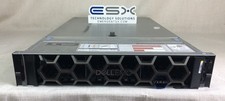
Dell R740XD VxRail P570 24x 2.5” 2U CTO Server– 2x Gold 6240, H740p, 2x 1600W
$699.00

Dell PowerEdge FX2 FX2s Server 10GbE CMC Blade Enclosure Chassis
$274.99

Dell PowerEdge VRTX Rackmount Chassis w/4x PSUs 2x CMC Modules
$399.98

Dell PowerEdge M620 Blade Server 2x Xeon E5-2680v2 2.8ghz 20-Cores | 128GB
$149.99

Dell PowerEdge FC430 Blade Server 2x Xeon E5-2630v4 20 Cores FX2 FX2s No RAM/HDD
$119.99

Dell Poweredge VRTX 25Bay 2.5" 2x PERC 8, 2xCMC, I/O 1GB Pass Through, 4x PS
$578.08



 Reply With Quote