-
Junior Member
registered user
mplayerplug-in for mozilla not working?
I was able to compile and install the mplayerplug-in for mozilla (from tp://mplayerplug-in.sourceforge.net) but when attempting to view streaming video (using the mplayer that is installed with kplayer from klik), I just see a box that says "mplayerplug-in playing <url>".
Anybody get this to work in knoppix? I'm using live cd knoppix 3.4.
-
I've always had good luck with mozplugger. You can apt-get it. It will play all of that stuff as long as you have mplayer and the codecs and all.
-
Senior Member
registered user
I'm really not that big of a fan of the mplayer plugin. Why not apt-get kaffeine and the kaffeine plug in? I think they work much better. The kaffeine plugin will not embed the video into your browser. It will open up kaffeine and play your video there. The upside is that it seems to pretty much just work whereas I find that the mplayer plugin just chokes on a lot of streams. Also kaffeine will let you save any stream that it opens. This comes in handy some times.
-
Junior Member
registered user
AAY: Thats good info, just what I need. I have gotten kaffeine to install from the klik site, and having kaffeine play the video outside the browser is no big deal, as long as I don't have to manually extract the mms: url from the html/javascript.
But I have yet to get kaffeine to work so my question for you is: after installing kaffeine from klik, do I have to manually associate mime types myself, and did you get kaffeine to play streams without having to dig out the url? And would this require a harddrive installation as opposed to live CD? (because apt-get won't work unless with a HD install I believe)
-
Senior Member
registered user

Originally Posted by
airplays
AAY: Thats good info, just what I need. I have gotten kaffeine to install from the klik site, and having kaffeine play the video outside the browser is no big deal, as long as I don't have to manually extract the mms: url from the html/javascript.
But I have yet to get kaffeine to work so my question for you is: after installing kaffeine from klik, do I have to manually associate mime types myself, and did you get kaffeine to play streams without having to dig out the url? And would this require a harddrive installation as opposed to live CD? (because apt-get won't work unless with a HD install I believe)
airplays,
sorry. i didn't notice that you weren't working from a hd install. do you have to manually associate mime types yourself? well i guess so. you can go through the settings on mozilla and clear out what's there and you should be prompted to associate the media type with an app when you next try and open it. unfortunately probono's klik script for kaffeine does not install w32codecs by default. you can download the .deb and open it up with unp and then copy the codecs to the appropriate place. I think it's ~/kaffeine/usr/lib/win32/
-
Junior Member
registered user
Just for troubleshooting purposes, I went ahead and installed knoppix to HD and was actually easily able to get the mplayerplug-in to show streaming video in the browser! I installed mplayer & mozilla plugin with 'apt-get install mozilla-mplayer' after adding 'deb ftp://ftp.nerim.net/debian-marillat/ unstable main' to /etc/apt/sources.list
Well that tells me that the plugin can work with HD but I want to get it working with the liveCD since apt-get doesnt work well with liveCD (lets get probono to add mplayerplug-in to the klik site!)
I know that kplayer (installed from klik) installs the mplayer libraries which is the only way I know to get mplayer installed in liveCD, but I'm not sure what I'd have to change to get mplayerplug-in working with liveCD - any ideas?
-
Senior Member
registered user
Originally Posted by
airplays
lets get probono to add mplayerplug-in to the klik site!
You can bet I've tried this. Unfortunately, I don't know how to make that work. If anybody can give me a clue, I will add the plugin to the kplayer recipe. The same applies for the kaffeine and kmplayer plugins.
One plugin that should work indeed is realplayer.
-
Junior Member
registered user
champagnemojo: I assume you got mozplugger to work with a HD install? I'm running liveCD and no luck with mozplugger so far 
-
Originally Posted by
airplays
champagnemojo: I assume you got mozplugger to work with a HD install? I'm running liveCD and no luck with mozplugger so far
Yes, I've only gotten it working in a hd install. I'm not sure how it'd work in a livecd setting. It's a great plugin. It will embed not only movies and sounds, but also pdf files and office documents. But I'm afraid I don't know how to get it working in the livecd setup.
-
Senior Member
registered user
Originally Posted by
airplays
Well that tells me that the plugin can work with HD but I want to get it working with the liveCD since apt-get doesnt work well with liveCD (lets get probono to add mplayerplug-in to the klik site!)
I know that kplayer (installed from klik) installs the mplayer libraries which is the only way I know to get mplayer installed in liveCD, but I'm not sure what I'd have to change to get mplayerplug-in working with liveCD - any ideas?
Maybe not what you wanted to hear but it looks like your solution might be to make a remaster with mplayer & all the plugins in place. Might as well add flashplayer & realplayer as well since lots of sites need flash & mplayer won't do realplayer.ram files. I think you need realplayer 10 for these, I'm trying to get it working right now.
Similar Threads
-
By turbines in forum General Support
Replies: 2
Last Post: 04-28-2004, 08:51 PM
-
By phoenix07 in forum Networking
Replies: 3
Last Post: 04-09-2004, 10:48 AM
-
By lavaman094 in forum Hdd Install / Debian / Apt
Replies: 2
Last Post: 11-03-2003, 06:32 AM
-
By denver1 in forum General Support
Replies: 3
Last Post: 07-20-2003, 12:08 PM
-
By Tortoise in forum Hardware & Booting
Replies: 6
Last Post: 06-04-2003, 03:34 AM
 Posting Permissions
- You may not post new threads
- You may not post replies
- You may not post attachments
- You may not edit your posts
-
Forum Rules


INTEL XEON E5-2680V4 SR2N7 2.40GHZ CPU
$11.00

Dell EMC PowerEdge R440 Xeon silver 4215 2.5GHz 16 GB ram 2x 550W PSU No HDD
$275.00

Dell Precision Tower 7810 Xeon E5-2630 v3 @ 2.40GHz , 32GB Ram, NO HDD, NO OS
$239.99

Dell Precision T7820 2x Xeon Silver 4114 2.20GHz 950W No RAM GPU HDD 4x SATA
$350.48

Dell Precision T5820 Workstation 3.70GHz W-2135 No RAM/ GPU/ HDD/ OS
$179.98

Intel Xeon E5-2699 V4 2.20GHz 55M 22-CORES LGA2011-3 Server Processor 145W SR2JS
$84.49

Intel Xeon E5-2690 v4 SR2N2 14 Core 2.6GHz 35MB LGA2011-3 CPU *km
$15.99
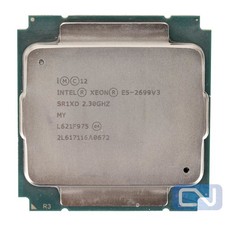
Intel Xeon E5-2699 v3 18 Core 2.3 GHz 45MB SR1XD LGA 2011-3 B Grade
$15.95

DELL Precision T3420 | Xeon 1240v6 | 525GB SSD |16GB RAM |Nvidia GPU |Win11
$149.00

Lenovo ThinkServer TS460 Part Number: 70TS-S01U00
$279.00



 Reply With Quote