

 Reply With Quote
Are you talking about a broadband modem??? If so, what you describe is to be expected. I only need DSL name and password to access e-mail, internet is always on.
If you're talking about a dial-up modem, you've entered the Twilight Zone.
jd


Hi all
I have tried various flavours of Linux - Xandros, Mandrake 10, Debian etc and all have either not registered my USB MODEM, or in the case of Xandros have seen it but won't use it to connect to the net.
Then I download Knoppix Live CD - Volia! USB MODEM detected and connection to the net established without giving any details of my Telewest user name and password!
How is this possible??
How can the live cd access the net and MODEM without me providing details?
I would dearly love to know, because if I can use Knoppix on a regular basis, the XP becomes a Playstation (just for games) - All I need to do is inststall to HDD, get a firewall sorted out and Internet connection sharing enabled and I'm sorted.
I must know how Knoppix can know my MODEM and net details though.
Please help
Are you talking about a broadband modem??? If so, what you describe is to be expected. I only need DSL name and password to access e-mail, internet is always on.
If you're talking about a dial-up modem, you've entered the Twilight Zone.
jd
I need to be in twillight zone too........I wish I have this modem
It is a broadband modem, but I didn't put any details in - no login name or password. Is it pickingup the details from XP?
If I install to the HDD will everything still work?
yes, most likey.
might be a few comands to get it there but... nothing hard, we will try helping out if you get problems
Not from XP - if it's like any other broadband I've seen, it doesn't need these details to deliver the internet. IOW, it is behaving exactly as it should.Originally Posted by Fred666
I doubt it.But you may be close. From what I've seen, it should work better than the other distros. I love Knoppix.
jd
Thanks all - installed to a blank hdd - not brave enough to risk my main drive yet - everything seems to work ok - internet access staight away!
not sure about the network settings yet to enable the xp machines to share my net connection, but i'm sure i will get there!
I don't get it either. I was fooling around with a download of SUSE 9.1 and I was able to access the internet without any problems. Unfortunately, SUSE didn't like my Gateway Solo 9550 Laptop. So, I will have to try this Knoppix. Atleast I won't have to install it while I am playing. javascript:emoticon('
Very Happy
Many broadband connections use DHCP. A router on your lan can be configured for DHCP and can make this simple as it is easy to configure, if not automaticaly detected.javascript:emoticon('')
 Posting Permissions


Dell 6P85J 4TB ST4000NM0063 7.2k 6Gb/s 3.5” SAS SED Hard Drive with Tray
$39.99

Western Digital HUS726T4TAL5204 4TB 7.2K SAS 12Gb/s 3.5" 512e HDD NetApp X375A
$64.00

Seagate ST8000NM0075 Enterprise Capacity 3.5 HDD 8TB SAS Hard Drive 8TB EXOS
$184.99

Toshiba DT01ACA100 1 TB 3.5" SATA III 3.5 in Desktop Hard Drive
$24.99

Dell ST6000NM0034 1HT27Z-150 NWCCG 6TB SAS 3.5 7.2K ENTERPRISE SERVER DRIVE
$68.99
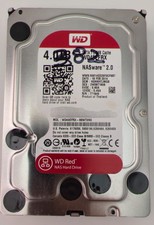
Western Digital WD Red 4TB NAS Hard Drive WD40EFRX SATA 64MB 3.5" HDD
$95.00

Seagate Barracuda ST1000DM003 1 TB SATA III 3.5 in Desktop Hard Drive
$23.99

Seagate ST3000NM0005 HDD 3TB SATA 6Gb/s 7.2K 3.5" 512 b/s
$59.00

HGST Ultrastar HUS726040AL5210 4TB 7200RPM SAS 12Gb/s Enterprise HDD
$41.00

New Western Digital WD40EFPX 68C6CN0 4TB 3.5" SATA III Internal NAS Red Plus HDD
$137.59