

 Reply With Quote
http://loop-aes.sourceforge.net/loop...-v2.1c.tar.bz2
Try applying the patch in this tarball when compiling the kernel. This will add support for aes encrypted loop-back block-devices.


hi,
i've createtd a big problem
i've installed knoppix 3.4 on HD and compiled a kernel 2.6.6 and installed it. i've setup crypto loop's like this:
echo $PW losetup -e AES256 -p 0 /dev/loop0 /cf/xcf0
every thing used to work as expexted. as i wanted a persistend device for my usb stick i've installed "udev" by apt. this removed "mount-aes" from the system.
now i cant use my encrypted files any more. i had to change to "aes-256" but the loop is unsuable. i've tried to use the "original knoppix" losetup and mount from the CD. this only "works" when i use "AES256" but the i get:
ioctl: LOOP_SET_STATUS: The argument is invalid
as i'm really desperate i've setup an fresh system and installed a kernel 2.6.8 but with this setup i also can't use my encrypted files.
can any one help ? i need the data in the cryptoloops !!
TIA
frantek
http://loop-aes.sourceforge.net/loop...-v2.1c.tar.bz2
Try applying the patch in this tarball when compiling the kernel. This will add support for aes encrypted loop-back block-devices.
Can't you boot from CD (using the default 2.4 kernel), mount the drives where the crypto loops "live" and access them from there? Another person made a comment on kernel 2.6 and crypto at this link:
http://www.knoppix.net/forum/viewtop...403&highlight=
I am interested to try your method using the 2.4 kernel. I will add it to the tips and tricks thread.
I wonder if this is a KNOPPIX specific or kernel 2.6 specific problem.
~pau1
@kelmo
std. 2.6.8 has built in AES support - what is this patch doing ?
and keep in mind - every thing used to work till I've removed "mount-aes" while installiond "udev" algon with the std. mount and losetup.
i think i've tried the CD method mentioned by pau1knopp without success.
but i will try all this (again) and report.
cheers
frantek
@pau1knopp
I'ive bootetd from CD and tried to do a losetup. the result was that i can do a losetup but the data stay's unusable as if i've used a wrong password.
BTW: i use as a password a key generated by /dev/random with 2KB. so it contains any kind of data. not ony printable. i do some thing like this:
cat keyfile | losetup ... -p 0 ...
and again: it used to work like this.
cheers
frantek
 Posting Permissions


Dell 6P85J 4TB ST4000NM0063 7.2k 6Gb/s 3.5” SAS SED Hard Drive with Tray
$39.99

Western Digital HUS726T4TAL5204 4TB 7.2K SAS 12Gb/s 3.5" 512e HDD NetApp X375A
$64.00

Seagate ST8000DM004 8TB 3.5" 6Gb/s 256MB SATA HDD P/N: 2CX188-300 Tested
$149.99

(ST8000NM0045) SEAGATE ENTERPRISE 8TB 7200RPM 4Kn SATA 6Gb/s 3.5" HARD DRIVE
$199.99

Seagate ST500DM009 BarraCuda 500 GB 3.5" SATA III Desktop Hard Drive
$14.99
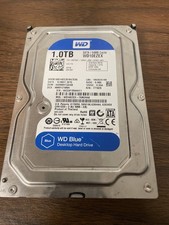
Western Digital WD Blue 1TB SATA 3.5in 7200RPM 64MB Internal HDD WD10EZEX
$14.99

HGST Ultrastar 7K4000 3TB 7200RPM SATA III 3.5" Hard Drive HDD HUS724030ALA640
$39.99

HGST HUS724040ALA640 HDD 4TB SATA 6Gb/s 7.5K 3.5" 0F19459 512 b/s
$78.00

DELL 2TB Enterprise HDD (7200RPM, 3.5", SATA III, 128MB Cache) HUS722T2TALA600
$49.95

Seagate ST12000NM0127 12TB 256MB 7200RPM 3.5" SATA 6.0Gb/s Enterprise Hard Drive
$318.99